
Lead Tracking
How to Prioritize Comment Leads
12 min read
How to Prioritize Comment Leads is a long-form operating guide for teams deciding which comment requests need attention first who need a cleaner way to manage comment lead prioritization for manual follow-up. The goal is not to make a comment campaign sound more complicated than it is. The goal is to give the campaign enough structure that a creator, coach, agency, newsletter operator, course team, small business, or assistant can launch, track, follow up, export, and review the work without losing requests in comments, DMs, notes, or spreadsheets. The practical answer is to define the offer, choose a clear keyword, prepare the lead magnet destination, assign a manual follow-up owner, track every request by status, clean the export, and review what the workflow showed. GramTrigger helps organize comment keyword campaigns, track requests from comments, manage manual follow-up, prepare lead magnet delivery, and export request lists. It does not claim automatic Instagram DMs, unauthorized Instagram automation, Meta or Instagram partnership, or guaranteed followers, sales, revenue, reach, engagement, or conversions. Results depend on content, audience, offer, follow-up, platform rules, and execution.
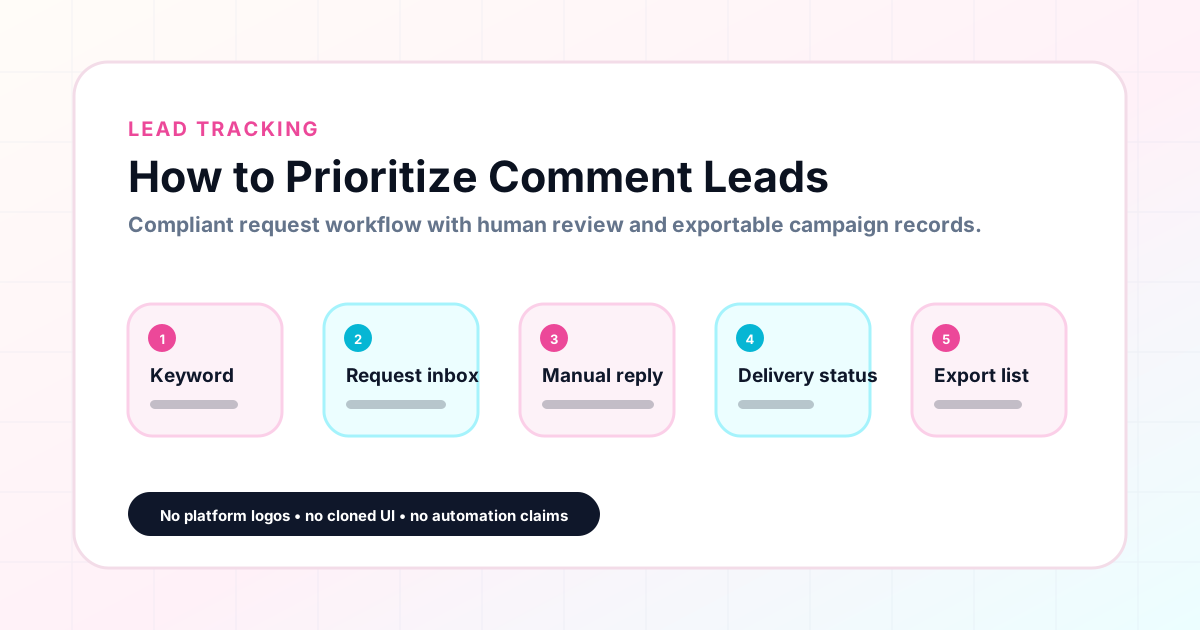
GramTrigger methodology
Original operating system for How to Prioritize Comment Leads
The GramTrigger method treats every comment campaign as an approval workflow, not an automation shortcut. The goal is to prepare the offer, lead magnet, keyword strategy, Reply Library draft, Request Inbox stages, handoff owner, and Lead Export fields before comments turn into operational work.
Campaign Blueprint SOP
Confirm the offer, lead magnet, keyword strategy, comment CTA, reply draft, owner, approval status, and Lead Export fields before launch.
Comment Funnel Workflow
Use the same path everywhere: Offer → Lead Magnet → AI Funnel Builder → Keyword Strategy → Comment CTA → Reply Draft → Review & Approval → Campaign Launch → Request Inbox → Lead Tracking → Export.
Approval Queue Workflow
Review caption CTA, pinned comment, reply draft, lead magnet link, compliance notes, and client approval before a campaign goes live.
Export Readiness Checklist
Export only after records have clear status, no sensitive private data, an owner, follow-up stage, and a documented next action.
Campaign Recovery Workflow
If requests are missed, pause new promotion, review pending records, update Reply Library drafts, communicate manually where appropriate, and document the process fix.
Decision framework
Use this matrix before choosing the next step.
Manual review reminder
Draft response — review before sending. Use approved tools and follow platform rules. GramTrigger helps plan and manage lead magnet workflows; it does not scrape users or auto-send unauthorized DMs.
Workflow Overview
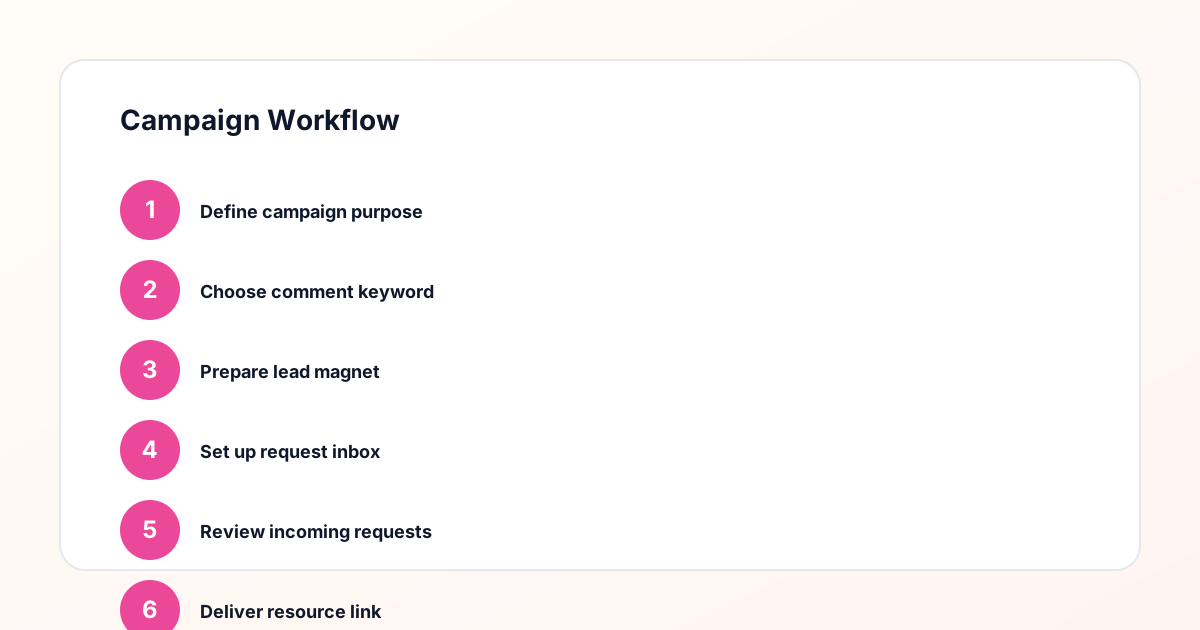
Campaign Checklist
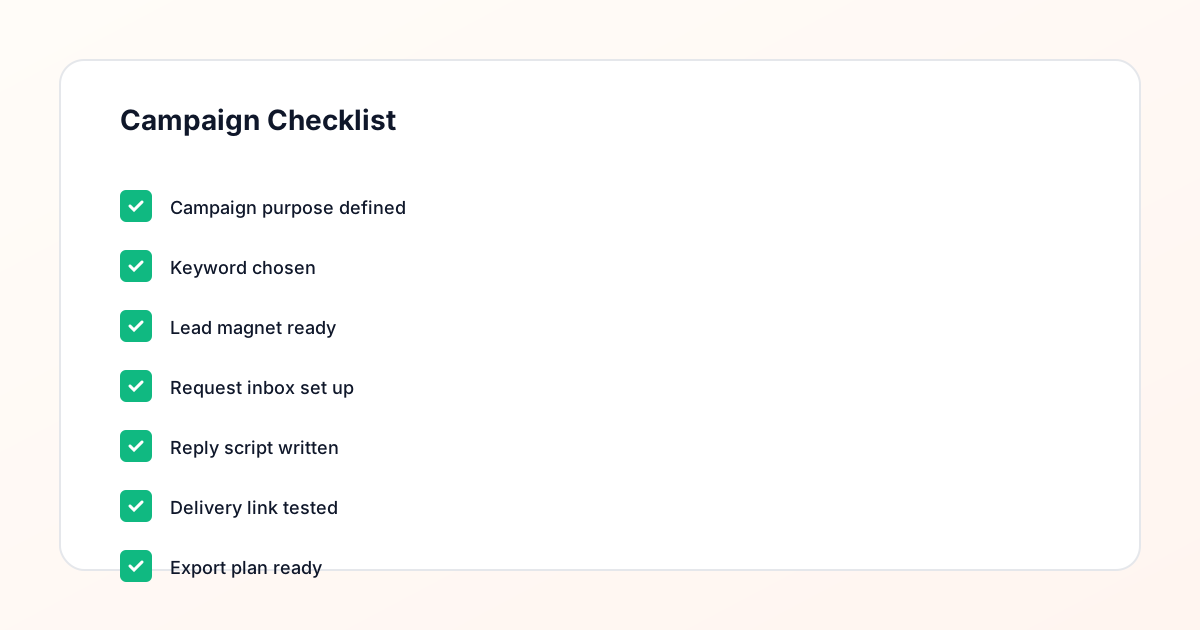
What this workflow means
comment lead prioritization for manual follow-up means turning a comment keyword campaign into an operational system instead of a one-off post. In practice, that means every campaign has a campaign name, a purpose, a keyword, a lead magnet or destination, a manual follow-up note, a request owner, a status, and an export plan. For a creator, this might be as simple as organizing one free guide campaign. For a coach, it might mean keeping call requests separate from free worksheet requests. For a course creator, it might mean separating webinar checklist requests from waitlist requests. For an agency, it means making the workflow repeatable across clients so reports do not depend on someone remembering what happened in a comment thread.
This workflow fits into the middle of the marketing process: after content planning and before reporting. The post or Reel creates the request signal, but the campaign still needs an operational home. Without that home, teams often rely on screenshots, copied links, manual counts, and scattered notes. A structured workflow does not prove revenue or platform performance, but it can show whether requests were organized, whether follow-up was completed, whether exports were clean, and whether the campaign was ready to repeat or improve.
Who should use this
How to Prioritize Comment Leads is useful for creators who run recurring guide, checklist, template, or freebie campaigns and want a cleaner record than a note app. Coaches can use it when a post invites people to ask for a worksheet, training, call link, or waitlist. Course creators can use it to separate webinar requests, bonus requests, launch waitlists, and course preview links. Agencies can use it to standardize how client campaigns are planned, reviewed, and exported. Newsletter operators can use it to manage sample issue requests, topic requests, and resource list opt-ins. Small businesses can use it for coupon, booking, event, or product-drop campaigns where comment interest needs follow-up.
VAs and campaign assistants benefit as well because the workflow makes ownership explicit. Instead of asking the creator which link to send, which keyword to watch, or whether the campaign is still active, the assistant can open the campaign record and see the status. The workflow is especially useful when several people touch the same campaign: one person plans the offer, another writes the caption, another handles manual replies, and another prepares the export or report.
Detailed step-by-step workflow
Step 1: define the campaign purpose. Decide whether the campaign is meant to organize guide requests, waitlist requests, webinar interest, client lead magnet requests, offer interest, or follow-up work. A campaign with one clear purpose is easier to manage than a post that asks people to request several different things at once.
Step 2: choose the offer and keyword. The keyword should match the promise. If the offer is a worksheet, use a keyword like WORKSHEET rather than a vague word like INFO. If the campaign is for a webinar checklist, use CHECKLIST or WEBINAR. This keeps the request record understandable later.
Step 3: prepare the destination. Test the lead magnet, opt-in page, booking page, resource page, or delivery link before the campaign goes live. A broken destination creates follow-up problems that are difficult to repair after comments arrive.
Step 4: write the manual follow-up note. The note should acknowledge the request, reference the promised resource, and point people to the next step. Avoid language that implies a tool will automatically send an Instagram DM. The safest wording describes a manual or approved workflow.
Step 5: assign ownership. Name the person responsible for checking requests, handling manual follow-up, updating status, and cleaning exports. For agency work, this may be a VA, account manager, social media manager, or campaign assistant.
Step 6: track requests by status. Common statuses include new, reply needed, followed up, delivered, exported, skipped, duplicate, and needs review. Status tracking matters because request count alone does not show whether the work was completed.
Step 7: export and clean the list. Before reporting, remove duplicates where appropriate, confirm campaign names and keywords are consistent, and add notes about unresolved requests. The export is an operations record, not a promise that the campaign created revenue.
Step 8: review and improve. Look at request volume, follow-up backlog, export quality, response timing, and setup problems. Use those signals to decide whether the campaign should be repeated, refined, paused, or replaced with a clearer offer.
Checklist, template, or reporting structure
Use this reusable structure for comment lead prioritization for manual follow-up: [Campaign Name], [Keyword], [Lead Magnet], [Post URL], [Delivery Link], [Follow-Up Owner], [Reporting Period], [Export Date], [Status], and [Notes]. For planning, add the campaign goal, audience, offer promise, content angle, caption call-to-action, manual follow-up note, compliance review, and launch date. For tracking, add request status, duplicate status, reply-needed count, delivered count, skipped requests, and unresolved requests. For reporting, add what the campaign was intended to organize, what request activity was observed, what follow-up work was completed, what still needs review, and what should change next time.
For checklist posts, score each area as ready, needs work, or blocked. For reporting posts, avoid treating metrics as proof of revenue, sales, reach, engagement, or conversions. Instead, define metrics as operational signals: how many requests were tracked, how many needed follow-up, how many were exported cleanly, and where workflow friction appeared. For agency workflows, add [Client Name], approval status, client notes, reporting format, and the recommended next action.
Common mistakes to avoid
The first mistake is choosing an unclear keyword. If the keyword does not match the offer, the request list becomes hard to interpret. The second mistake is launching without a tested delivery link. A campaign can collect interest quickly, and a broken link creates avoidable follow-up work. The third mistake is failing to name a manual follow-up owner. When everyone assumes someone else is watching requests, requests get missed.
The fourth mistake is tracking everything in a spreadsheet after the campaign starts. Spreadsheets can store data, but they often do not show status, ownership, or campaign context clearly. The fifth mistake is reporting vanity metrics without context. A high request count is useful, but it does not prove revenue, sales, reach, engagement, or conversion quality. The sixth mistake is skipping compliance review. Captions, reply notes, and client reports should not imply automatic DMs, unauthorized automation, platform partnership, or guaranteed outcomes. The seventh mistake is failing to clean exports before review, which leads to duplicate rows, unclear statuses, and confusing reports.
Practical examples
A coach offering a free worksheet might ask followers to comment WORKSHEET, then use the workflow to track who requested it, who still needs a manual reply, and which requests were exported at the end of the week. A course creator promoting a webinar checklist might use [Campaign Name] and [Keyword] fields to separate webinar interest from course waitlist interest. An agency running a client campaign can assign [Follow-Up Owner], collect [Post URL], and prepare a client summary at the end of the reporting period.
A newsletter operator can use the same structure to track topic request campaigns, where followers comment ISSUE or GUIDE to request a sample or resource list. A local business can use it for a promo guide, coupon, or booking-related campaign while keeping follow-up language careful and realistic. A VA can use status fields to clean up requests after launch, mark duplicates, and prepare the export without asking the creator to reconstruct what happened.
How GramTrigger helps
GramTrigger supports comment lead prioritization for manual follow-up by giving each campaign a dedicated place to store the keyword, destination, request list, manual follow-up note, campaign status, and export. That structure helps creators and teams move from “someone commented” to “this request is tracked, assigned, followed up, and ready for review.” It also helps agencies and assistants avoid spreadsheet chaos when several campaigns or clients are active at once.
The request inbox and status workflow help teams see what still needs attention. Lead magnet delivery preparation keeps the resource link and follow-up note connected to the campaign. Exports make it easier to prepare campaign summaries, client reports, and internal reviews. GramTrigger does not automatically send Instagram DMs and does not claim access to private platform systems. Its value is operational: cleaner setup, clearer follow-up, better records, and repeatable workflows for comment keyword campaigns.
CTA: build a cleaner campaign workflow
Use this guide to organize your next campaign before comments start arriving. Define the offer, choose the keyword, prepare the manual follow-up workflow, track requests in one place, and export a cleaner request list when the campaign is ready for review. GramTrigger helps creators, agencies, coaches, newsletters, course teams, small businesses, and assistants build repeatable comment campaign workflows with less spreadsheet chaos and clearer reporting. Start with one campaign record, then reuse the structure when your team is ready to run the next one.
Safe compliance disclaimer
GramTrigger is a campaign workflow and request-management tool. Fulfillment should be handled manually or through approved workflows available to your account. Review platform rules, consent requirements, privacy obligations, and your own operating process before launch. Metrics in these workflows are organization and follow-up signals, not proof of revenue, sales, reach, engagement, conversions, or platform performance.
Compliance Note
GramTrigger helps organize Campaign Blueprints, Reply Library drafts, Request Inbox stages, approvals, delivery status, Lead Exports, and reports. Delivery should be handled manually or through approved tools depending on your account and available platform support.