
GramTrigger guide
Instagram Comment Lead Magnet Workflow
An Instagram comment lead magnet workflow connects a post, a trigger keyword, and a promised resource into a structured sequence that creators and teams can follow consistently. The workflow covers pre-launch preparation, fulfillment during the campaign window, and post-campaign record keeping. Without a clear workflow, lead magnet requests pile up in comments, links get confused across campaigns, and follow-up becomes inconsistent. GramTrigger organizes each step of the comment lead magnet workflow in a dedicated campaign record so nothing gets lost between the comment and the delivery. GramTrigger is a workflow and request-management tool, not an official Instagram or Meta product.
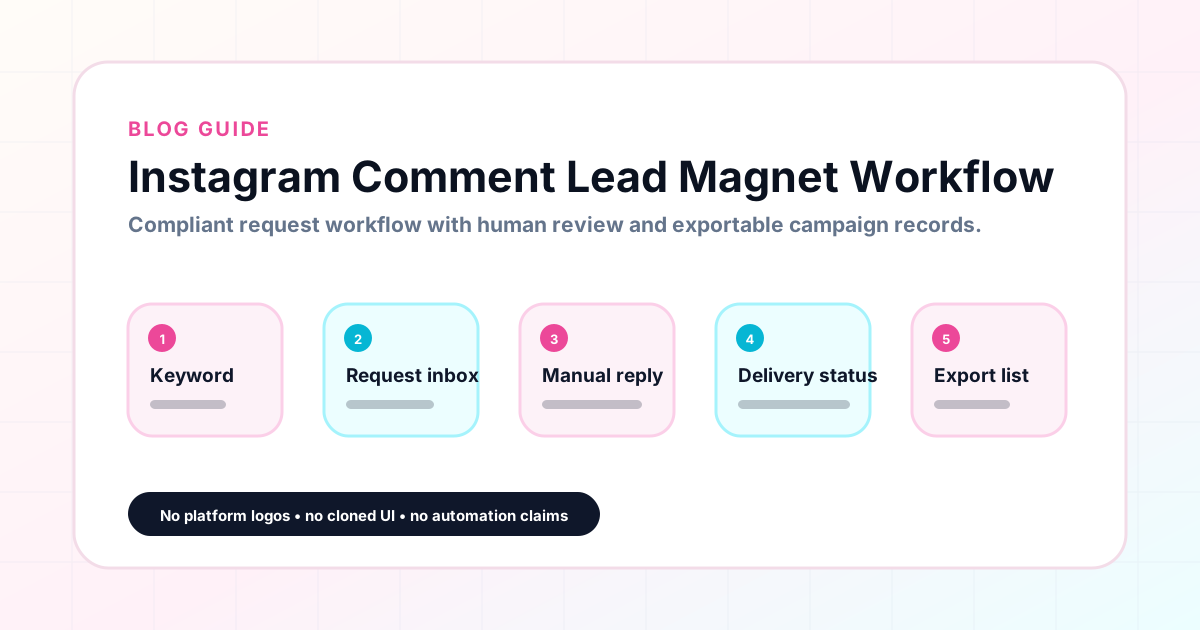
GramTrigger methodology
Original operating system for Instagram Comment Lead Magnet Workflow
The GramTrigger method treats every comment campaign as an approval workflow, not an automation shortcut. The goal is to prepare the offer, lead magnet, keyword strategy, Reply Library draft, Request Inbox stages, handoff owner, and Lead Export fields before comments turn into operational work.
Campaign Blueprint SOP
Confirm the offer, lead magnet, keyword strategy, comment CTA, reply draft, owner, approval status, and Lead Export fields before launch.
Comment Funnel Workflow
Use the same path everywhere: Offer → Lead Magnet → AI Funnel Builder → Keyword Strategy → Comment CTA → Reply Draft → Review & Approval → Campaign Launch → Request Inbox → Lead Tracking → Export.
Approval Queue Workflow
Review caption CTA, pinned comment, reply draft, lead magnet link, compliance notes, and client approval before a campaign goes live.
Export Readiness Checklist
Export only after records have clear status, no sensitive private data, an owner, follow-up stage, and a documented next action.
Campaign Recovery Workflow
If requests are missed, pause new promotion, review pending records, update Reply Library drafts, communicate manually where appropriate, and document the process fix.
Decision framework
Use this matrix before choosing the next step.
Manual review reminder
Draft response — review before sending. Use approved tools and follow platform rules. GramTrigger helps plan and manage lead magnet workflows; it does not scrape users or auto-send unauthorized DMs.
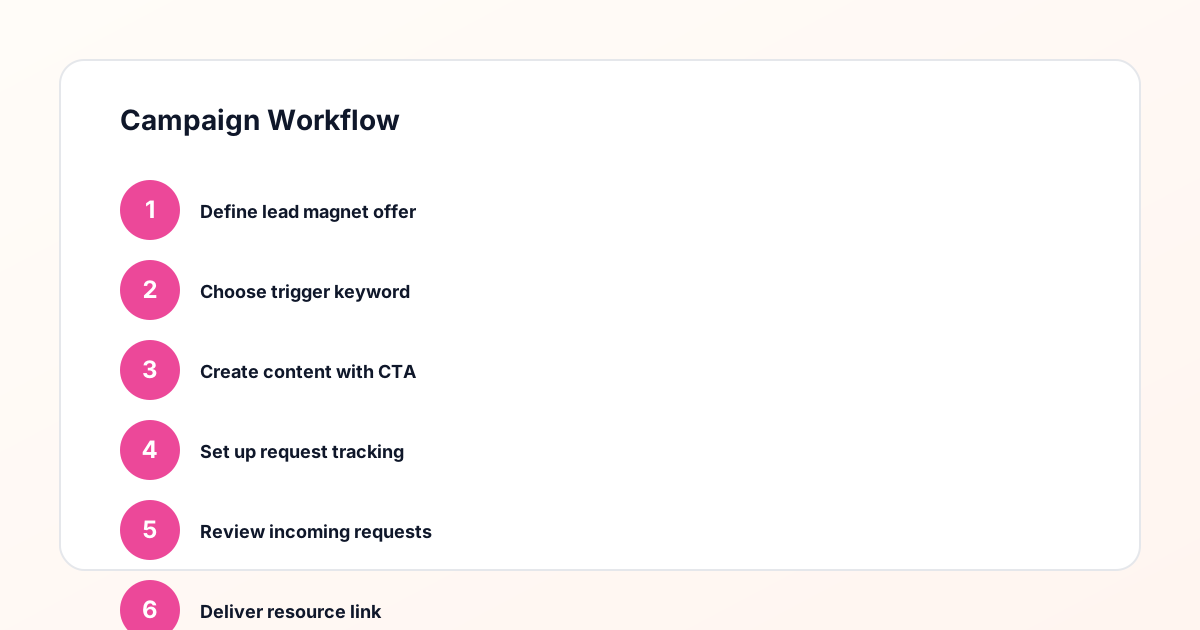
Workflow Overview
Campaign Checklist
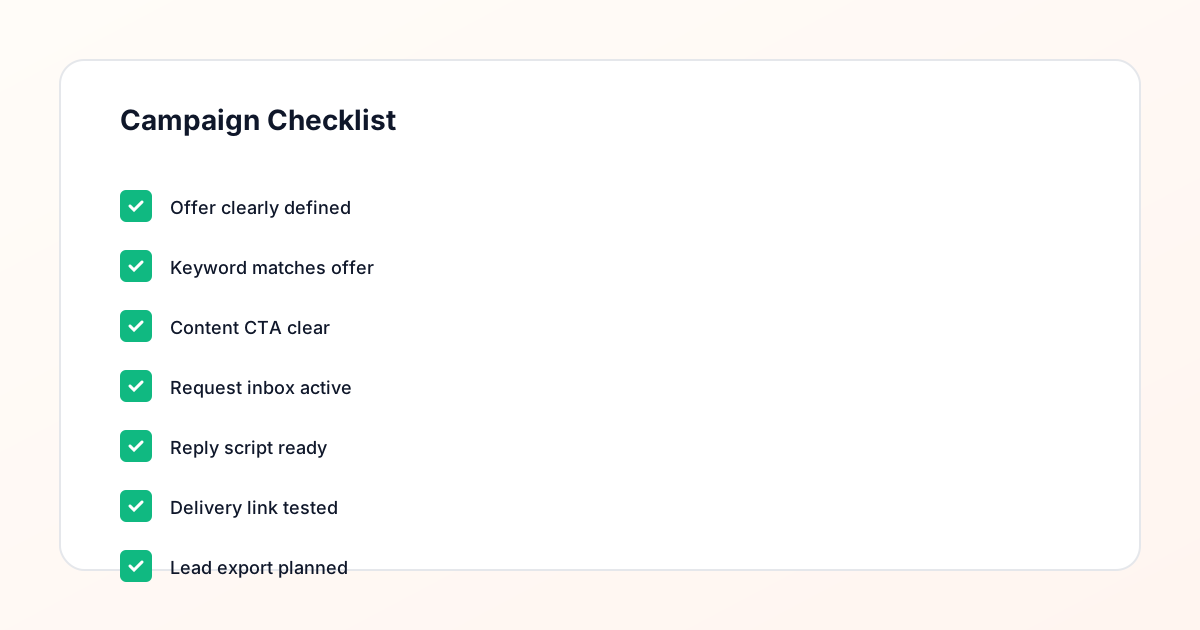
Step one: prepare the lead magnet destination
Every lead magnet campaign starts with a working destination. Whether that is a PDF download page, an email opt-in form, a Notion template link, or a webinar registration, the destination must be live and tested before the post publishes. A broken link discovered mid-campaign erodes trust and creates a recovery problem at the worst possible moment. GramTrigger saves the destination link in the campaign record during setup, which naturally prompts the creator to confirm the link is working before launching. Once confirmed, the link lives in the record and any team member handling fulfillment can access it immediately without asking the creator for the current URL.
Step two: choose the trigger keyword
The trigger keyword should be a single, specific word that matches the lead magnet. GUIDE, CHECKLIST, TEMPLATE, WAITLIST, FREEBIE, and COUPON each describe a distinct resource type that followers understand at a glance. Avoid generic words that could apply to multiple offers across different posts. When a creator runs several campaigns simultaneously — a guide campaign on one post and a waitlist campaign on another — unique keywords prevent confusion during fulfillment. GramTrigger saves the keyword alongside the destination and script in the same record, making the keyword-to-offer pairing immediately clear for anyone who opens the campaign.
Step three: write the response draft
The response draft is the message sent to every person who comments the trigger word. It should include a warm opener, a sentence confirming the resource, the destination link, and a simple closing. Writing the script before launch ensures that fulfillment is consistent from the first request to the last. When scripts are improvised during a busy campaign window, quality varies and links sometimes get omitted. GramTrigger saves the script directly in the campaign record so that VAs, agency team members, and the creator all send the same message. This consistency is especially important during launch periods when multiple people may handle fulfillment simultaneously.
Step four: manage requests through fulfillment
When the post goes live, requests begin arriving. The fulfillment workflow involves identifying people who commented the trigger word, sending the script and link, and marking each request as fulfilled. GramTrigger tracks lead counts and request status so the team knows where fulfillment stands at any point during the campaign. Without this tracking, it is easy to miss requests that arrive in later comment batches or overlook people who commented days after the post was published. A campaign that runs for multiple days needs the same systematic fulfillment approach on day four as it had on day one, which is only possible when the record is always up to date.
Step five: export and review after the campaign
When the campaign closes, GramTrigger produces an export that captures the full record: campaign name, trigger keyword, destination link, response draft, status, and lead count. This export is the campaign archive. It shows what was promised, how fulfillment was handled, and how many leads the campaign generated. Reviewing exports across campaigns shows which lead magnets perform best and which keyword and post combinations drive the highest request volume. These insights inform future campaign decisions and make it easier to repeat what worked without having to reconstruct the details from memory or scattered notes.
How GramTrigger fits this workflow
GramTrigger is built specifically for the comment lead magnet workflow. Each campaign record holds the post reference, trigger keyword, destination link, response draft, campaign status, and lead count in one organized view. The dashboard shows all active and completed campaigns at a glance so creators and teams always know what is running and what still needs attention. The platform does not send automatic DMs or claim any official relationship with Instagram or Meta. Its role is to keep the workflow organized so that creators spend less time chasing scattered notes and more time fulfilling requests promptly. Results depend on content quality, offer strength, audience, and follow-up execution.
Compliance Note
GramTrigger helps organize Campaign Blueprints, Reply Library drafts, Request Inbox stages, approvals, delivery status, Lead Exports, and reports. Delivery should be handled manually or through approved tools depending on your account and available platform support.