
GramTrigger guide
Comment Keyword Request Inbox: How to Organize Campaign Replies
A comment keyword request inbox organizes every incoming request from a keyword campaign into a trackable workflow. When followers comment GUIDE, TEMPLATE, or WAITLIST on a post, those requests need to be captured, organized by campaign, and worked through systematically until every pending request has been fulfilled. Without a dedicated inbox structure, requests live in the comments section alongside unrelated engagement, and the fulfillment team has no reliable way to know which ones have been handled. GramTrigger provides campaign-organized request tracking so that every keyword request has a place in the workflow and nothing falls through the gaps. GramTrigger is a workflow and request-management tool, not an official Instagram or Meta product.
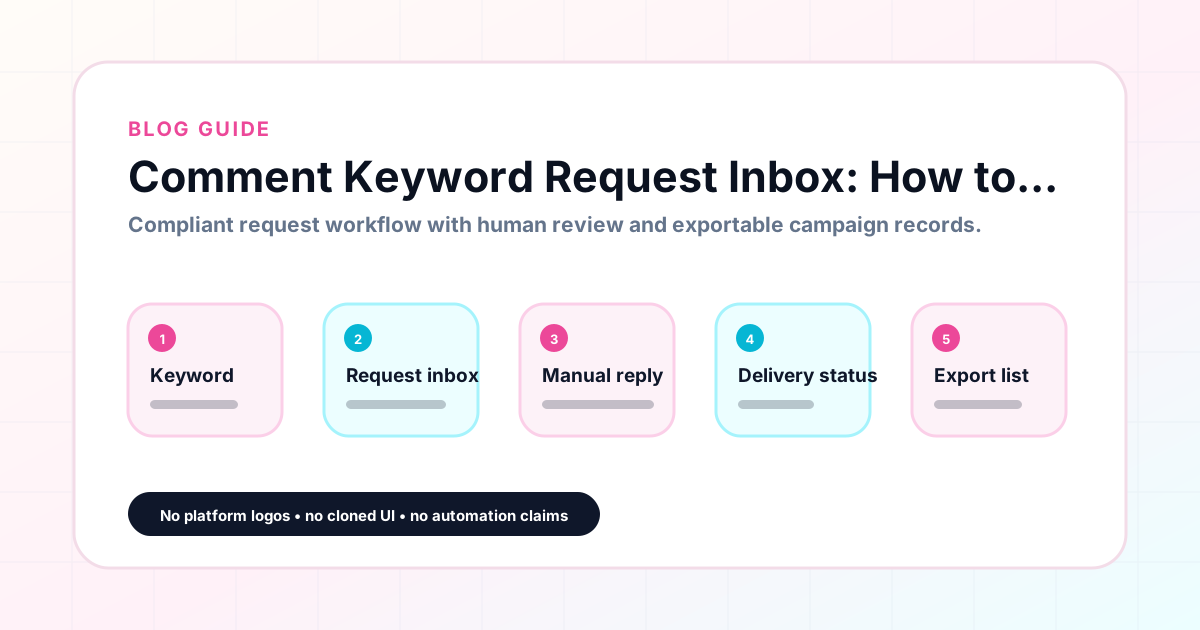
GramTrigger methodology
Original operating system for Comment Keyword Request Inbox: How to Organize Campaign Replies
The GramTrigger method treats every comment campaign as an approval workflow, not an automation shortcut. The goal is to prepare the offer, lead magnet, keyword strategy, Reply Library draft, Request Inbox stages, handoff owner, and Lead Export fields before comments turn into operational work.
Campaign Blueprint SOP
Confirm the offer, lead magnet, keyword strategy, comment CTA, reply draft, owner, approval status, and Lead Export fields before launch.
Comment Funnel Workflow
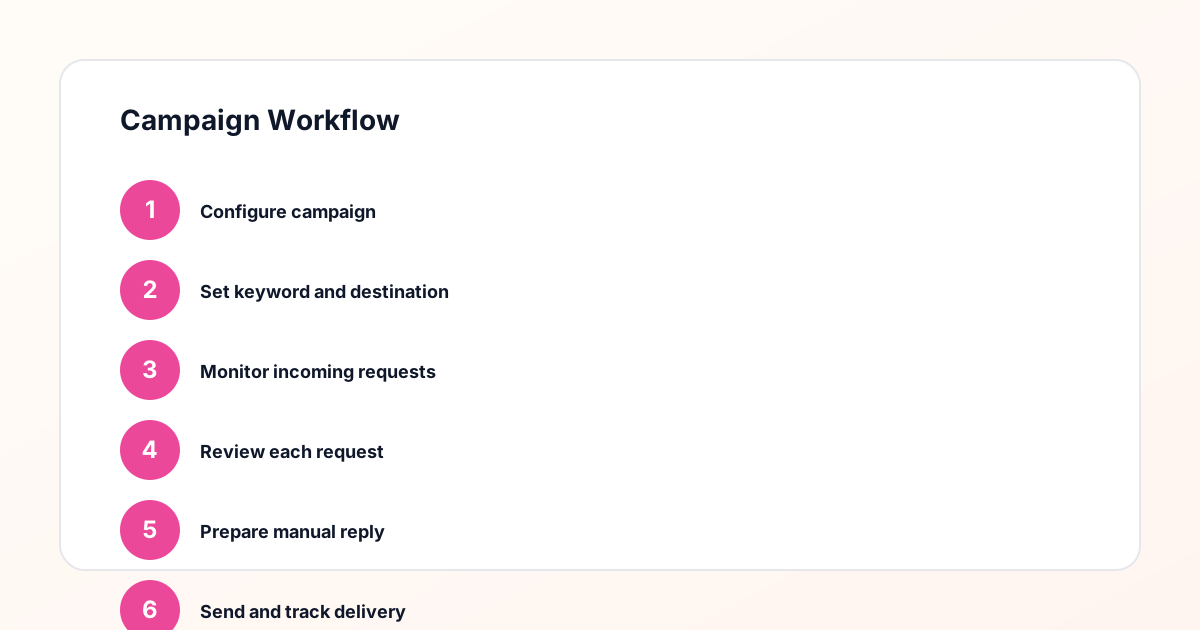
Use the same path everywhere: Offer → Lead Magnet → AI Funnel Builder → Keyword Strategy → Comment CTA → Reply Draft → Review & Approval → Campaign Launch → Request Inbox → Lead Tracking → Export.
Approval Queue Workflow
Review caption CTA, pinned comment, reply draft, lead magnet link, compliance notes, and client approval before a campaign goes live.
Export Readiness Checklist
Export only after records have clear status, no sensitive private data, an owner, follow-up stage, and a documented next action.
Campaign Recovery Workflow
If requests are missed, pause new promotion, review pending records, update Reply Library drafts, communicate manually where appropriate, and document the process fix.
Decision framework
Use this matrix before choosing the next step.
Manual review reminder
Draft response — review before sending. Use approved tools and follow platform rules. GramTrigger helps plan and manage lead magnet workflows; it does not scrape users or auto-send unauthorized DMs.
Workflow Overview
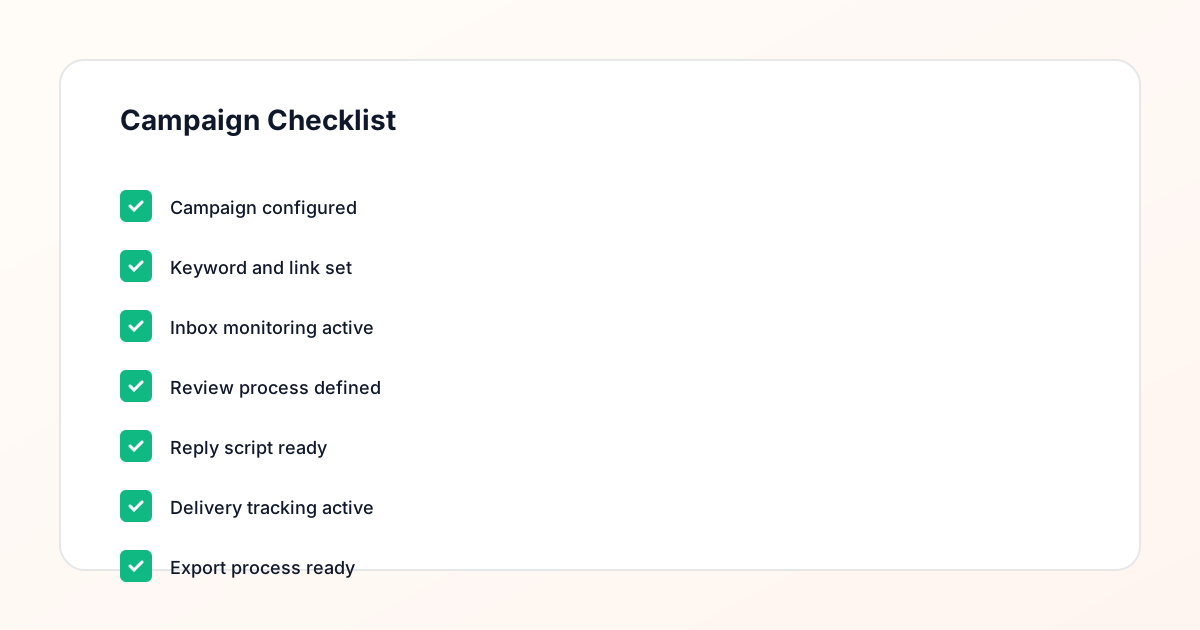
Campaign Checklist
Why a dedicated request inbox matters
The native Instagram comment section is designed for conversation, not campaign management. It does not distinguish between a follower who commented GUIDE to request a resource and a follower who left a general reaction to the post. Both appear in the same thread, and the creator has to manually identify which comments are keyword requests and which are general engagement. As comment volume grows and the post stays active over several days, this manual identification becomes unreliable. A request inbox built around keyword campaigns makes the distinction clear by organizing requests within campaign records, where the keyword, destination, and script are always accessible alongside the incoming requests.
Organizing requests by campaign
The most important structural feature of a comment keyword request inbox is campaign-level organization. When requests are grouped by campaign, the team can see exactly how many requests came in for the GUIDE campaign on a given post, how many have been fulfilled, and how many are still pending. This clarity is impossible when all requests flow into a single general inbox. GramTrigger organizes incoming lead tracking by campaign so that requests from different posts and offers are never mixed together. For creators running multiple simultaneous campaigns, this separation prevents the common mistake of sending the wrong resource to the wrong requester.
Reply-needed status tracking
Reply-needed status is one of the most useful features in a keyword request workflow. It marks which requests still need a response so the team can work through the pending list systematically without scanning comment threads manually. Without this tracking, the person handling fulfillment has to remember which requests they already responded to — a process that becomes error-prone at any significant volume. GramTrigger supports reply-needed tracking as part of campaign request management so that creators and agencies can maintain an accurate, up-to-date view of fulfillment status across all active campaigns.
Delegating inbox management to a team
A well-organized request inbox enables delegation. When the response draft and destination link are saved in the campaign record, a VA or team member can work through the pending request list without asking the creator for instructions. The script tells them exactly what to send. The destination link is confirmed and ready. The reply-needed status shows which requests are still open. GramTrigger makes this delegation possible by centralizing the campaign information that the fulfillment team needs. During high-volume periods like launch weeks, this structure means the creator can focus on content creation while the team handles request fulfillment accurately and consistently.
Keeping request records after the campaign
Request records serve a lasting purpose beyond the immediate fulfillment window. They show which campaigns generated the most keyword requests, which posts drove the highest response rates, and which offer types performed best with a specific audience. GramTrigger archives campaign records including lead counts after the campaign closes so that this performance data is available for review and planning. Creators and agencies who review request records across campaigns develop a clearer understanding of what their audience responds to and can make more informed decisions about future campaigns, offer types, and keyword choices.
Compliance in request inbox workflows
A compliant request inbox workflow avoids overpromising in the initial caption and fulfills requests through manual or approved methods. The inbox structure should make it easier to respond carefully, not to automate responses without appropriate platform support. GramTrigger organizes the inbox workflow without sending automatic messages or claiming any official relationship with Instagram or Meta. Users are responsible for fulfilling requests through methods that comply with platform terms and their account type. Results from comment keyword campaigns depend on content, audience, offer, follow-up execution, and platform rules.
Compliance Note
GramTrigger helps organize Campaign Blueprints, Reply Library drafts, Request Inbox stages, approvals, delivery status, Lead Exports, and reports. Delivery should be handled manually or through approved tools depending on your account and available platform support.