GramTrigger guide
Instagram Comment Keyword Campaigns: A Cleaner Way to Manage Requests
Instagram comment keyword campaigns invite followers to type a specific word — GUIDE, TEMPLATE, WAITLIST — to receive a promised resource. The intent signal is clear and strong. The problem is that without a dedicated workflow, those requests pile up across notes, screenshots, and scattered DMs. GramTrigger gives creators and agencies a single record per campaign: the keyword, the destination link, the response draft, the status, and an export-ready lead list. GramTrigger is a workflow and request-management tool, not an official Instagram or Meta product.
GramTrigger methodology
Original operating system for Instagram Comment Keyword Campaigns: A Cleaner Way to Manage Requests
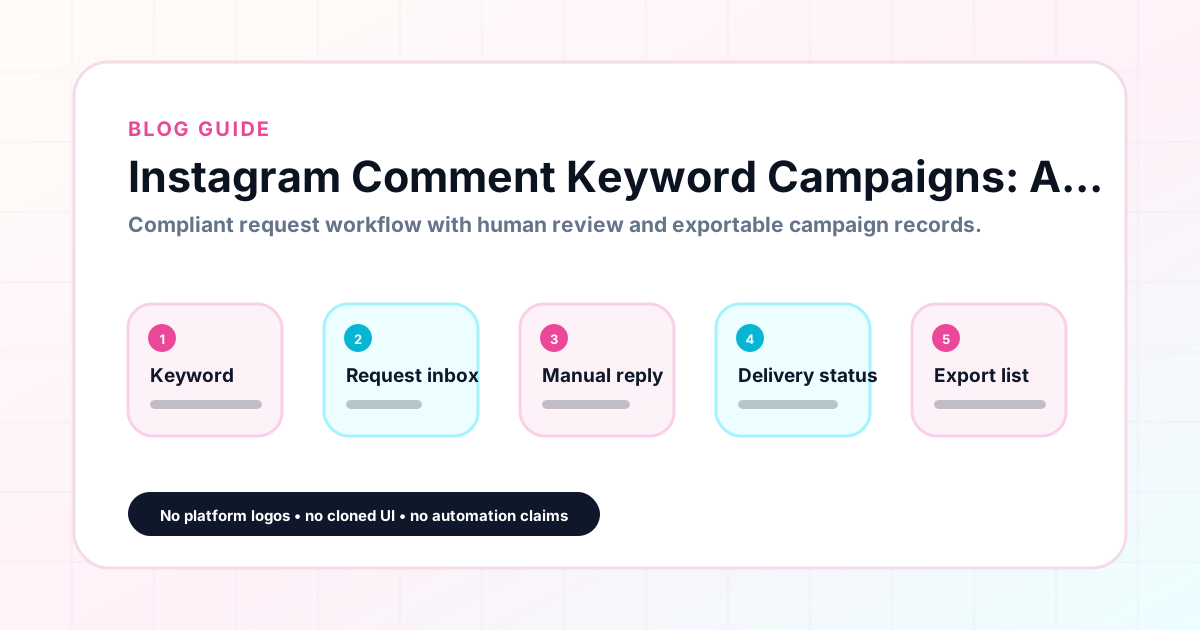
The GramTrigger method treats every comment campaign as an approval workflow, not an automation shortcut. The goal is to prepare the offer, lead magnet, keyword strategy, Reply Library draft, Request Inbox stages, handoff owner, and Lead Export fields before comments turn into operational work.
Campaign Blueprint SOP
Confirm the offer, lead magnet, keyword strategy, comment CTA, reply draft, owner, approval status, and Lead Export fields before launch.
Comment Funnel Workflow
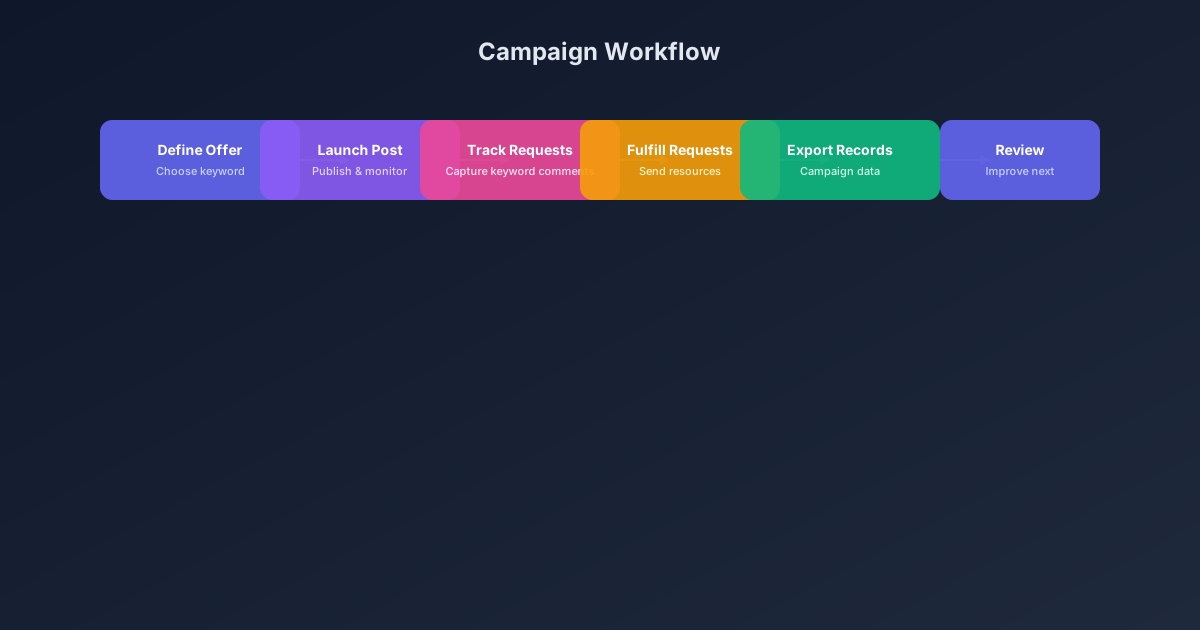
Use the same path everywhere: Offer → Lead Magnet → AI Funnel Builder → Keyword Strategy → Comment CTA → Reply Draft → Review & Approval → Campaign Launch → Request Inbox → Lead Tracking → Export.
Approval Queue Workflow
Review caption CTA, pinned comment, reply draft, lead magnet link, compliance notes, and client approval before a campaign goes live.
Export Readiness Checklist
Export only after records have clear status, no sensitive private data, an owner, follow-up stage, and a documented next action.
Campaign Recovery Workflow
If requests are missed, pause new promotion, review pending records, update Reply Library drafts, communicate manually where appropriate, and document the process fix.
Decision framework
Use this matrix before choosing the next step.
Manual review reminder
Draft response — review before sending. Use approved tools and follow platform rules. GramTrigger helps plan and manage lead magnet workflows; it does not scrape users or auto-send unauthorized DMs.
Workflow Overview
Campaign Checklist
What a comment keyword campaign is
A comment keyword campaign is a structured Instagram marketing format where the creator publishes a post and asks followers to comment a specific trigger word — such as GUIDE, CHECKLIST, TEMPLATE, WAITLIST, COUPON, or FREEBIE — to receive a promised resource or offer. The keyword acts as a clear intent signal. When someone types GUIDE in your comments, they are actively expressing interest, not passively scrolling past a bio link. That moment of active participation makes comment keyword campaigns more engaging than static link placements and more trackable than generic calls to action. Creators and coaches across niches use this format to grow email lists, fill course waitlists, distribute free templates, and capture interest before a product launch. The format works at every follower count because it relies on intent, not reach.
Why requests get lost without a system
The moment a busy post goes live, requests can arrive quickly. Without a dedicated system, creators end up managing responses across the comments section, a DM inbox, a notes app, and maybe a spreadsheet tab. Scripts get written from scratch each time. Links get copy-pasted from browser history. Some requests get missed entirely, especially if the post gets traction over several days rather than just the first few hours. A campaign record solves this by capturing the trigger keyword, the destination link, the response draft, and the current status in one place before the post launches. GramTrigger stores exactly this information so that anyone on the team can open the campaign and handle fulfillment without asking questions or guessing which version of the link is current.
Choosing the right trigger keyword
The best trigger keywords are short, specific, and directly tied to what the audience will receive. GUIDE works better than INFORMATION because it describes the format. TEMPLATE is more concrete than RESOURCE. When the keyword matches the offer precisely, followers understand the cue immediately and the campaign record stays unambiguous. Avoid generic words that could apply to multiple posts or offers. If you are running two campaigns at the same time — one for a free checklist and one for a webinar waitlist — each post should have a unique keyword so records stay separate and fulfillment is never confused. GramTrigger lets you save a dedicated keyword for each campaign, making it straightforward to manage multiple active posts without mixing up your records or your audience.
Preparing the destination link before launch
One of the most important pre-launch steps is confirming that the destination link works before the post goes live. Whether the destination is a PDF download page, an email opt-in form, a webinar registration, or a product landing page, it should be tested and confirmed before engagement begins. Broken links during peak engagement windows are a common and avoidable mistake. GramTrigger lets you save the confirmed destination link directly in the campaign record so that anyone handling fulfillment is working from the same verified URL. There is no need to paste links in a group chat or search through previous messages. The record holds the link, and anyone with access to the campaign can see it immediately when they open the dashboard.
Writing a consistent response draft
Manual fulfillment works best when everyone responding to requests is using the same script. Without a prepared script, responses vary in tone, accuracy, and format. Some fulfillment messages include the link; others include a personal note but forget the link. Some are polished; others are rushed. These inconsistencies reflect on the campaign and the brand. A prepared response draft eliminates that variation. It should include a friendly opening, a clear sentence about the resource, the link, and a simple closing. GramTrigger lets you save the script directly in the campaign record so that creators, VAs, and agency teams can all respond consistently without asking the creator for the message each time. During high-volume launch periods, this alone prevents a significant amount of delay and miscommunication.
Tracking campaign status accurately
Campaign status tracking is overlooked by most creators until a campaign goes wrong. Without clear statuses, it is easy to send people to a resource that is no longer available, continue fulfilling a campaign that was meant to close on a specific date, or lose track of which posts are still active when a new post launches. Simple statuses — draft, ready, active, paused, complete — give the whole team a shared understanding of where each campaign stands. GramTrigger provides campaign status fields so you can see at a glance which campaigns are live and which are closed. When you are running multiple posts with different offers and different windows, status tracking prevents the confusion that comes from managing everything in one crowded inbox.
Exporting records after the campaign ends
When a campaign wraps up, you should be able to export a clean record that captures everything relevant: the campaign name, trigger keyword, destination link, response draft, campaign status, and lead count. This export is useful for reviewing performance, identifying which offers generated the most interest, planning future campaigns, and providing clients with reporting. GramTrigger produces export-ready records for every campaign so that data is not lost when a post drops off the feed. For agencies managing multiple creator clients, these exports become part of the regular reporting cycle. For solo creators, they provide a clear archive of what worked and what should be repeated.
Staying compliant with platform guidelines
Comment keyword campaigns work best when the caption language is honest and the delivery method is responsible. Avoid absolute guarantees in captions — do not promise that every comment will automatically trigger an instant delivery. Instead, frame the campaign as a request workflow where interested followers can comment to receive the resource. Fulfillment should happen manually or through approved platform integrations when available for your account type. GramTrigger does not send unauthorized automatic DMs. It organizes the campaign setup, the script, the link, and the records so that manual or approved fulfillment stays clean and consistent. Review platform terms regularly and stay within the workflows that are appropriate for your account.
Compliance Note
GramTrigger helps organize Campaign Blueprints, Reply Library drafts, Request Inbox stages, approvals, delivery status, Lead Exports, and reports. Delivery should be handled manually or through approved tools depending on your account and available platform support.