
Features
Everything starts with the Funnel Blueprint Builder.
Plan the offer, lead magnet, keyword strategy, comment CTA, reply draft, approval queue, request inbox, lead tracking, and export workflow before your campaign launches.
AI Funnel Builder
Turn an offer and lead magnet into a Campaign Blueprint with keyword strategy, comment CTA, reply draft, follow-up plan, and export fields.
Campaign Blueprint
Keep the offer, lead magnet, keyword strategy, comment CTA, Reply Library draft, lead magnet link, and approval notes connected before launch.
Reply Library
Prepare review-ready reply drafts for manual or approved delivery steps when available.
Approval Queue
Review the comment CTA, pinned comment, Reply Library draft, lead magnet link, and compliance notes before launch.
Lead Export
Keep lead records organized for reporting, follow-up planning, and CSV export.
Request Inbox
Track campaign requests by keyword, source, status, owner, follow-up date, and next action.
Agency-ready organization
Standardize client Campaign Blueprints, Approval Queues, lead magnet links, and export-ready summaries.
Compliance-first workflow notes
Keep responsible review, approval, and delivery guidance close to every comment funnel.
Product preview
From funnel blueprint to campaign workspace.
Build the funnel first, then use the workspace to review replies, track requests, approve delivery, and export lead records.
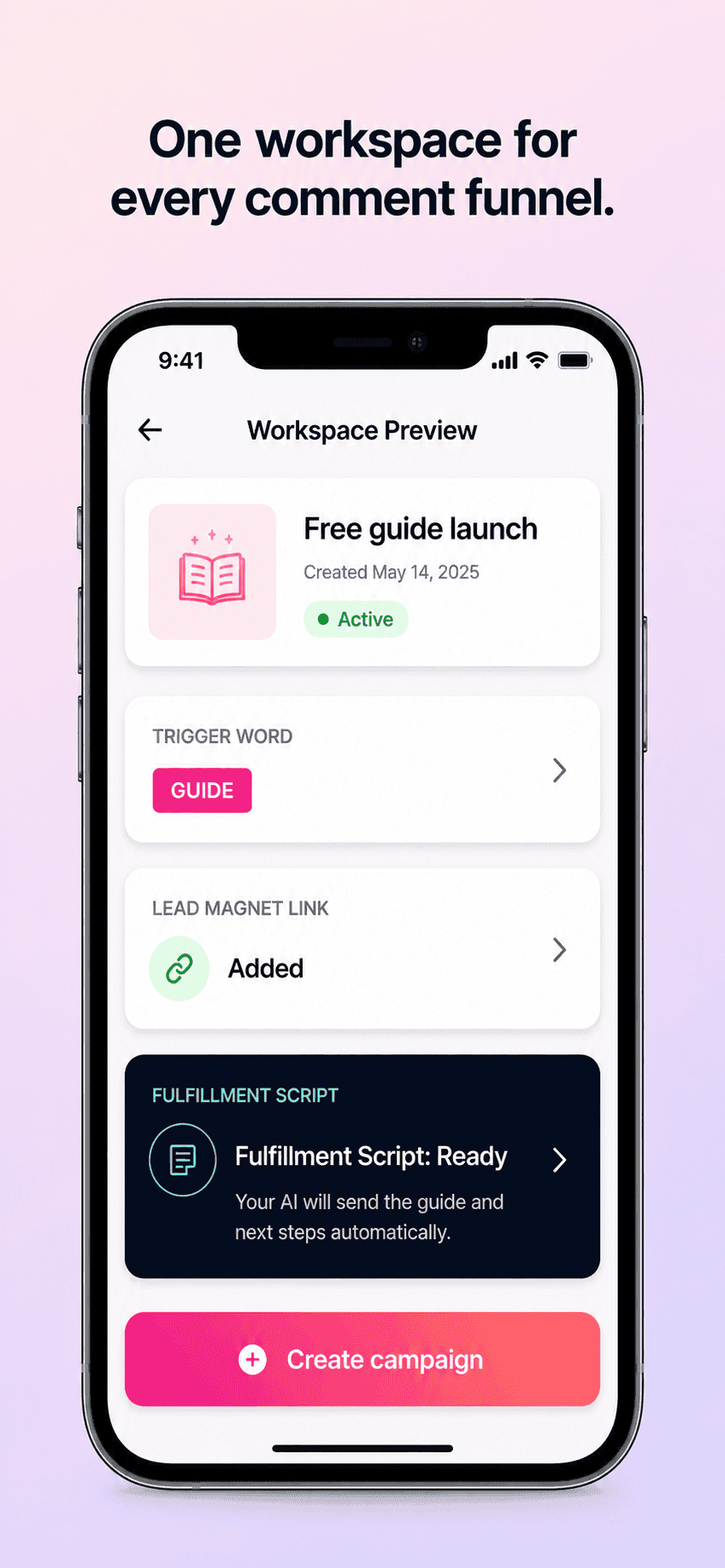
Campaign workspace
Your Campaign Blueprint, keyword strategy, lead magnet links, Reply Library drafts, approval status, and Request Inbox status in one organized view.
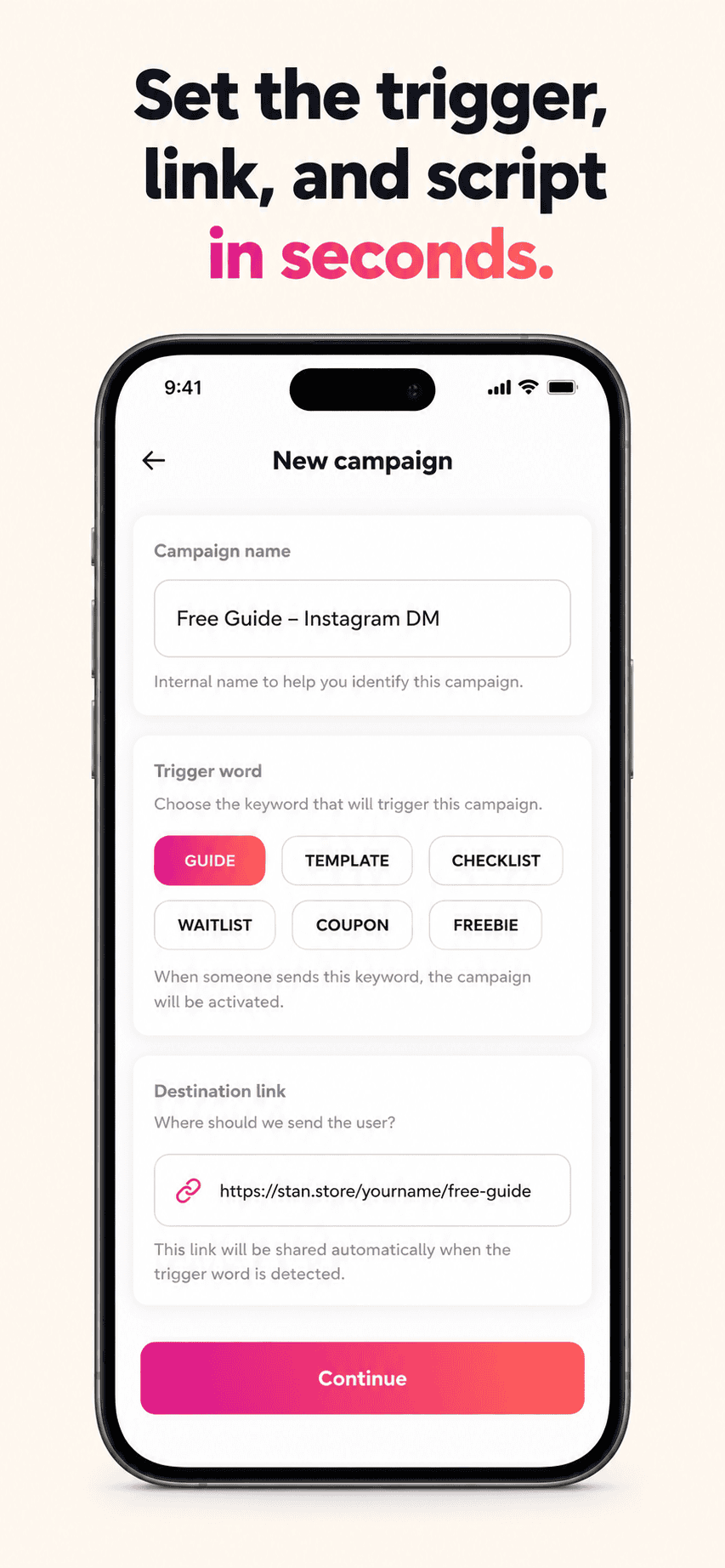
Campaign blueprint
Turn a Funnel Blueprint Builder plan into a campaign record with keyword, lead magnet link, reply draft, and approval notes.
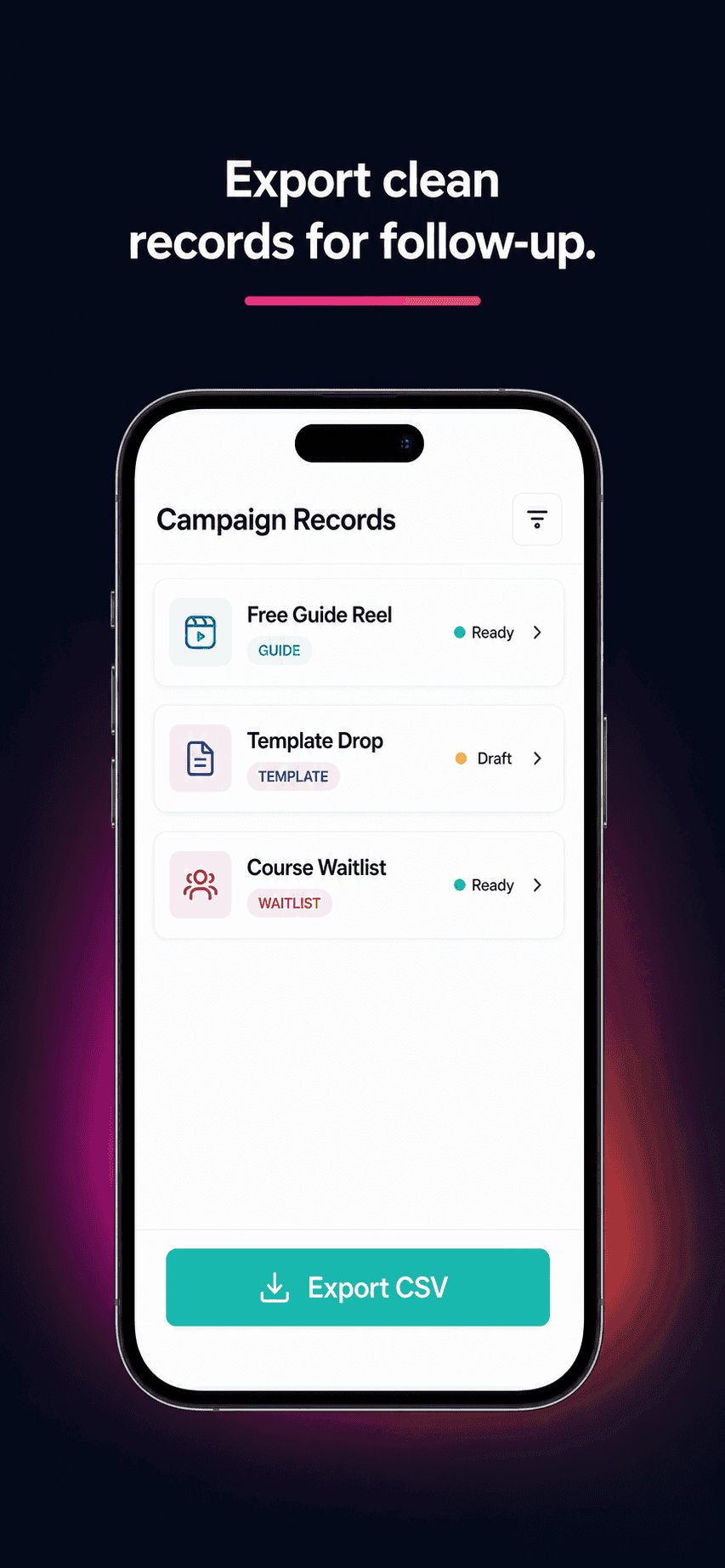
Lead export
Download clean campaign and lead records as CSV for follow-up planning and client reporting.
How it fits together
One offer. One lead magnet. One organized comment funnel.
GramTrigger keeps campaign setup narrow so creators and agencies can track the handoff from comment intent to request review, lead magnet readiness, approval, delivery, export, and reporting without messy spreadsheets.
Build FunnelCampaign Blueprint
Offer → Lead Magnet → Keyword Strategy
Comment CTA
Comment GUIDE to request the checklist
Approval Queue
Reply Draft → Review & Approval → Campaign Launch
Lead Export
Request Inbox → Lead Tracking → CSV report
Use-case examples
Freebies, giveaways, waitlists, course launches, templates, coupons, and agency client campaigns.
Why focused wins
A narrow campaign builder keeps setup clear when you do not need a large workflow suite.
Local-first data
Your campaign records live in your workspace. No third-party data dependencies.
Comment keyword software
Organize keywords, request tracking, reply notes, lead magnet links, and exports.
View pageRequest inbox workflows
Keep comment campaign requests separate from general engagement and spreadsheet clutter.
View pageExport and compliance tools
Prepare manual follow-up workflows, campaign records, and exportable request lists.
View pageBuild your first comment funnel blueprint.
Start with the Funnel Blueprint Builder, then create a campaign when you are ready to save the workflow.