
GramTrigger guide
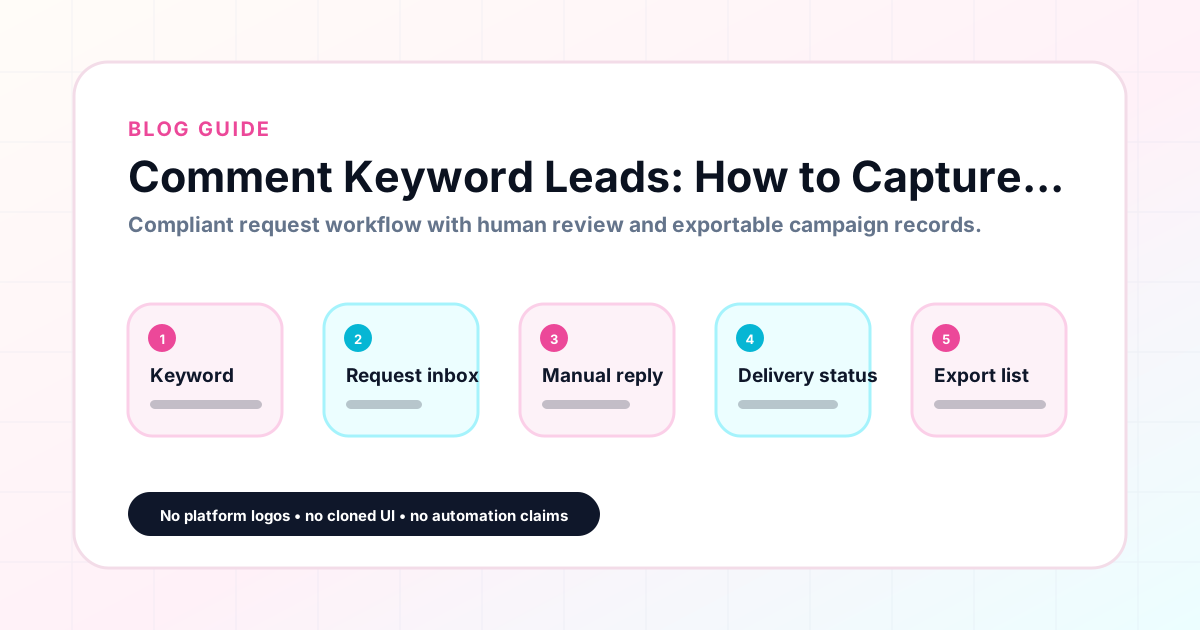
Comment Keyword Leads: How to Capture and Manage Requests
Comment keyword leads are the followers who actively respond to a post by typing the trigger word — GUIDE, TEMPLATE, CHECKLIST, WAITLIST — to request a resource or offer. They are among the most qualified leads available through Instagram because they have taken a deliberate action rather than passively viewing content. Managing those leads well — capturing them accurately, fulfilling them consistently, and organizing them for follow-up and reporting — is what separates a professional comment campaign from a disorganized one. GramTrigger is built for exactly this workflow. GramTrigger is a workflow and request-management tool, not an official Instagram or Meta product.
GramTrigger methodology
Original operating system for Comment Keyword Leads: How to Capture and Manage Requests
The GramTrigger method treats every comment campaign as an approval workflow, not an automation shortcut. The goal is to prepare the offer, lead magnet, keyword strategy, Reply Library draft, Request Inbox stages, handoff owner, and Lead Export fields before comments turn into operational work.
Campaign Blueprint SOP
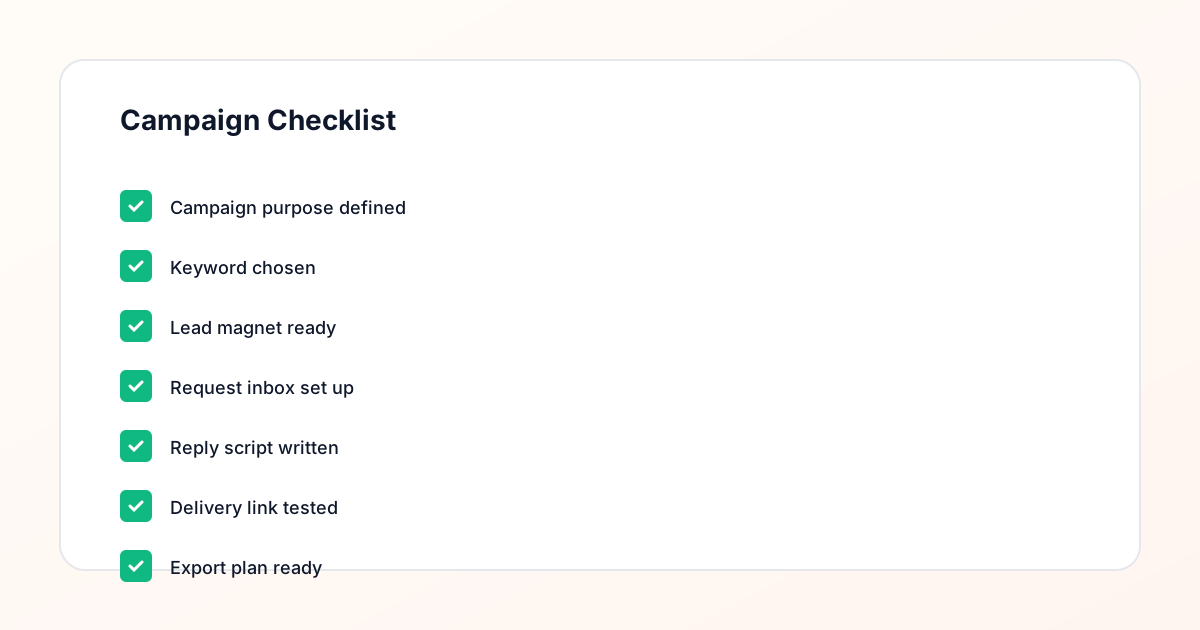
Confirm the offer, lead magnet, keyword strategy, comment CTA, reply draft, owner, approval status, and Lead Export fields before launch.
Comment Funnel Workflow
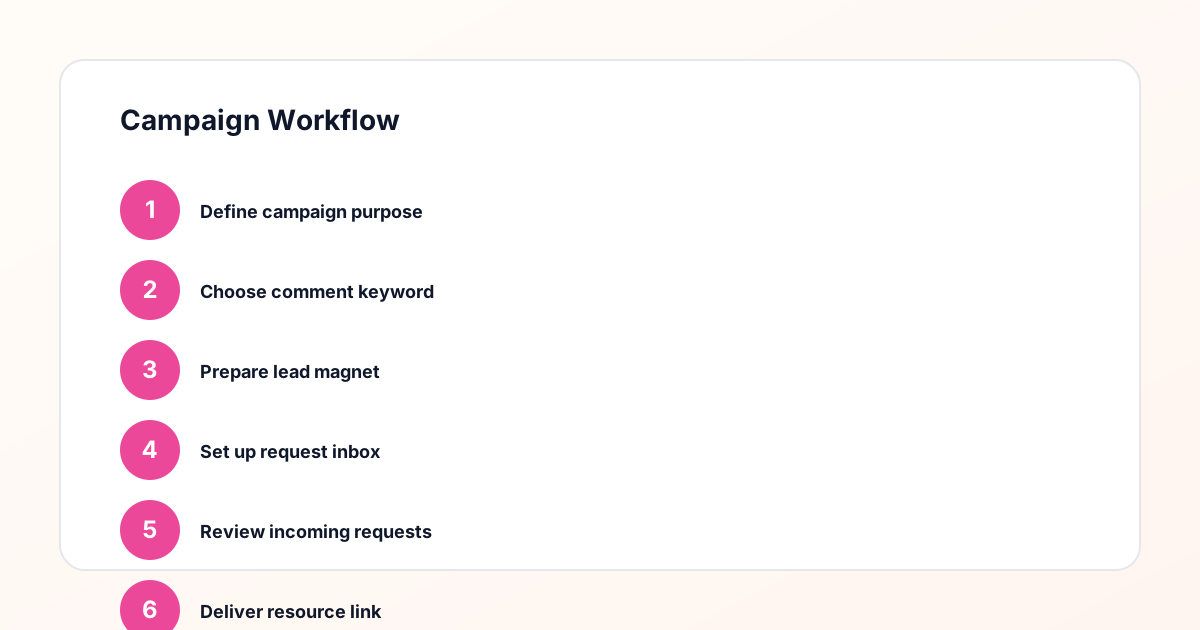
Use the same path everywhere: Offer → Lead Magnet → AI Funnel Builder → Keyword Strategy → Comment CTA → Reply Draft → Review & Approval → Campaign Launch → Request Inbox → Lead Tracking → Export.
Approval Queue Workflow
Review caption CTA, pinned comment, reply draft, lead magnet link, compliance notes, and client approval before a campaign goes live.
Export Readiness Checklist
Export only after records have clear status, no sensitive private data, an owner, follow-up stage, and a documented next action.
Campaign Recovery Workflow
If requests are missed, pause new promotion, review pending records, update Reply Library drafts, communicate manually where appropriate, and document the process fix.
Decision framework
Use this matrix before choosing the next step.
Manual review reminder
Draft response — review before sending. Use approved tools and follow platform rules. GramTrigger helps plan and manage lead magnet workflows; it does not scrape users or auto-send unauthorized DMs.
Workflow Overview
Campaign Checklist
What makes comment keyword leads valuable
Comment keyword leads represent a specific level of audience intent that is difficult to replicate through other Instagram content formats. A follower who scrolls past a link in the bio has expressed passive interest. A follower who taps a story link has expressed moderate interest. A follower who types a specific keyword in the comments of a post — a word they had to read, understand, and choose to use — has expressed active intent. This active participation is what makes comment keyword leads valuable beyond their raw number. They have told you explicitly what they want. The quality of that signal means that the conversion rate from lead to email subscriber, webinar attendee, or customer is typically higher than traffic from more passive engagement formats.
Capturing comment keyword leads accurately
Accurate lead capture in a comment keyword campaign requires a system that distinguishes between the people who commented the trigger keyword and the broader comment engagement on the post. Not every commenter is a lead — some people comment questions, emojis, or general engagement without using the keyword. A campaign record system that tracks leads separately from general engagement ensures that the lead count is accurate and that fulfillment is directed only to the people who actually requested the resource. GramTrigger organizes campaign records with lead count tracking so that the number of actual keyword leads is visible and distinct from the overall comment volume on the post.
Building the fulfillment system before leads arrive
The best time to build the lead capture and fulfillment system for a comment keyword campaign is before the post goes live. This means having the destination link confirmed, the response draft written and saved, and the campaign status set to active before the first lead arrives. When the system is in place before launch, every lead is captured and fulfilled from the first request. When the system is built reactively — after leads start arriving — some early leads are inevitably missed or handled inconsistently. GramTrigger is designed for pre-launch setup so that the campaign record is complete and ready before the post is published.
Managing lead volume spikes during campaigns
Some comment keyword campaigns generate leads in short, intense spikes — particularly if the creator has a large or highly engaged following, or if the post gets shared outside the original audience. Lead volume spikes during the first few hours after publication, when the post is fresh and the algorithm is surfacing it to a broader audience. Without a system that can handle a high volume of leads quickly and accurately, the team gets overwhelmed and leads start being missed or handled inconsistently. GramTrigger helps manage volume spikes by centralizing the response draft and link in the campaign record so that multiple team members can handle responses simultaneously without mixing up the materials or the leads.
Tracking which campaigns generate the best leads
Over time, tracking comment keyword leads across multiple campaigns reveals patterns about which types of posts and offers generate the most engaged leads. A guide campaign might consistently outperform a coupon campaign for a specific creator's audience. A template drop might generate more leads than a webinar waitlist. These patterns are only visible if the lead data is captured consistently across campaigns. GramTrigger archives campaign records with lead counts so that this historical data is available for review. Creators and agencies who review campaign archives regularly find that they can identify the lead-generating patterns in their content and double down on the formats that work best for their specific audience.
Following up on comment keyword leads
The follow-up opportunity created by a comment keyword lead depends on what happens at the destination link. If the destination is an email opt-in page and the lead completes the opt-in, the creator now has an email address for future follow-up outside of Instagram. If the destination is a webinar registration, the lead is on the attendee list. If the destination is a product landing page, the lead may convert directly. GramTrigger tracks the destination link for each campaign so that the follow-up path is always clear. The platform does not handle email follow-up directly — that happens through the creator's email or CRM tool — but it ensures that the path from comment to destination to follow-up is organized and consistent.
Exporting comment keyword lead records
Comment keyword leads should be exportable at the end of every campaign. The export should include the campaign name, keyword, destination link used, response draft, status at close, and total lead count. This export is the performance record for the campaign. For creators, it answers the question of which campaigns generated the most qualified leads. For agencies, it provides the data for client reporting. For teams planning future campaigns, it provides the baseline for performance benchmarking. GramTrigger exports are structured consistently across all campaigns so that the data format is the same for every campaign report, making comparisons across campaigns straightforward.
GramTrigger and comment keyword lead management
GramTrigger is the campaign management tool that connects comment keyword lead capture with fulfillment, tracking, and export in a single structured workflow. The platform is purpose-built for this use case and does not try to be a general social media management tool. It handles the specific set of tasks that comment keyword campaigns require: campaign record setup, keyword and link storage, script management, status tracking, lead count monitoring, and export production. Creators, coaches, newsletter owners, and agencies who use GramTrigger for comment keyword lead management find that their campaigns are more reliable and their lead records are cleaner than those managed through spreadsheets and notes apps.
Compliance Note
GramTrigger helps organize Campaign Blueprints, Reply Library drafts, Request Inbox stages, approvals, delivery status, Lead Exports, and reports. Delivery should be handled manually or through approved tools depending on your account and available platform support.