
GramTrigger guide
Instagram Lead Capture Workflow: From Comment to Follow-Up
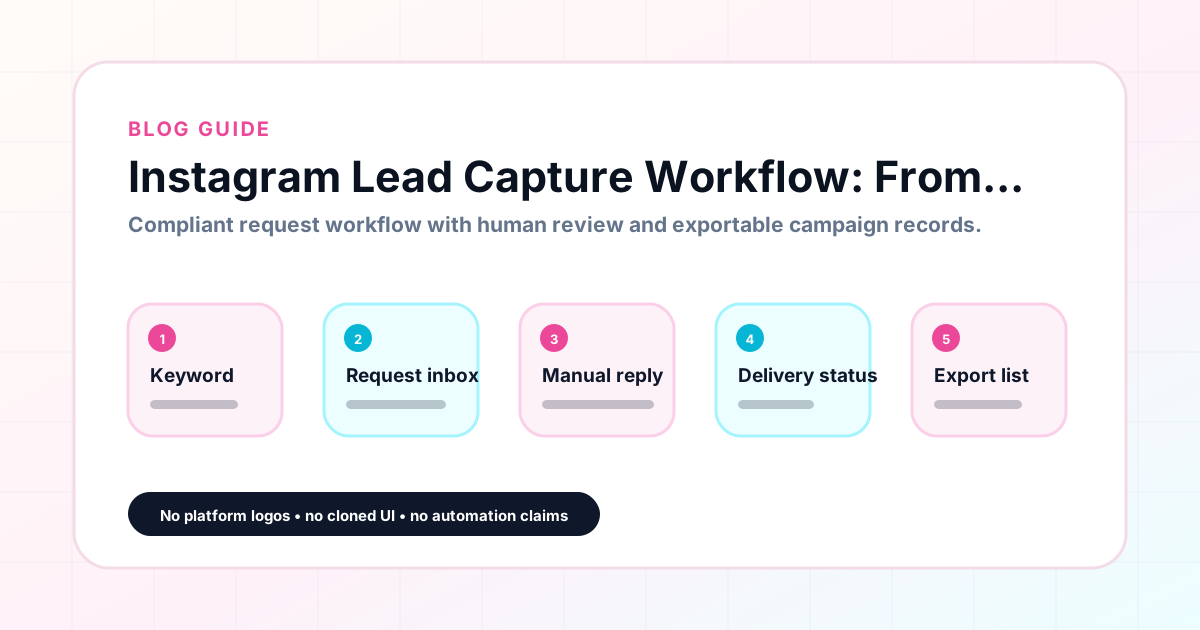
The comment is the starting point of the lead capture, not the end. When someone types GUIDE or TEMPLATE in your comment section, you have captured their attention — but capturing a qualified lead requires a workflow that moves them from that comment through fulfillment and into an organized record. GramTrigger helps creators build that workflow by connecting the keyword, the destination, the response draft, and the lead record in a single campaign. GramTrigger is a workflow and request-management tool, not an official Instagram or Meta product.
GramTrigger methodology
Original operating system for Instagram Lead Capture Workflow: From Comment to Follow-Up
The GramTrigger method treats every comment campaign as an approval workflow, not an automation shortcut. The goal is to prepare the offer, lead magnet, keyword strategy, Reply Library draft, Request Inbox stages, handoff owner, and Lead Export fields before comments turn into operational work.
Campaign Blueprint SOP
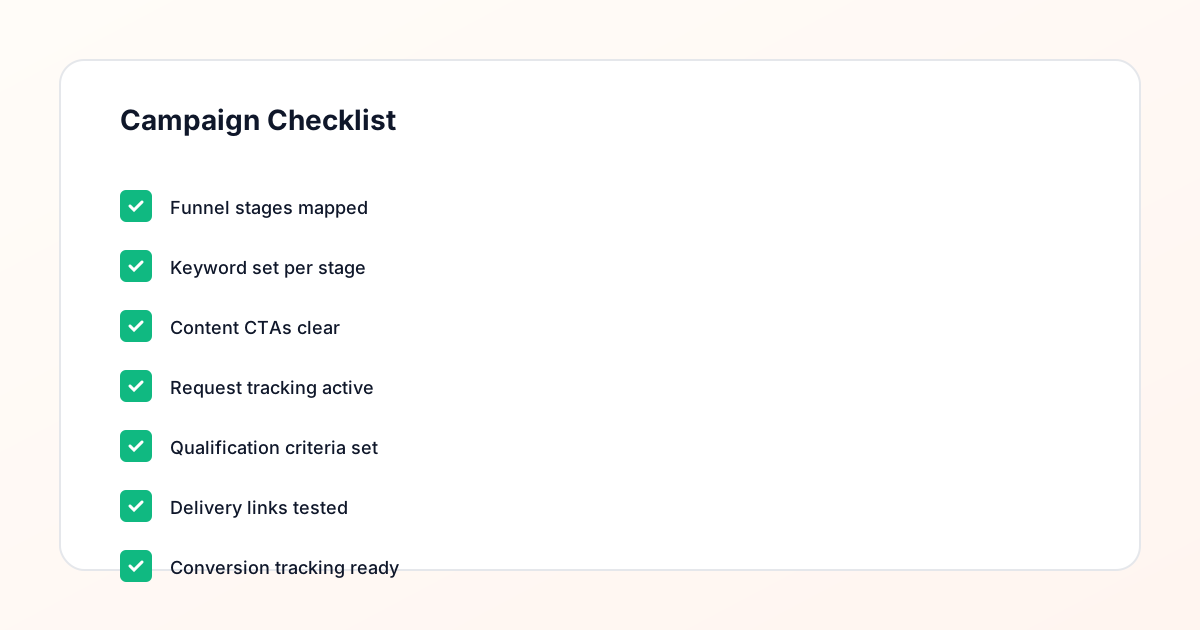
Confirm the offer, lead magnet, keyword strategy, comment CTA, reply draft, owner, approval status, and Lead Export fields before launch.
Comment Funnel Workflow
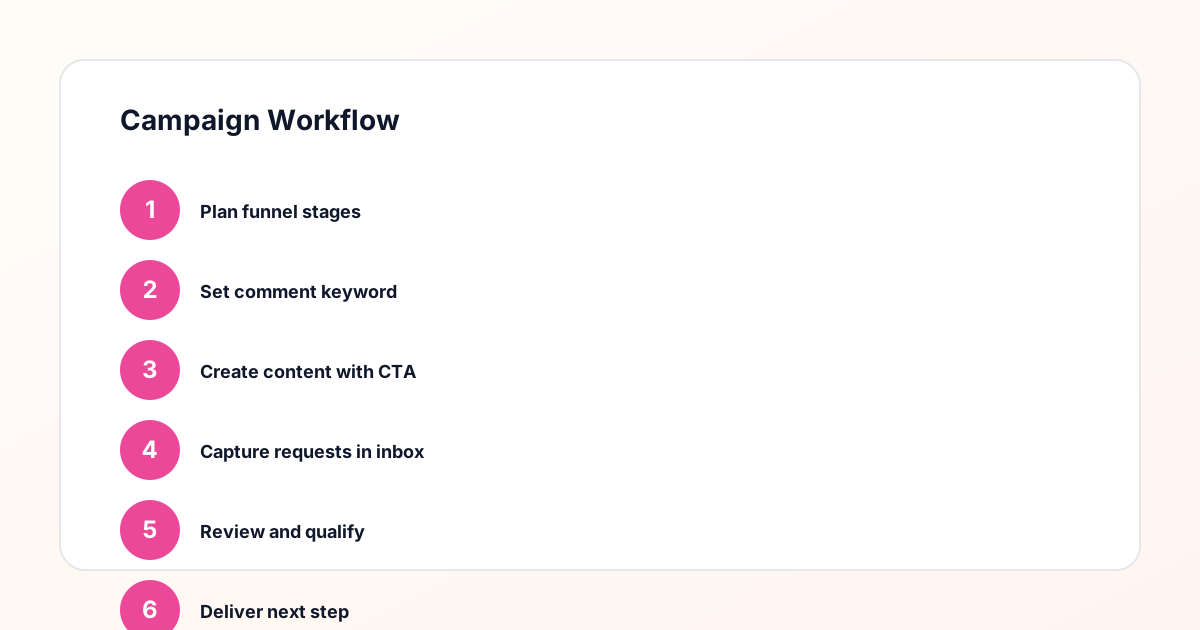
Use the same path everywhere: Offer → Lead Magnet → AI Funnel Builder → Keyword Strategy → Comment CTA → Reply Draft → Review & Approval → Campaign Launch → Request Inbox → Lead Tracking → Export.
Approval Queue Workflow
Review caption CTA, pinned comment, reply draft, lead magnet link, compliance notes, and client approval before a campaign goes live.
Export Readiness Checklist
Export only after records have clear status, no sensitive private data, an owner, follow-up stage, and a documented next action.
Campaign Recovery Workflow
If requests are missed, pause new promotion, review pending records, update Reply Library drafts, communicate manually where appropriate, and document the process fix.
Decision framework
Use this matrix before choosing the next step.
Manual review reminder
Draft response — review before sending. Use approved tools and follow platform rules. GramTrigger helps plan and manage lead magnet workflows; it does not scrape users or auto-send unauthorized DMs.
Workflow Overview
Campaign Checklist
Defining lead capture in the context of Instagram comments
Lead capture on Instagram through comment keywords is a specific kind of opt-in process. Unlike a link-in-bio that anyone can visit passively, a comment keyword requires the follower to actively participate — to stop, read the caption, choose to respond, and type the keyword. That active step is a meaningful signal of interest. The lead has self-selected. They have demonstrated that they want what you are offering badly enough to take an action. Your job at that point is not to generate more interest — it is to fulfill the promise and capture the lead accurately so that you can follow up, report, and build on that relationship in future campaigns.
Step one: the comment as the lead signal
When a follower comments your trigger keyword, that comment is the lead signal. Everything that follows — the fulfillment, the destination link, the email opt-in, the resource delivery — flows from that initial signal. A lead capture workflow for Instagram comments starts by acknowledging this signal in the campaign record. The campaign record should be organized around the keyword that triggered the signal, so that every subsequent step in the workflow is tied to the right post, the right offer, and the right fulfillment path. GramTrigger stores the trigger keyword in the campaign record as the anchor for the entire workflow so that nothing gets disconnected from its origin.
Step two: the fulfillment handoff
The fulfillment handoff is the moment where the lead capture either succeeds or fails. When a follower comments the keyword, the fulfillment team needs to respond promptly with the prepared script and the correct destination link. A slow or inconsistent fulfillment handoff — where some people get a quick response and others wait days — creates a poor first experience that erodes the value of the lead even before the relationship has a chance to develop. GramTrigger stores the response draft and destination link in the campaign record so the handoff is always fast and consistent, regardless of who is handling responses on a given day.
Step three: the destination link and what it does
The destination link is where the actual lead capture happens. The follower visits the link, arrives at an opt-in page, webinar registration, product landing page, or resource download, and takes the next step. That next step — entering an email address, registering for an event, downloading a PDF — is the moment the lead is technically captured in whatever system the creator uses for email or CRM. GramTrigger stores and tracks the destination link but is not an email marketing or CRM tool. Its role is to make sure the correct link is used in every fulfillment response so that the lead arrives at the right destination consistently.
Step four: tracking the lead in the campaign record
Once fulfillment has been sent, the lead should be counted in the campaign record. GramTrigger tracks lead counts as part of the campaign record so that the cumulative number of leads generated by the campaign is visible at any point. This running count is useful for understanding campaign performance in real time and for producing accurate reports at campaign close. A campaign that has generated one hundred leads in forty-eight hours is performing very differently from one that has generated ten, and having the count visible in the record — rather than requiring a manual count of fulfilled requests — makes that distinction immediate.
Step five: the follow-up opportunity
Lead capture through Instagram comments creates an opportunity for follow-up that many creators underutilize. When a follower has commented your keyword, visited your destination link, and opted in or downloaded the resource, they have moved through a meaningful sequence. The email address captured at the opt-in stage is what enables follow-up outside of Instagram. Future emails, course announcements, launch notifications, and offer updates can all reach that lead because they took the step of commenting the keyword and completing the opt-in. GramTrigger supports the lead capture side of this workflow by making sure fulfillment happens accurately and that the destination link — the gateway to the opt-in — is always the correct, confirmed URL.
Step six: exporting and reviewing lead capture results
At the end of the campaign, the lead capture results should be exported and reviewed. How many people commented the keyword? How many received fulfillment? What was the lead count at close? These numbers tell you whether the campaign format — the post topic, the offer type, the keyword — worked well for your audience. GramTrigger produces export-ready campaign records so that reviewing lead capture performance is straightforward and does not require rebuilding the data from scattered sources. Consistent exports across campaigns create a performance archive that helps creators identify which types of campaigns produce the strongest lead capture results.
Building a repeatable lead capture system
The goal of a well-designed Instagram lead capture workflow is that it becomes repeatable. The same steps — keyword setup, response draft, destination link, lead tracking, export — work for every campaign, regardless of the specific offer or audience. When the workflow is repeatable, creators can run more campaigns with less setup time because the structure is already in place. GramTrigger supports this repeatability with a consistent campaign record format that works the same way for every campaign. Creators who build the habit of using GramTrigger for every comment campaign find that their lead capture becomes more reliable and their campaign performance data becomes more useful over time.
Compliance Note
GramTrigger helps organize Campaign Blueprints, Reply Library drafts, Request Inbox stages, approvals, delivery status, Lead Exports, and reports. Delivery should be handled manually or through approved tools depending on your account and available platform support.