Offer fit
Is the offer specific enough that the right audience understands why they should request the lead magnet?
AI Funnel Builder
Trigger words like GUIDE, TEMPLATE, and CHECKLIST are easy for audiences to understand. GramTrigger helps creators keep the campaign record, response draft, link, and export in one place.
Campaign workflow
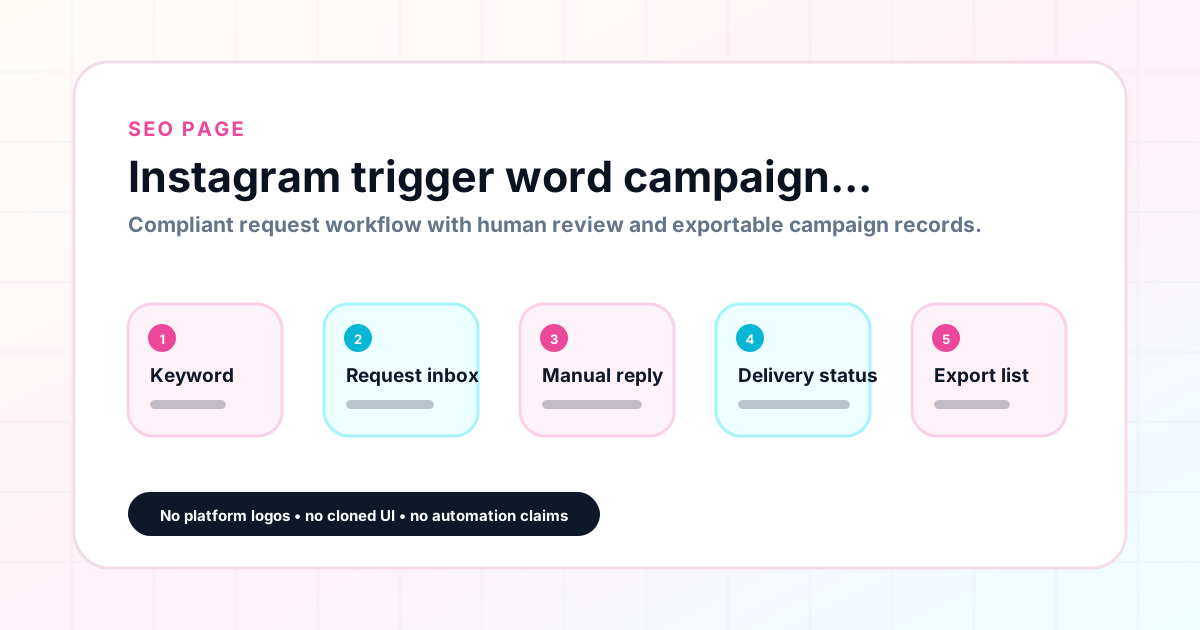
GramTrigger methodology
The GramTrigger method treats every comment campaign as an approval workflow, not an automation shortcut. The goal is to prepare the offer, lead magnet, keyword strategy, Reply Library draft, Request Inbox stages, handoff owner, and Lead Export fields before comments turn into operational work.
Confirm the offer, lead magnet, keyword strategy, comment CTA, reply draft, owner, approval status, and Lead Export fields before launch.
Use the same path everywhere: Offer → Lead Magnet → AI Funnel Builder → Keyword Strategy → Comment CTA → Reply Draft → Review & Approval → Campaign Launch → Request Inbox → Lead Tracking → Export.
Review caption CTA, pinned comment, reply draft, lead magnet link, compliance notes, and client approval before a campaign goes live.
Export only after records have clear status, no sensitive private data, an owner, follow-up stage, and a documented next action.
If requests are missed, pause new promotion, review pending records, update Reply Library drafts, communicate manually where appropriate, and document the process fix.
Use this matrix before choosing the next step.
Draft response — review before sending. Use approved tools and follow platform rules. GramTrigger helps plan and manage lead magnet workflows; it does not scrape users or auto-send unauthorized DMs.
Operational playbook
GramTrigger is strongest when creators and agencies use it as a repeatable workflow: plan the offer, build the funnel, review the campaign, manage requests, approve delivery, export records, and archive what happened.
This workflow assumes user-initiated comment interest, a real lead magnet, human review, and manual or approved delivery. It is not designed for scraping, automated DMs, follower growth tactics, or guaranteed performance claims.
Is the offer specific enough that the right audience understands why they should request the lead magnet?
Is the resource complete, accessible, tested, and aligned with the promise made in the post?
Is the campaign keyword short, memorable, and unlikely to create noisy or mismatched requests?
Has the Reply Library draft been reviewed for accuracy, tone, compliance, and opt-out respect?
Has the creator, client, or reviewer approved the CTA, link, draft, and follow-up expectations?
Will the Lead Export contain only useful, consent-aware fields needed for reporting and follow-up?
Use this table to avoid approval gaps and unclear ownership.
Educational examples only; no success metrics are implied.
Use a CHECKLIST keyword, confirm the workbook link, review a warm reply draft, then export qualified requests for consult follow-up.
Use a WAITLIST keyword, separate new requests from already-enrolled students, and review follow-up language before launch week.
Keep the PDF promise, link, reply draft, and lead status in one Campaign Workspace instead of notes and screenshots.
Use one Campaign Blueprint per client campaign, assign owners, review approvals weekly, and export client-ready records.
A qualitative review guide, not a prediction model.
Offer, lead magnet, keyword, CTA, reply draft, approvals, owner, and export fields are reviewed.
One or more fields are unclear, the link is untested, or the follow-up expectation is not documented.
The campaign relies on unsupported automation, unclear consent, missing approvals, or exaggerated promises.
Guide requests
Keep the campaign setup and follow-up record in one place.
Template delivery planning
Keep the campaign setup and follow-up record in one place.
Checklist campaigns
Keep the campaign setup and follow-up record in one place.
Waitlist posts
Keep the campaign setup and follow-up record in one place.
Coupon offers
Keep the campaign setup and follow-up record in one place.
Freebie workflows
Keep the campaign setup and follow-up record in one place.
Pick trigger word
Connect post URL
Add link
Draft script
Set status
Export records
Clear words tied to the offer work best, such as GUIDE, TEMPLATE, CHECKLIST, WAITLIST, COUPON, and FREEBIE.
Use manual or approved fulfillment depending on your account and integrations.
GramTrigger helps organize Campaign Blueprints, Reply Library drafts, Request Inbox stages, approvals, delivery status, Lead Exports, and reports. Delivery should be handled manually or through approved tools depending on your account and available platform support.