
GramTrigger guide
Instagram Lead Magnet Campaigns: How Creators Can Manage Demand
Instagram lead magnet campaigns generate some of the clearest intent signals available to creators. When someone comments GUIDE or TEMPLATE on a post, they are actively requesting something. The challenge is not generating demand — it is managing it cleanly. Without a structured workflow, lead magnet requests pile up alongside unrelated comments, scripts change between responses, and the link that was supposed to go out gets pasted from memory. GramTrigger gives creators a dedicated campaign record that holds the keyword, link, script, status, and lead list from setup through export. GramTrigger is a workflow and request-management tool, not an official Instagram or Meta product.
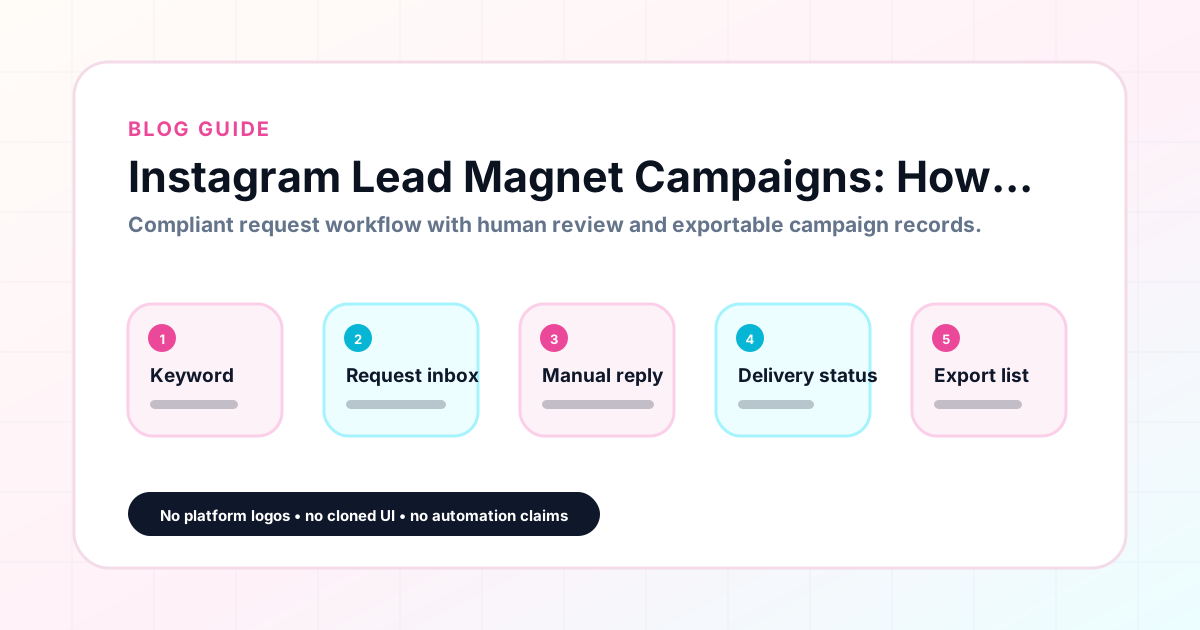
GramTrigger methodology
Original operating system for Instagram Lead Magnet Campaigns: How Creators Can Manage Demand
The GramTrigger method treats every comment campaign as an approval workflow, not an automation shortcut. The goal is to prepare the offer, lead magnet, keyword strategy, Reply Library draft, Request Inbox stages, handoff owner, and Lead Export fields before comments turn into operational work.
Campaign Blueprint SOP
Confirm the offer, lead magnet, keyword strategy, comment CTA, reply draft, owner, approval status, and Lead Export fields before launch.
Comment Funnel Workflow
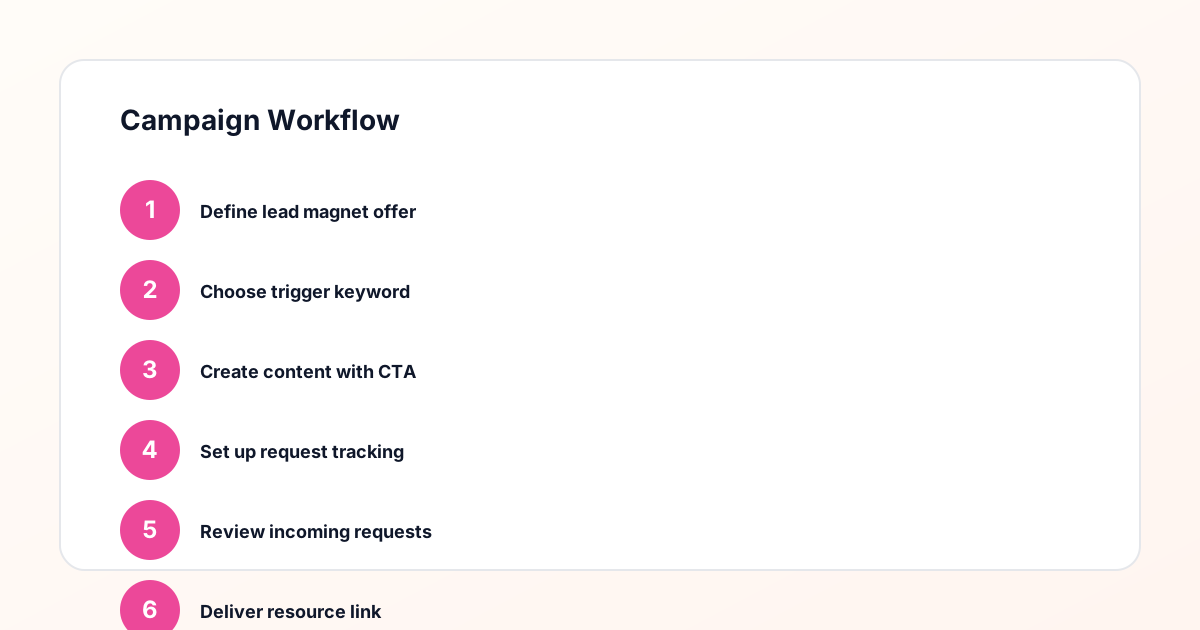
Use the same path everywhere: Offer → Lead Magnet → AI Funnel Builder → Keyword Strategy → Comment CTA → Reply Draft → Review & Approval → Campaign Launch → Request Inbox → Lead Tracking → Export.
Approval Queue Workflow
Review caption CTA, pinned comment, reply draft, lead magnet link, compliance notes, and client approval before a campaign goes live.
Export Readiness Checklist
Export only after records have clear status, no sensitive private data, an owner, follow-up stage, and a documented next action.
Campaign Recovery Workflow
If requests are missed, pause new promotion, review pending records, update Reply Library drafts, communicate manually where appropriate, and document the process fix.
Decision framework
Use this matrix before choosing the next step.
Manual review reminder
Draft response — review before sending. Use approved tools and follow platform rules. GramTrigger helps plan and manage lead magnet workflows; it does not scrape users or auto-send unauthorized DMs.
Workflow Overview
Campaign Checklist
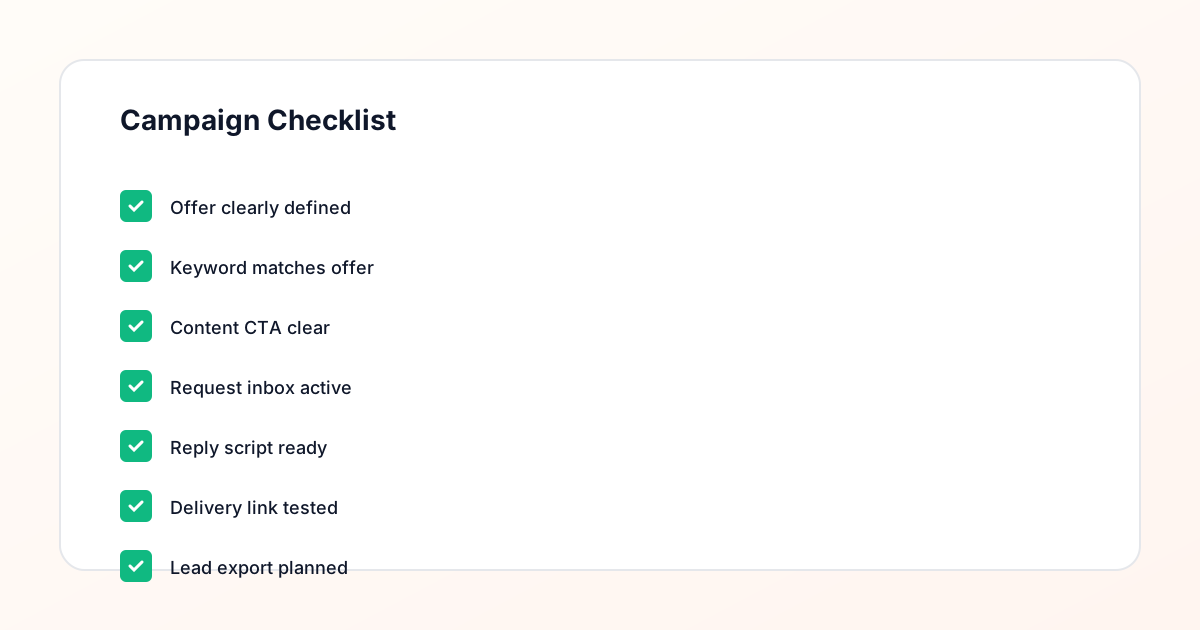
Why Instagram lead magnet campaigns work
Instagram lead magnet campaigns tap into one of the strongest purchase and opt-in behaviors on the platform: the comment. A comment requires more effort than a scroll or a tap, which means people who comment GUIDE or TEMPLATE are more deliberate about their interest than people who passively see a link in a bio. That intent quality makes comment-based lead magnet campaigns particularly effective for growing email lists, filling webinar registrations, building waitlists, and distributing free resources. Creators who run these campaigns consistently report that the audience who comes through a comment keyword is more engaged than traffic from generic bio links or story swipe-ups, because the ask was specific and the response was active.
Common types of Instagram lead magnets
The most common lead magnets used in Instagram comment campaigns include PDF guides, Notion templates, Canva templates, printable checklists, webinar registration links, email newsletter opt-ins, course preview videos, challenge registrations, and discovery call booking pages. Each of these works well with a comment keyword when the offer is specific and the keyword directly reflects what the follower will receive. A post about productivity with the keyword TEMPLATE should deliver a productivity template, not a general sign-up page. Specificity in the offer, the keyword, and the destination link is what makes these campaigns feel trustworthy and worth the comment for the audience.
Setting up a campaign record before launch
A clean lead magnet campaign starts with a complete campaign record before the post goes live. That record should include the post or content reference, the trigger keyword, the destination link, the response draft, and the initial status. GramTrigger is designed around this pre-launch record so that everything needed for fulfillment is organized before the first request arrives. Creators who try to build the record after a post is live often miss requests during the busiest window — the first few hours after publishing. When the record exists before launch, the team can start fulfillment immediately and the creator does not need to field questions about the link, the script, or which campaign the comments belong to.
Managing high-volume request periods
Some lead magnet posts generate dozens or hundreds of requests within hours. High-volume periods are the most valuable and the most stressful moments in a campaign. Without a system, fulfillment becomes chaotic: the same people might get responses twice, others might be missed, and the quality of the fulfillment message declines as the team rushes. GramTrigger helps manage high-volume periods by centralizing the campaign record so that all team members are working from the same keyword, link, and script. There is no need to coordinate through messages or rebuild the script from scratch each time. The record is the single source of truth, and anyone on the team can open it and start fulfilling accurately.
Keeping lead magnet links current
Destination links break. Opt-in pages get redesigned. Resource files move to different folders. One of the most frustrating failures in a live campaign is a broken link discovered mid-fulfillment. When the destination link is stored in a central campaign record, updating it is straightforward — change the link in the record and every subsequent response uses the new URL. When links live in a group chat or in personal notes, updates do not propagate reliably, and some team members continue sending an outdated link long after the creator updated the destination. GramTrigger campaign records make link updates immediate and universal across the entire fulfillment team.
Tracking which lead magnets perform best
Over time, every creator builds a picture of which lead magnets generate the most interest. A free checklist might outperform a video training. A coupon might outperform a PDF guide in one niche and underperform in another. Without consistent campaign records, these insights are hard to reconstruct. GramTrigger archives every campaign with its keyword, destination, status, and lead count so that creators can review historical performance across campaigns and make informed decisions about which offers to repeat, which to retire, and which to test with different keywords. This data-driven approach to lead magnet selection is one of the most underutilized advantages of running organized comment campaigns.
Exporting lead magnet campaign records
At the end of each lead magnet campaign, GramTrigger produces an export that captures the full campaign record: the campaign name, trigger keyword, destination link, response draft, status, and lead count. These exports serve multiple purposes. For solo creators, they create a clear archive of every campaign and its performance. For agencies managing creator clients, they provide the data needed for reporting and client reviews. For team operations, they document the fulfillment process so that future campaigns can be set up consistently. Exporting after every campaign — rather than trying to reconstruct the record months later — is a simple habit that saves significant time during planning cycles.
What makes GramTrigger the right tool
GramTrigger is purpose-built for comment keyword lead magnet campaigns. It does not try to be a broad social media platform, a chat automation tool, or a CRM. It is a focused campaign manager for creators who want to keep each campaign record clean from setup through export. The platform stores the trigger keyword, destination link, response draft, campaign status, and lead count in a single organized view. Exports are available at any stage. The platform works best for creators, coaches, newsletter owners, course sellers, small brands, and agencies who run recurring comment campaigns and want a consistent record system rather than a patchwork of notes and messages.
Compliance Note
GramTrigger helps organize Campaign Blueprints, Reply Library drafts, Request Inbox stages, approvals, delivery status, Lead Exports, and reports. Delivery should be handled manually or through approved tools depending on your account and available platform support.