
PDF Workflows
Instagram Comment to PDF Download Workflow
10 min read
PDFs are one of the most popular lead magnet formats on Instagram — they are easy to create, simple to distribute, and perceived as high-value by audiences. But getting a PDF from your hard drive into the hands of every person who comments on your post requires a structured workflow. This guide walks through building a complete Instagram comment to PDF download system, from planning the PDF content and choosing your keyword to managing requests, delivering the download link, and tracking results over time.

GramTrigger methodology
Original operating system for Instagram Comment to PDF Download Workflow
The GramTrigger method treats every comment campaign as an approval workflow, not an automation shortcut. The goal is to prepare the offer, lead magnet, keyword strategy, Reply Library draft, Request Inbox stages, handoff owner, and Lead Export fields before comments turn into operational work.
Campaign Blueprint SOP
Confirm the offer, lead magnet, keyword strategy, comment CTA, reply draft, owner, approval status, and Lead Export fields before launch.
Comment Funnel Workflow
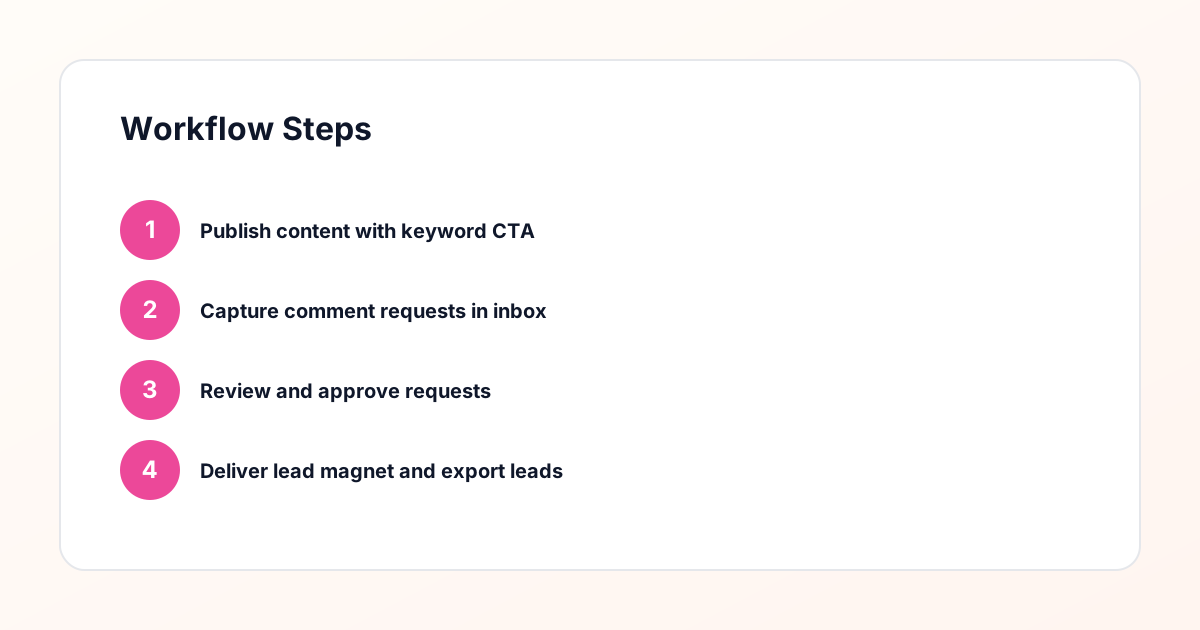
Use the same path everywhere: Offer → Lead Magnet → AI Funnel Builder → Keyword Strategy → Comment CTA → Reply Draft → Review & Approval → Campaign Launch → Request Inbox → Lead Tracking → Export.
Approval Queue Workflow
Review caption CTA, pinned comment, reply draft, lead magnet link, compliance notes, and client approval before a campaign goes live.
Export Readiness Checklist
Export only after records have clear status, no sensitive private data, an owner, follow-up stage, and a documented next action.
Campaign Recovery Workflow
If requests are missed, pause new promotion, review pending records, update Reply Library drafts, communicate manually where appropriate, and document the process fix.
Decision framework
Use this matrix before choosing the next step.
Manual review reminder
Draft response — review before sending. Use approved tools and follow platform rules. GramTrigger helps plan and manage lead magnet workflows; it does not scrape users or auto-send unauthorized DMs.
Workflow Overview
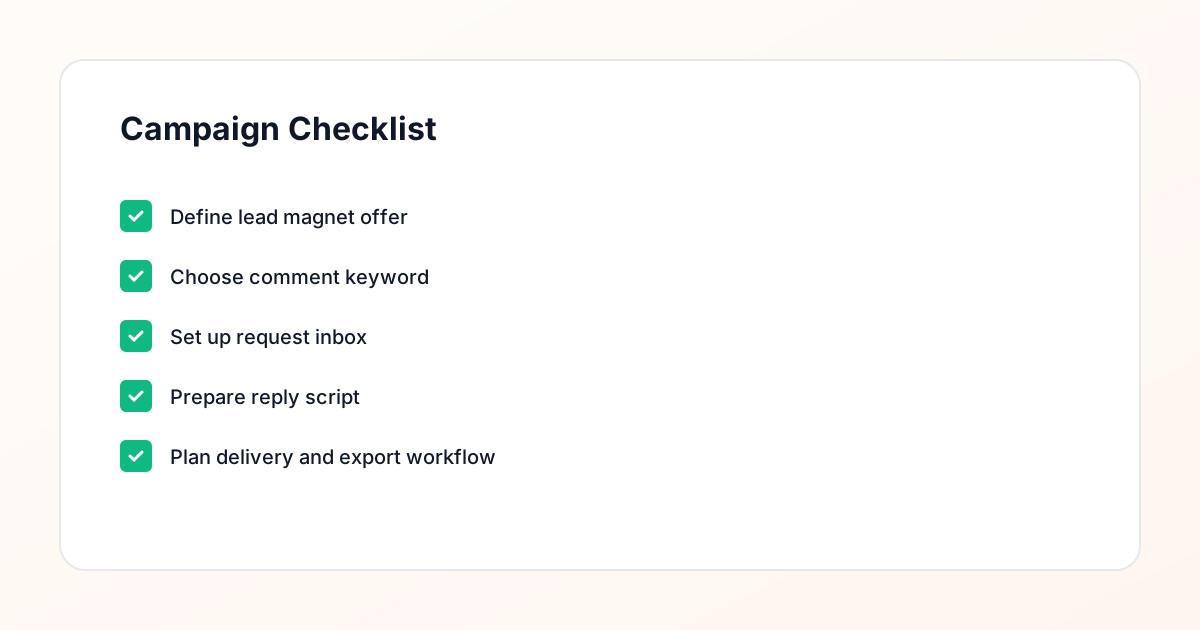
Campaign Checklist
Why PDFs Work as Instagram Lead Magnets
PDFs have remained a popular lead magnet format because they check every box that makes a free resource valuable. They are easy to create using tools most people already have — Google Docs, Canva, or even Microsoft Word. They are simple to distribute as a downloadable file behind a landing page. They look professional and substantial compared to a plain text email. And they can contain detailed, reference-worthy content that audiences return to repeatedly. For Instagram specifically, PDFs work well because the platform audience responds to visual, well-designed content. A polished PDF with your branding, clear formatting, and actionable content reinforces your expertise every time someone opens it. The comment keyword workflow makes PDF distribution practical at scale. Instead of manually tracking who commented and who received the file, you set up a campaign where each keyword comment generates a tracked request in your request inbox. You review the request, send a personalized reply with the download link, and the process is complete. This structured approach keeps your account compliant and your audience experience smooth.
Planning Your PDF Content and Design
Before you set up the technical workflow, you need a PDF worth downloading. Start by identifying the specific problem your PDF solves. The most effective lead magnet PDFs address one focused topic rather than trying to cover everything. A social media manager might create "The 25-Point Instagram Bio Checklist" rather than a comprehensive guide to all of social media marketing. Structure the content with a clear table of contents, numbered sections, and actionable steps readers can implement immediately. Design matters significantly for PDF perception. Use your brand colors, consistent typography, and plenty of white space. Include your logo and website URL on every page so the PDF continues marketing your brand even after it is shared. Keep the page count reasonable — ten to twenty pages is the sweet spot for most lead magnet PDFs. Long enough to feel substantial, short enough to actually get read. Once your PDF is finalized, export it and upload it to your hosting platform of choice. You will need a direct download URL or a landing page URL where people can enter their email to access the file.
Choosing the Right Keyword for Your PDF Campaign
The keyword is the trigger for your entire PDF delivery workflow, so choosing it carefully matters. Ideal keywords are single words that are easy to spell, quick to type on a mobile keyboard, and relevant to the PDF content. "PDF" itself works well for straightforward campaigns. "GUIDE" or "DOWNLOAD" work when you want to emphasize the value being offered. Avoid keywords that could be confused with other words or that require special characters. Test your keyword by typing it on a phone keyboard to make sure it is comfortable. Consider your specific audience too — if your followers are primarily non-native English speakers, choose a universally recognized word. Once you select the keyword, use it consistently across every post that promotes this PDF. Consistency reduces confusion and makes it easier for your audience to remember and use the keyword when they see a relevant post. Your campaign management tool will track all comments containing this keyword and route them to your request inbox for processing.
Setting Up the Comment Keyword Campaign
With your PDF ready and your keyword selected, you can now configure the comment keyword campaign that drives the entire workflow. In your campaign management tool, create a new campaign and enter the keyword, the Instagram post or posts it applies to, and the reply template you will use when responding to requests. Configure the campaign so that every matching comment generates a request entry in your request inbox. This entry should include the commenter username, the post URL, the comment text, and a timestamp. Set up the campaign to send an automatic acknowledgment on the post itself — a simple reply like "Check your DMs!" lets the commenter know their request was received. The actual PDF delivery happens through your request inbox workflow, where you review each request and send a personalized direct message with the download link. This two-step process — public acknowledgment plus private delivery — keeps the comment section clean while ensuring each person receives individual attention. The campaign management system tracks every step so you have a complete record.
Managing PDF Requests in Your Inbox
Once your campaign is live and posts are generating keyword comments, requests will begin flowing into your request inbox. This inbox is your operational command center for PDF delivery. Each request shows you who asked, which post they commented on, and when. Requests are typically sorted with the newest first so you can process them in order. Develop a daily routine for inbox management. Many creators and businesses process requests twice daily — once in the morning and once in the afternoon. During each session, review new requests, send personalized replies with the PDF download link, and mark each request as complete. The reply review step ensures every message is accurate and on-brand before it reaches the requester. If you notice requests piling up faster than you can process them, consider adjusting your posting frequency or allocating dedicated time for inbox management. A well-maintained request inbox means no one falls through the cracks and every person who showed interest in your PDF actually receives it.
Delivering the PDF Download Link
The delivery message is your final touchpoint in the comment-to-download workflow, and it should be clear, personal, and actionable. Your reply should include a greeting with the person name or username, a brief sentence about what they are receiving, the download link presented clearly, and a closing that encourages further engagement. For example: "Hey Alex! Thanks for requesting the Instagram Bio Checklist. Here is your download link: [link]. It is a 15-page PDF you can save to your phone or print out. Let me know which tip you find most helpful!" This approach feels personal rather than automated, which matters for both relationship building and platform compliance. The download link should point to a landing page where the recipient enters their email address before accessing the PDF. This step captures their email for your list and provides explicit consent for future communications. Your lead magnet delivery workflow connects the comment request to the email capture to the PDF delivery in a seamless sequence that respects the recipient at every step.
Tracking PDF Downloads and Engagement
Once your workflow is running, tracking performance helps you understand what is working and where to improve. Start with the basic funnel metrics: how many keyword comments each post generates, how many requests reach your inbox, how many replies you send, and how many people complete the landing page form to download the PDF. The conversion rate between each step reveals where you might be losing people. If comments are high but landing page conversions are low, your landing page copy or design may need improvement. If replies are sent but downloads are low, the delivery message might not be clear enough about what to do next. Beyond the basic funnel, track which posts generate the most requests, what time of day requests come in, and whether certain caption styles produce more keyword comments. This data informs your content strategy and helps you plan future PDF campaigns that build on proven patterns. Your campaign management tool should make this data easy to access and export for analysis.
Following Up After the PDF Download
The PDF download is not the end of the workflow — it is the beginning of an email relationship. After someone downloads your PDF, your email platform should trigger a follow-up sequence that starts with a delivery confirmation and continues with value-building messages. Send a follow-up email two to three days after download asking if they had a chance to review the PDF and if they have questions. Share additional tips related to the PDF topic. Introduce your other content and resources. Eventually, transition to your regular email content cadence so the subscriber knows what to expect from your list. This follow-up sequence transforms a one-time PDF download into an ongoing connection. Subscribers who engage with your follow-up emails are significantly more likely to become customers than those who only download the free resource and never hear from you again. The comment keyword campaign data helps you segment these subscribers based on which PDF they downloaded, enabling targeted follow-up that matches their specific interests.
Creating Multiple PDF Campaigns for Different Topics
Once your first PDF campaign is running smoothly, consider creating additional PDFs for different topics or audience segments. A marketing consultant might offer separate PDFs on "Instagram Content Planning," "Email Welcome Sequence Templates," and "Social Media Audit Checklist." Each PDF gets its own keyword, its own campaign, and its own request inbox view. This multi-campaign approach serves several purposes. It attracts subscribers with different interests, giving you segmentation data from day one. It gives you multiple entry points to promote across your content — different posts can reference different PDFs based on the topic. And it lets you serve existing subscribers with new resources when you launch additional PDFs. Managing multiple PDF campaigns in a single campaign management system keeps everything organized. You can see performance across all campaigns, identify which topics resonate most, and allocate your promotional effort accordingly. Each campaign follows the same proven workflow, so adding new ones is straightforward.
Maintaining a Compliance-Aware PDF Delivery Process
As you build and scale your PDF delivery workflow, maintaining compliance-aware practices protects your account and builds trust with your audience. Only message people who have explicitly requested your PDF by commenting the keyword. Never add people to your email list without collecting their address through a proper opt-in form on your landing page. Include your business identity in every direct message and email. Provide clear unsubscribe options in all emails. This manual approval approach — where you review each request before sending a reply — is a safer alternative to spammy automation that messages everyone indiscriminately. It ensures every interaction is consensual and relevant. Keep records of who requested what and when, so you have documentation of consent if it is ever needed. GramTrigger supports this approach by providing a structured request inbox with clear tracking of every request and reply, giving you both operational efficiency and compliance documentation in one system.
Compliance Note
GramTrigger helps organize Campaign Blueprints, Reply Library drafts, Request Inbox stages, approvals, delivery status, Lead Exports, and reports. Delivery should be handled manually or through approved tools depending on your account and available platform support.