
Checklist Workflows
Instagram Comment to Checklist Download Workflow
10 min read
Checklists are among the highest-converting lead magnet formats because they promise something people love: a clear, step-by-step path to getting something done. On Instagram, checklists work especially well because they match the platform bias toward scannable, actionable content. This guide covers how to build a complete comment-to-checklist workflow — from planning your checklist and selecting keywords to managing requests, delivering the download, and tracking every step of the process.

GramTrigger methodology
Original operating system for Instagram Comment to Checklist Download Workflow
The GramTrigger method treats every comment campaign as an approval workflow, not an automation shortcut. The goal is to prepare the offer, lead magnet, keyword strategy, Reply Library draft, Request Inbox stages, handoff owner, and Lead Export fields before comments turn into operational work.
Campaign Blueprint SOP
Confirm the offer, lead magnet, keyword strategy, comment CTA, reply draft, owner, approval status, and Lead Export fields before launch.
Comment Funnel Workflow
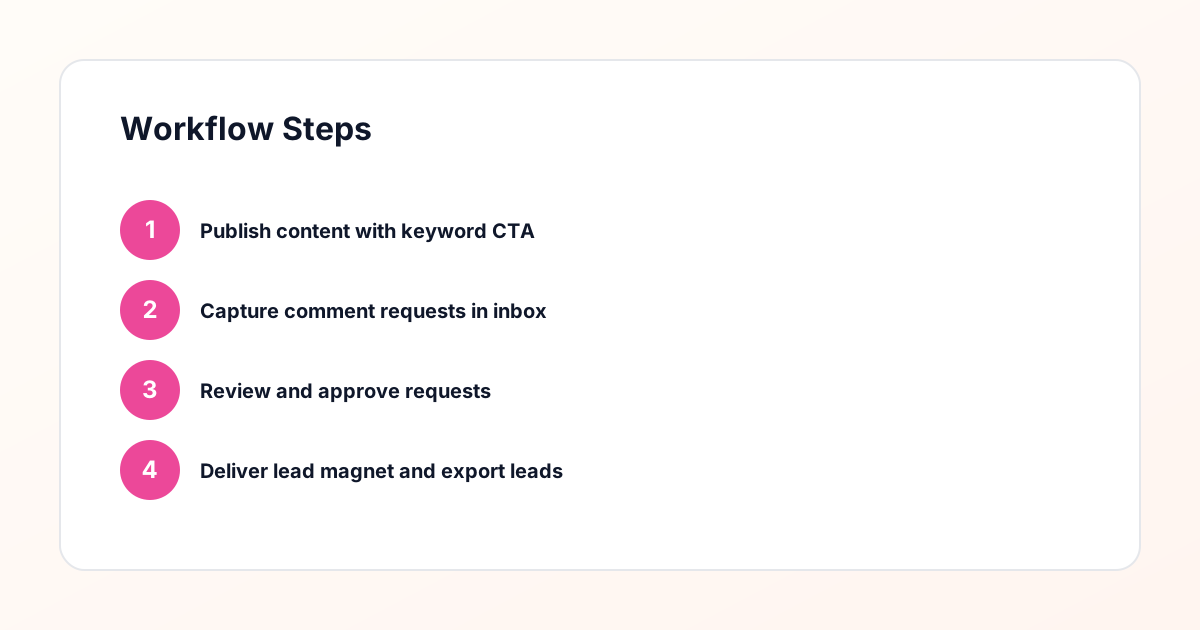
Use the same path everywhere: Offer → Lead Magnet → AI Funnel Builder → Keyword Strategy → Comment CTA → Reply Draft → Review & Approval → Campaign Launch → Request Inbox → Lead Tracking → Export.
Approval Queue Workflow
Review caption CTA, pinned comment, reply draft, lead magnet link, compliance notes, and client approval before a campaign goes live.
Export Readiness Checklist
Export only after records have clear status, no sensitive private data, an owner, follow-up stage, and a documented next action.
Campaign Recovery Workflow
If requests are missed, pause new promotion, review pending records, update Reply Library drafts, communicate manually where appropriate, and document the process fix.
Decision framework
Use this matrix before choosing the next step.
Manual review reminder
Draft response — review before sending. Use approved tools and follow platform rules. GramTrigger helps plan and manage lead magnet workflows; it does not scrape users or auto-send unauthorized DMs.
Workflow Overview
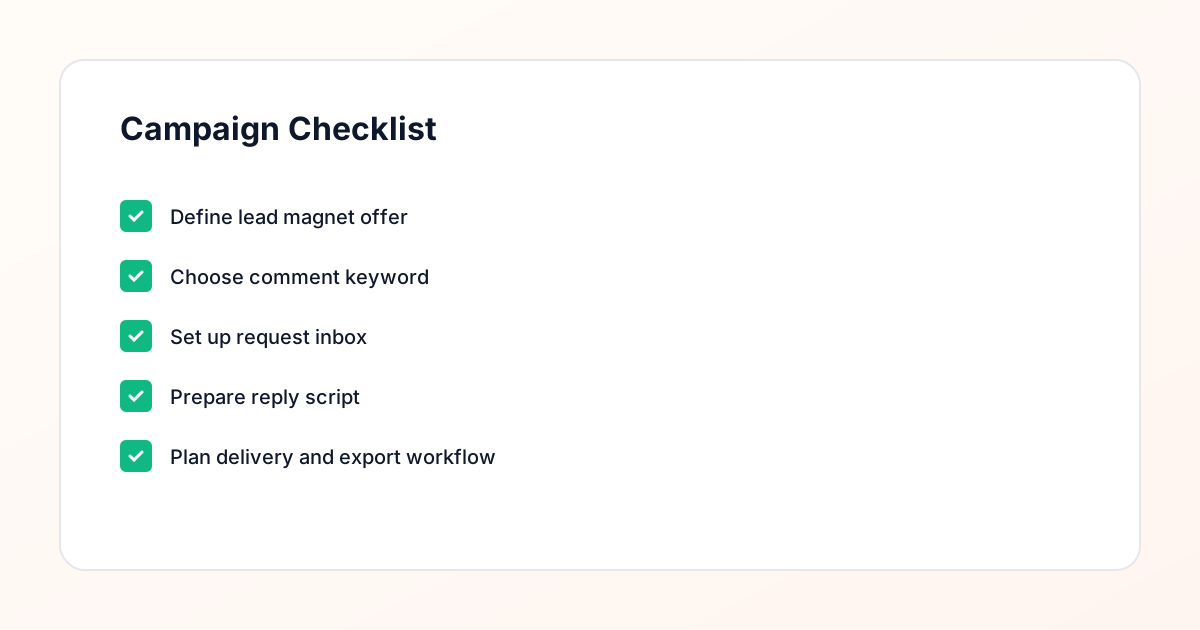
Campaign Checklist
Why Checklists Convert Better Than Other Lead Magnet Formats
Checklists convert at higher rates than most other lead magnet formats because they reduce the cognitive load on the reader. A guide tells someone what to know. A checklist tells them exactly what to do, in order, with nothing left to guess. This clarity is valuable across every niche — new parents want a hospital bag checklist, entrepreneurs want a business launch checklist, fitness enthusiasts want a gym bag checklist. The format is universally understood and immediately actionable. On Instagram, checklists have an additional advantage: they translate naturally into visual content. You can create carousel posts that preview checklist items, story content that walks through sections, and reel content that highlights specific steps. All of this promotional content drives keyword comments that feed your delivery workflow. The comment keyword campaign approach makes checklist distribution scalable. Instead of manually tracking who wants the checklist and who has received it, every keyword comment creates a tracked request in your request inbox. You review, reply, and deliver — with a complete record of every interaction.
Planning a Checklist People Actually Want to Download
The effectiveness of your checklist lead magnet depends entirely on whether it addresses a real need your audience has. Start by identifying a process or task your audience struggles with or frequently asks about. The best checklists break down a multi-step process into clear, sequential items that someone can follow without additional research. Look at your comments, DMs, and story questions for recurring themes. If five people ask you "what should I pack for a photography trip," you have the foundation for a Photography Trip Packing Checklist. Structure the checklist logically — group related items, order steps sequentially, and include brief notes where context helps. A checklist that just lists items is useful. A checklist that lists items with brief explanations of why each one matters is significantly more valuable. Design the checklist for easy reference. Most people will save it to their phone and pull it up when they need it, so clean formatting, readable fonts, and clear checkboxes or bullet points matter. Include your branding and contact information so the checklist continues to represent your brand every time it is used.
Selecting the Best Keyword for Your Checklist Campaign
Your campaign keyword is the bridge between audience interest and your delivery workflow, so it needs to be intuitive and error-free. For checklist campaigns, keywords like "CHECKLIST," "LIST," or "SEND" work well because they are short, universally understood, and unlikely to be misspelled. Consider your audience demographics when choosing. If your audience skews younger and types quickly on mobile, shorter is better. If your audience is more international, choose a word that is commonly understood across English-speaking regions. Once selected, use the keyword consistently in every caption, story, and reel that promotes the checklist. Write your call-to-action clearly: "Comment CHECKLIST and I will send you the download link." Test the keyword yourself by typing it on a phone to confirm it is comfortable. Your campaign management tool will capture every comment containing this keyword and route it to your request inbox for processing and delivery.
Building the Comment Keyword Campaign
Setting up your checklist campaign involves configuring the keyword, the posts it applies to, the acknowledgment reply, and the request routing in your campaign management tool. Create the campaign, enter your keyword, and link it to the specific posts where you will promote the checklist. Configure the public reply that appears on the post when someone comments the keyword — this is typically a brief acknowledgment like "Sent! Check your DMs." Then configure the request inbox routing so each keyword comment generates a new request entry with the commenter details and timestamp. Before going live, test the full workflow. Post a test comment with the keyword, verify the public reply appears, check that the request shows in your inbox, send a test delivery message, and confirm the landing page works correctly. Testing catches configuration errors before real audience members encounter them. Once everything checks out, your campaign is ready to start collecting requests and delivering checklists through the structured workflow.
Processing Requests Through Your Inbox
Your request inbox is the operational hub where every checklist request is managed from start to finish. Each entry shows the requester username, the post they commented on, the exact comment text, and the time it was received. Organize your inbox processing into a consistent daily routine. Many operators find that two processing windows per day — morning and afternoon — keep requests moving without consuming excessive time. During each window, work through new requests systematically. Review each request to confirm it is a genuine keyword comment. Craft a personalized reply that includes the checklist download link. Mark the request as complete once the reply is sent. The reply review step is important even when using templates. Checking each message before sending ensures the link is correct, the personalization is accurate, and the tone matches your brand. This manual approval approach is a compliance-aware practice that keeps your messaging consensual and your account in good standing. It is a safer alternative to spammy automation that sends identical messages to everyone without review.
Crafting the Perfect Checklist Delivery Message
The delivery message is your opportunity to make a strong first impression while getting the checklist into the requester hands. Structure it with four elements: a personal greeting, context about what they are receiving, the download link presented clearly, and a call-to-action that encourages further engagement. For example: "Hey Jordan! Here is the Ultimate Launch Day Checklist you requested. It covers everything from final tech checks to your go-live communication plan. Download it here: [link]. I recommend printing it out and keeping it handy for launch week!" This message is warm, specific, and actionable. It tells the recipient exactly what they are getting and what to do with it. Keep a library of delivery message templates in your campaign management tool, with variations for different checklists and different audience segments. Templates speed up processing while the personalization step ensures each message feels genuine. Track which message variations produce the best response rates and refine your templates over time based on real data.
Connecting the Checklist to Your Email List
The checklist download should feed directly into your email marketing system, turning Instagram engagement into a permission-based email subscriber. The download link in your delivery message should point to a landing page that requires an email address before granting access to the checklist file. This email capture step serves two critical purposes: it builds your email list with engaged, self-selected subscribers, and it provides explicit consent for email marketing that supports compliance with regulations like GDPR and CAN-SPAM. Once the email is captured, your email platform should send an automated delivery email with the checklist attached or linked, followed by a nurture sequence that builds the relationship. The nurture sequence might include additional tips related to the checklist topic, an invitation to explore your other resources, and eventually an introduction to your paid offerings. Your lead magnet delivery workflow connects the Instagram comment to the email capture to the automated delivery in a seamless chain that requires no manual intervention after the initial reply.
Tracking Checklist Downloads and Campaign Performance
Effective tracking turns your checklist campaign from a guessing game into a data-driven marketing channel. Monitor metrics at each stage of the funnel: keyword comments per post, requests received in your inbox, replies sent, landing page visits, email captures, and checklist downloads. Calculate conversion rates between each step to identify where the workflow is strong and where it needs attention. If a post generates two hundred keyword comments but only fifty landing page conversions, investigate the gap. Are people not seeing the DM? Is the landing page unclear? Is the email capture form too complicated? Each answer points to a specific improvement. Track performance over time to identify trends. Do certain days of the week produce more requests? Do specific caption styles generate more keyword comments? Does adding a story mention increase request volume? These insights help you optimize both your content strategy and your campaign configuration for better results with each iteration.
Creating Checklists for Different Audience Segments
One of the most powerful strategies for checklist lead magnets is creating multiple checklists that serve different segments of your audience. A real estate agent might offer a "First-Time Homebuyer Checklist," a "Home Selling Preparation Checklist," and a "Moving Day Checklist." Each attracts a different audience segment at a different stage of their journey. Each checklist gets its own keyword and campaign, keeping requests organized and trackable. When someone requests the homebuyer checklist, you know they are a buyer. When someone requests the selling checklist, they are a seller. This segmentation data flows directly into your email marketing, allowing you to send targeted content and offers to each group. Managing multiple checklist campaigns in a single campaign management system keeps everything organized without complexity. You can view performance across all campaigns, compare which topics attract the most interest, and plan future checklists based on proven demand. The workflow scales linearly — each new checklist follows the same proven process as the first.
Keeping Your Checklist Workflow Compliance-Aware
Running a checklist delivery workflow that contacts Instagram users directly requires attention to compliance best practices. Only message people who have explicitly opted in by commenting your keyword. Never add anyone to your email list without collecting their address through a proper opt-in form. Identify yourself clearly in every message. Include unsubscribe options in all emails. The manual review process built into the request inbox workflow ensures every message is intentional and consensual. You are not auto-DM everyone who has ever interacted with your account — you are responding to specific requests from people who raised their hand. Keep records of each request and delivery in your campaign management system. These records document the consent chain from keyword comment through email capture, providing evidence of proper opt-in if questions ever arise. This compliance-aware approach is a safer alternative to spammy automation tools and builds long-term trust with your audience and the platform.
Compliance Note
GramTrigger helps organize Campaign Blueprints, Reply Library drafts, Request Inbox stages, approvals, delivery status, Lead Exports, and reports. Delivery should be handled manually or through approved tools depending on your account and available platform support.