
GramTrigger guide
How to Manage Lead Magnet Comments
Lead magnet comments are the keyword comments left by followers who want the resource a creator has offered in a post. Managing these comments means distinguishing keyword requests from general engagement, fulfilling each request with the correct script and destination, tracking whether requests have been handled, and exporting the campaign record when the window closes. Without a management system, lead magnet comments are difficult to process reliably — especially when a popular post generates dozens of requests alongside hundreds of general reactions. GramTrigger helps creators manage lead magnet comments through organized campaign records. GramTrigger is a workflow and request-management tool, not an official Instagram or Meta product.
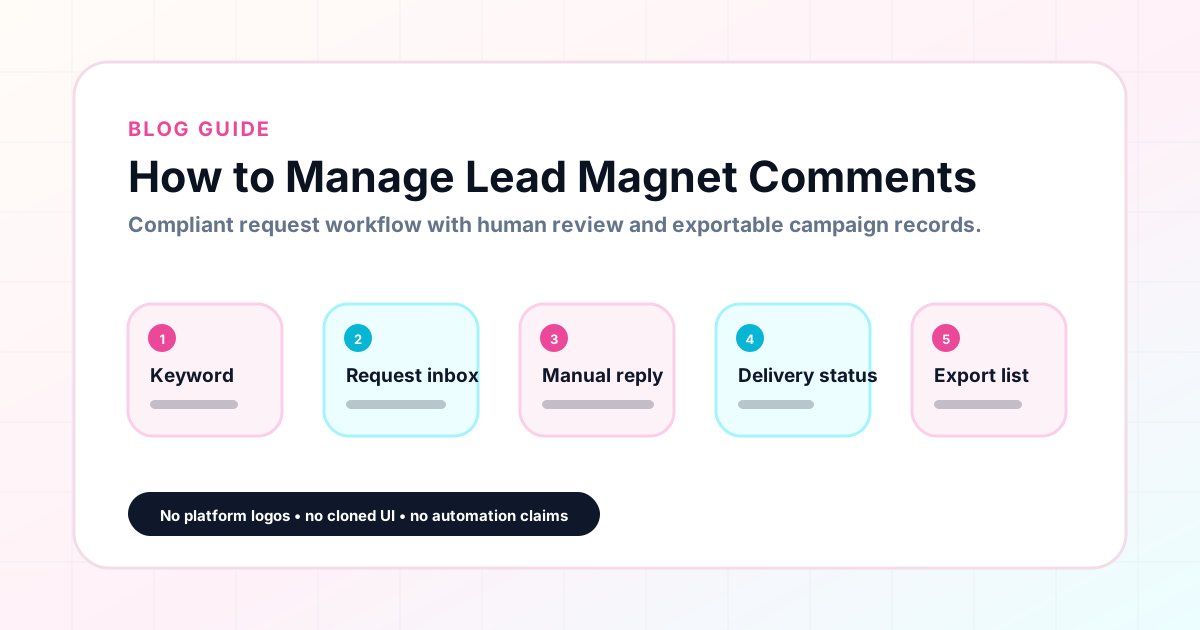
GramTrigger methodology
Original operating system for How to Manage Lead Magnet Comments
The GramTrigger method treats every comment campaign as an approval workflow, not an automation shortcut. The goal is to prepare the offer, lead magnet, keyword strategy, Reply Library draft, Request Inbox stages, handoff owner, and Lead Export fields before comments turn into operational work.
Campaign Blueprint SOP
Confirm the offer, lead magnet, keyword strategy, comment CTA, reply draft, owner, approval status, and Lead Export fields before launch.
Comment Funnel Workflow
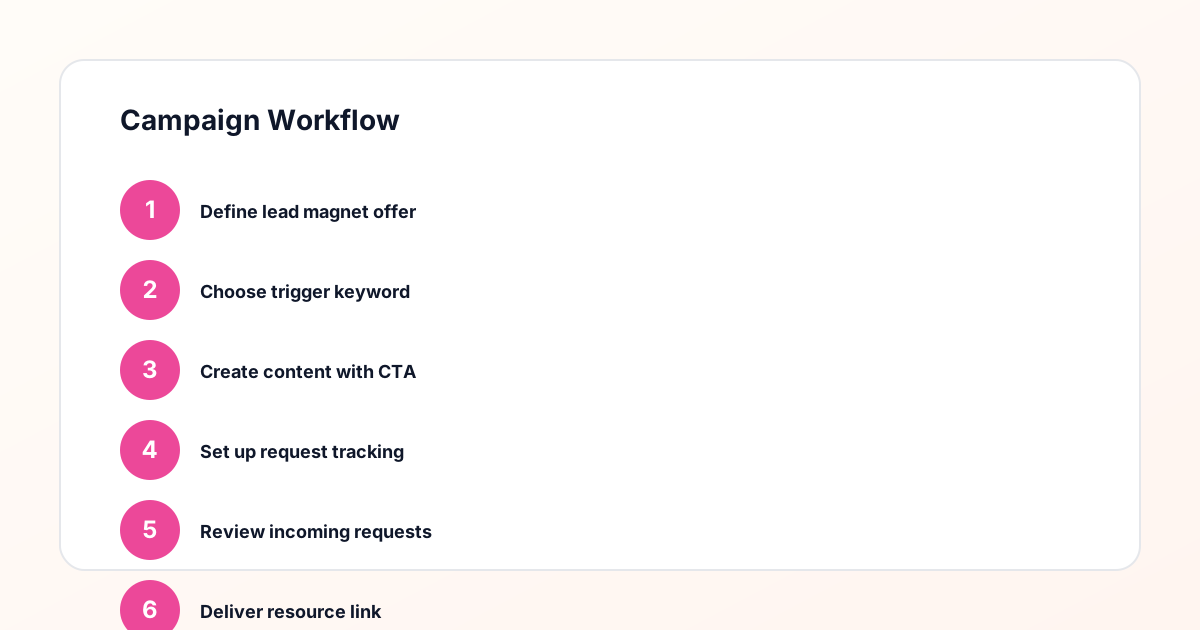
Use the same path everywhere: Offer → Lead Magnet → AI Funnel Builder → Keyword Strategy → Comment CTA → Reply Draft → Review & Approval → Campaign Launch → Request Inbox → Lead Tracking → Export.
Approval Queue Workflow
Review caption CTA, pinned comment, reply draft, lead magnet link, compliance notes, and client approval before a campaign goes live.
Export Readiness Checklist
Export only after records have clear status, no sensitive private data, an owner, follow-up stage, and a documented next action.
Campaign Recovery Workflow
If requests are missed, pause new promotion, review pending records, update Reply Library drafts, communicate manually where appropriate, and document the process fix.
Decision framework
Use this matrix before choosing the next step.
Manual review reminder
Draft response — review before sending. Use approved tools and follow platform rules. GramTrigger helps plan and manage lead magnet workflows; it does not scrape users or auto-send unauthorized DMs.
Workflow Overview
Campaign Checklist
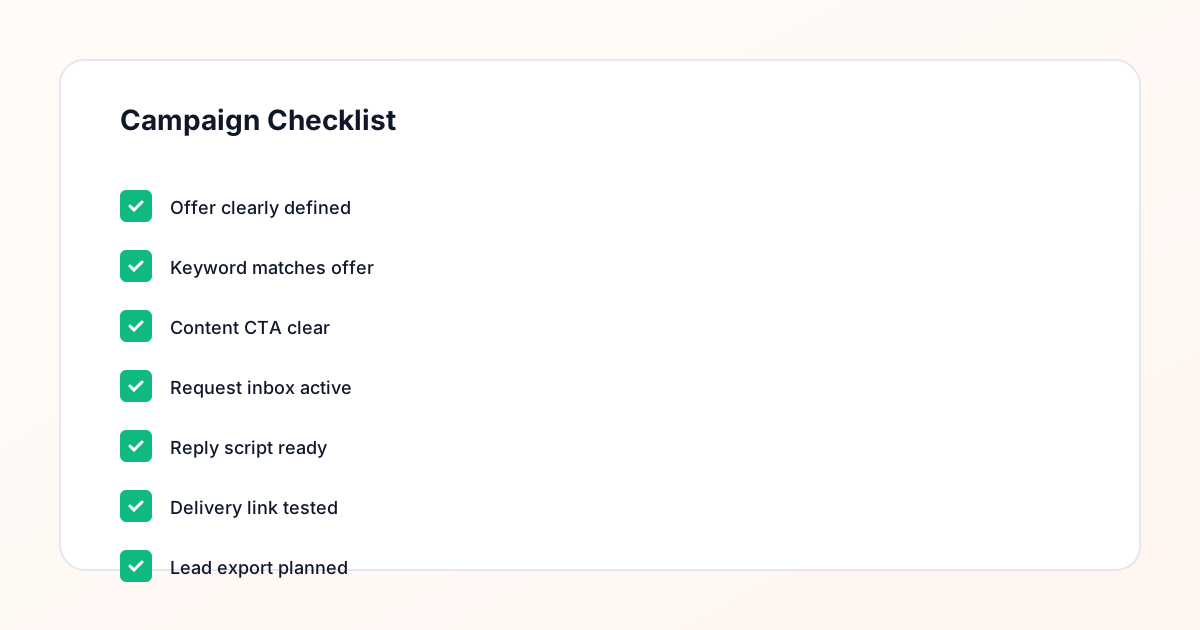
Identifying lead magnet comments in the comment thread
A lead magnet comment is any comment that contains the trigger keyword the creator specified in the caption. GUIDE, TEMPLATE, CHECKLIST, WAITLIST, FREEBIE — whatever word the creator asked followers to comment becomes the marker that identifies a request from general engagement. In a comment thread that mixes keyword requests with reactions, questions, and general responses, the keyword is the filter that separates leads from noise. For creators managing this manually, it means scanning the comment thread for the keyword. For creators using GramTrigger, the campaign record holds the keyword alongside the destination and script so the entire fulfillment team is looking for the same thing and knows immediately what to do when they find it.
Preparing management resources before the post goes live
Effective lead magnet comment management begins before the first comment arrives. The destination link should be confirmed. The response draft should be written. The campaign status should be set to ready or active. When these resources are prepared in advance, the first request that arrives can be fulfilled immediately rather than triggering a search for the current link or a fresh attempt at writing the script. GramTrigger stores all three resources in the campaign record during setup so that the management system is operational the moment the post publishes.
Fulfilling requests consistently
The most important quality standard in lead magnet comment management is consistent fulfillment. Every person who comments the keyword should receive the same response — the same warm greeting, the same confirmed link, the same clear message. Inconsistency in fulfillment reflects poorly on the campaign and the creator. If some followers receive a polished response with the correct link and others receive a rushed note that omits the link, the campaign experience is uneven. GramTrigger saves the response draft in the campaign record so every team member uses the same message regardless of when during the campaign window they handle a given request.
Managing high-volume comment periods
High-performing posts can generate a significant volume of lead magnet comments in a short period. Managing this volume requires a system that can keep pace with incoming requests without losing track of which ones have been fulfilled. GramTrigger tracks lead counts and campaign status so the team always knows where fulfillment stands. During high-volume periods, this tracking is essential: without it, some requesters receive the resource twice while others receive it days late or not at all. The campaign record becomes the coordination hub for the fulfillment team, ensuring that everyone working on the campaign is using the same information and tracking progress toward the same goal.
Tracking management status across multiple posts
Creators who run lead magnet campaigns regularly may have several posts active simultaneously with different offers, keywords, and destination links. Managing the comments from all of these posts requires a system that keeps each campaign separate. GramTrigger organizes each campaign in its own record so the team always knows which keyword, link, and script belongs to which post. The dashboard shows all active campaigns and their lead counts so nothing gets overlooked during busy posting periods. This multi-campaign clarity is what makes it possible to run multiple lead magnet posts simultaneously without losing management accuracy.
Exporting lead magnet comment records
After the management window closes for a lead magnet campaign, the campaign record should be exported from GramTrigger. The export captures the keyword, destination, script, status, and lead count and serves as the archive for the campaign. For creators reviewing their content strategy, the lead count in this export shows which lead magnets and post types generate the most requests. For agencies reporting to clients, the export provides the documented evidence of campaign performance. Consistent exports across every lead magnet campaign build a performance archive that informs future content and offer decisions.
Compliance Note
GramTrigger helps organize Campaign Blueprints, Reply Library drafts, Request Inbox stages, approvals, delivery status, Lead Exports, and reports. Delivery should be handled manually or through approved tools depending on your account and available platform support.