
GramTrigger guide
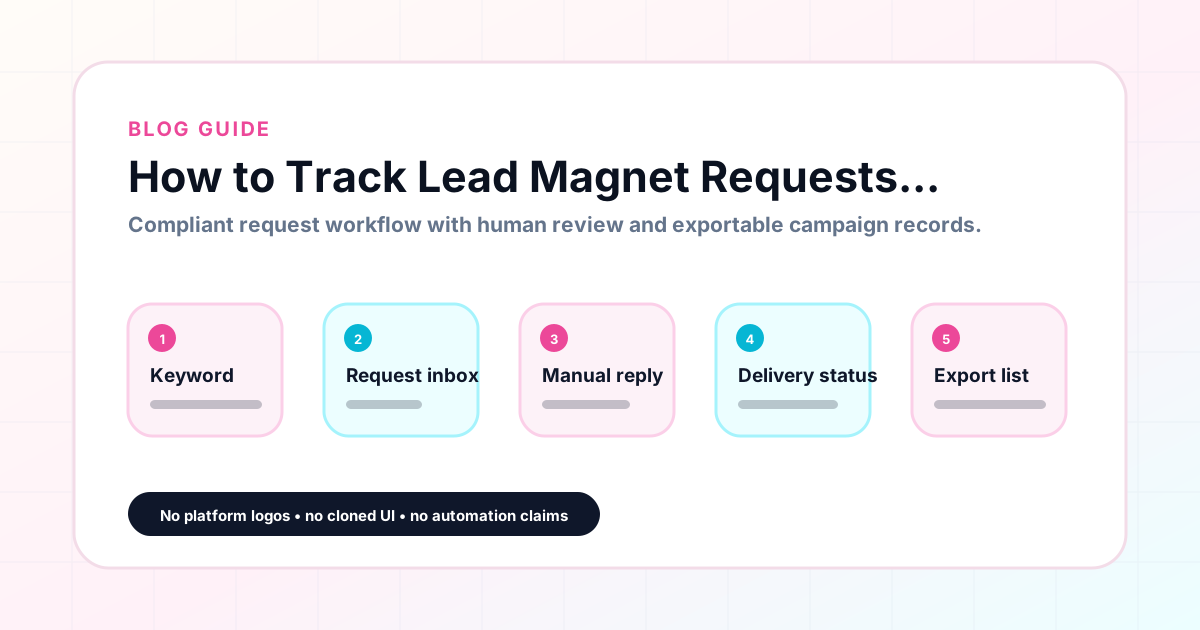
How to Track Lead Magnet Requests Without Spreadsheets
Spreadsheets are the default tool for tracking lead magnet requests from Instagram comment campaigns, and they are also one of the main reasons campaigns lose leads. Columns get inconsistent. Links go stale. Status fields use different words for the same status. When a VA or team member tries to update the sheet, they often cannot find the right tab or cell. GramTrigger replaces the spreadsheet with a structured campaign record that holds the trigger keyword, destination link, response draft, status, and lead count in one organized view. No tabs, no inconsistent columns, and no searching for the right version. GramTrigger is a workflow and request-management tool, not an official Instagram or Meta product.
GramTrigger methodology
Original operating system for How to Track Lead Magnet Requests Without Spreadsheets
The GramTrigger method treats every comment campaign as an approval workflow, not an automation shortcut. The goal is to prepare the offer, lead magnet, keyword strategy, Reply Library draft, Request Inbox stages, handoff owner, and Lead Export fields before comments turn into operational work.
Campaign Blueprint SOP
Confirm the offer, lead magnet, keyword strategy, comment CTA, reply draft, owner, approval status, and Lead Export fields before launch.
Comment Funnel Workflow
Use the same path everywhere: Offer → Lead Magnet → AI Funnel Builder → Keyword Strategy → Comment CTA → Reply Draft → Review & Approval → Campaign Launch → Request Inbox → Lead Tracking → Export.
Approval Queue Workflow
Review caption CTA, pinned comment, reply draft, lead magnet link, compliance notes, and client approval before a campaign goes live.
Export Readiness Checklist
Export only after records have clear status, no sensitive private data, an owner, follow-up stage, and a documented next action.
Campaign Recovery Workflow
If requests are missed, pause new promotion, review pending records, update Reply Library drafts, communicate manually where appropriate, and document the process fix.
Decision framework
Use this matrix before choosing the next step.
Manual review reminder
Draft response — review before sending. Use approved tools and follow platform rules. GramTrigger helps plan and manage lead magnet workflows; it does not scrape users or auto-send unauthorized DMs.
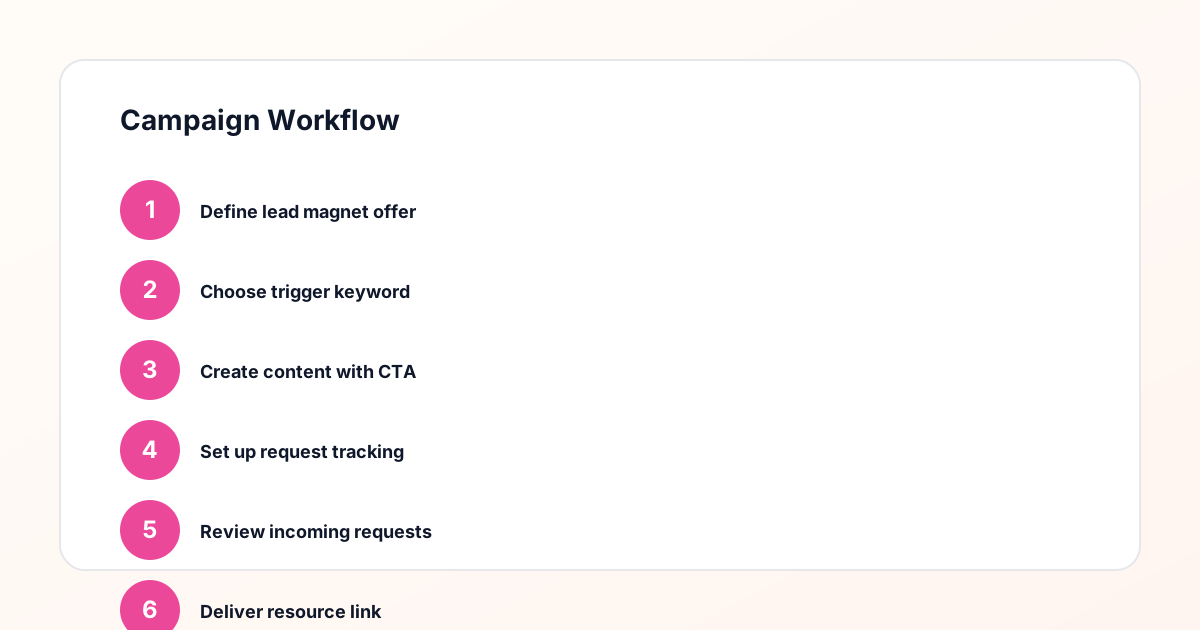
Workflow Overview
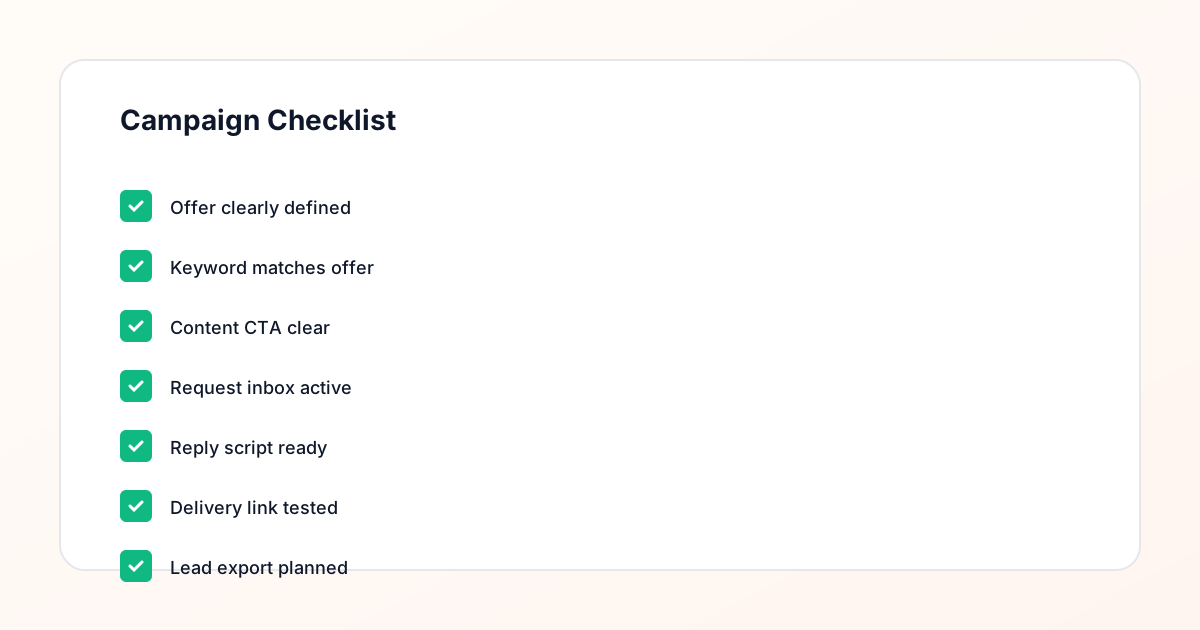
Campaign Checklist
The spreadsheet problem in lead magnet campaigns
When creators first start running comment keyword campaigns, a spreadsheet seems like a reasonable tracking tool. You add a few columns — name, keyword, link, status — and it feels manageable. By the third or fourth campaign, the structure starts to break. Some rows are missing links. Status fields say things like "done" and "sent" and "fulfilled" and "yes," which are all nominally the same but break any attempt at filtering. The link column has three different versions of the same URL because it changed mid-campaign and nobody updated all the rows. When the campaign gets handed to a VA, they call or message to ask for clarification on half the fields. This is not a spreadsheet problem specifically — it is the problem of tracking structured campaign information in an unstructured tool.
What a campaign record should replace
A proper campaign record replaces at minimum four common workarounds that creators use when managing lead magnet requests without a dedicated tool. First, it replaces the notes app where the script lives. Second, it replaces the browser bookmark for the destination link. Third, it replaces the spreadsheet row that tracks status. Fourth, it replaces the text thread with the VA that contains the current version of all of the above. GramTrigger brings all of these into a single campaign record that is structured by design — every campaign has the same fields, the same place for the link, the same status options, and the same export format. When any team member opens a campaign, they see everything they need in one view.
Setting up tracking before the post goes live
The most important rule for lead magnet request tracking is that the campaign record should exist before the post is published. Creating the record after the post is live means that the busiest fulfillment window — the first few hours — happens without a clean system in place. During that window, the team is scrambling to build the record while also responding to requests. The quality of both tasks suffers. GramTrigger is designed to be set up before launch: you enter the campaign name, attach the post reference, save the trigger keyword, confirm the destination link, write the response draft, and set the status to ready or active. Then the post goes live, and fulfillment can begin immediately from the organized record.
Tracking request volume without a spreadsheet
One legitimate use of a spreadsheet in lead magnet campaigns is counting the number of requests received. GramTrigger replaces this with a lead count field in the campaign record. As requests come in and are fulfilled, the lead count updates to reflect the volume of the campaign. This running count is more reliable than a spreadsheet row count because it does not require manual entry of each individual request — it is updated as part of the fulfillment workflow. At the end of the campaign, the lead count is already in the record and is included in the export without any additional counting or formula work.
Managing the fulfillment queue without a spreadsheet
In a spreadsheet, the fulfillment queue is typically represented by rows with a status column that says "pending" or "not fulfilled." The problem is that this structure requires manual updates for every row, and in a shared spreadsheet those updates are not always visible to other team members in real time. GramTrigger organizes requests within the campaign record with status tracking that reflects fulfillment progress. The team can see which requests are still pending without sorting spreadsheet columns or checking with each other about what has already been handled. This real-time status visibility is one of the most concrete benefits of moving lead magnet request tracking out of a spreadsheet.
Updating links without cascading errors
One of the most disruptive events in a live campaign is a link change. Maybe the opt-in page URL changed, the PDF moved to a new host, or the webinar link expired and needs to be replaced. In a spreadsheet, updating the link requires finding every row where the old link appears and replacing it — or accepting that some rows will continue to show the old link. In GramTrigger, the destination link lives in one field in the campaign record. Updating it is a single edit that takes effect immediately for everyone using the record. There are no rows with stale links, no messages asking for the new URL, and no fulfillment errors caused by a team member using an outdated link.
Exporting without building a report from scratch
At the end of every lead magnet campaign, you need a record of what happened: the campaign name, the keyword, the destination, the script, the status at close, and the lead count. In a spreadsheet, building this report means formatting the data, removing duplicates, and organizing columns in a way that makes sense for the recipient. GramTrigger produces this export automatically from the campaign record. The data is already structured correctly because it was captured in a structured format from the beginning. The export takes a few clicks and produces a clean report that is ready for client presentation or internal review without additional formatting work.
GramTrigger as the spreadsheet replacement
GramTrigger is purpose-built for the specific workflow of tracking lead magnet requests from Instagram comment campaigns. It is not a general-purpose tool that has been adapted for this use case — it is designed around the campaign record structure that makes this workflow consistent and reliable. Every campaign has the same fields, in the same place, with the same export format. There are no missing columns, no inconsistent status labels, and no scattered links. Creators who switch from spreadsheets to GramTrigger typically find that campaign setup is faster, delegation is simpler, and post-campaign reporting takes a fraction of the time it previously required.
Compliance Note
GramTrigger helps organize Campaign Blueprints, Reply Library drafts, Request Inbox stages, approvals, delivery status, Lead Exports, and reports. Delivery should be handled manually or through approved tools depending on your account and available platform support.