
GramTrigger guide
GramTrigger vs Spreadsheets: Managing Comment Campaign Requests
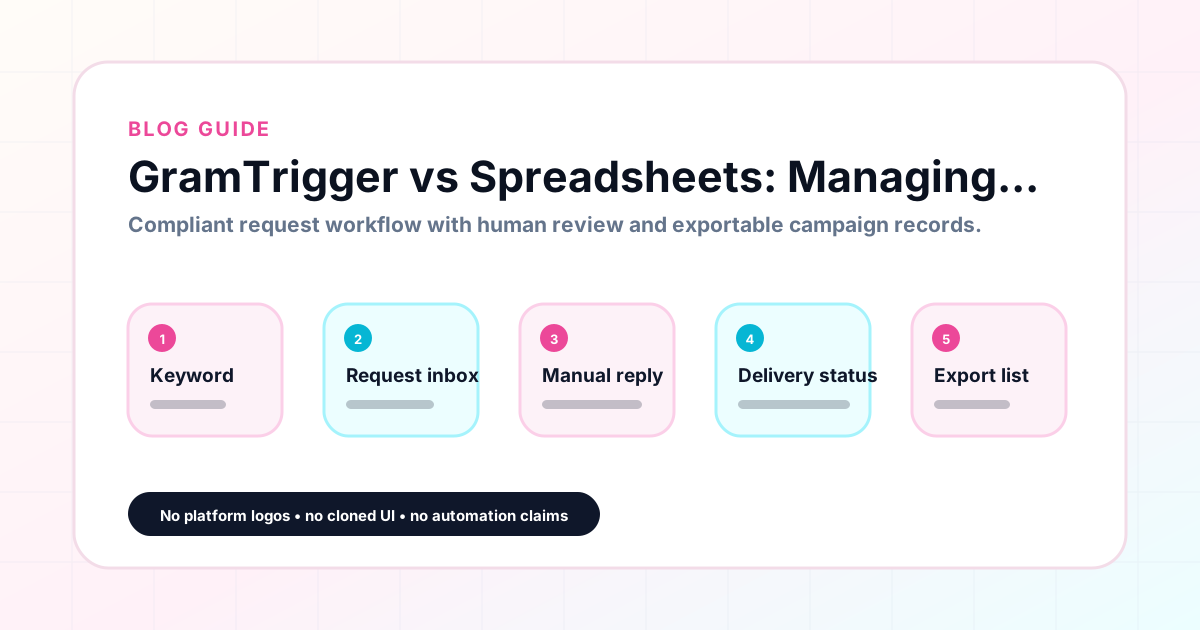
Spreadsheets are where most creators start when they need to organize Instagram comment campaign requests. They are free, familiar, and flexible. They are also unstructured by default, which means every creator's campaign spreadsheet looks different, breaks in different ways, and requires different amounts of cleanup before the data is usable for reporting. GramTrigger is built to replace the campaign management spreadsheet with a structured record system that has the same fields for every campaign, controlled status options, and consistent exports. GramTrigger is a workflow and request-management tool, not an official Instagram or Meta product.
GramTrigger methodology
Original operating system for GramTrigger vs Spreadsheets: Managing Comment Campaign Requests
The GramTrigger method treats every comment campaign as an approval workflow, not an automation shortcut. The goal is to prepare the offer, lead magnet, keyword strategy, Reply Library draft, Request Inbox stages, handoff owner, and Lead Export fields before comments turn into operational work.
Campaign Blueprint SOP
Confirm the offer, lead magnet, keyword strategy, comment CTA, reply draft, owner, approval status, and Lead Export fields before launch.
Comment Funnel Workflow
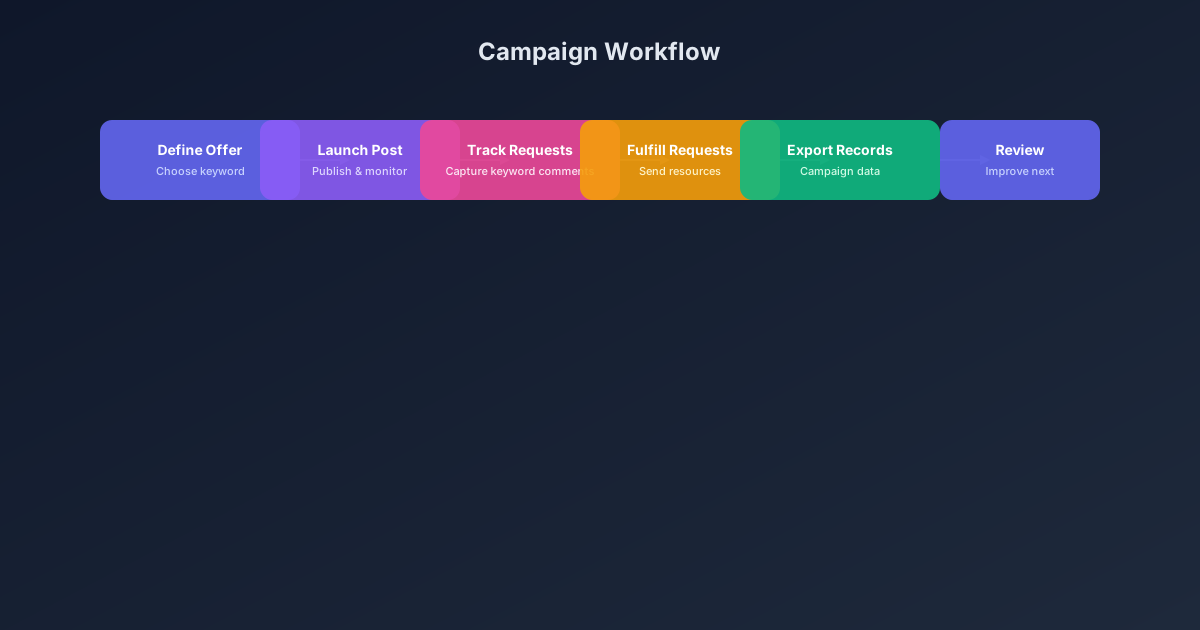
Use the same path everywhere: Offer → Lead Magnet → AI Funnel Builder → Keyword Strategy → Comment CTA → Reply Draft → Review & Approval → Campaign Launch → Request Inbox → Lead Tracking → Export.
Approval Queue Workflow
Review caption CTA, pinned comment, reply draft, lead magnet link, compliance notes, and client approval before a campaign goes live.
Export Readiness Checklist
Export only after records have clear status, no sensitive private data, an owner, follow-up stage, and a documented next action.
Campaign Recovery Workflow
If requests are missed, pause new promotion, review pending records, update Reply Library drafts, communicate manually where appropriate, and document the process fix.
Decision framework
Use this matrix before choosing the next step.
Manual review reminder
Draft response — review before sending. Use approved tools and follow platform rules. GramTrigger helps plan and manage lead magnet workflows; it does not scrape users or auto-send unauthorized DMs.
Workflow Overview
Campaign Checklist
What you get with a spreadsheet
A spreadsheet gives you a blank grid that you can adapt to any purpose. For campaign management, that typically means creating columns for the campaign name, trigger keyword, destination link, response draft, status, and lead count. The flexibility is genuinely useful for creators who want to customize their tracking for specific needs. The problem is that flexibility without structure produces inconsistency. Different campaigns have different column orders. Status labels vary from sheet to sheet. Links sit in cells without validation. When a VA takes over, they have to figure out the structure before they can use it. And when a new campaign starts, the creator has to decide whether to use the same sheet (adding complexity) or a new one (losing cross-campaign visibility).
What you get with GramTrigger
GramTrigger provides a consistent campaign record structure that is the same for every campaign. The post reference, trigger keyword, destination link, response draft, campaign status, and lead count are always in the same place, in the same format, for every campaign regardless of who set it up or when. There is no need to audit the structure before reporting. The status options are controlled fields — not free-form text — so filtering and reporting are clean. The lead count is maintained in a dedicated field rather than inferred from row counts. And exports are consistently formatted, making reporting straightforward without additional formatting work after each campaign closes.
Delegation: spreadsheet vs campaign record
Delegating campaign management to a VA or agency team member is significantly easier with a structured campaign record than with a custom spreadsheet. With a spreadsheet, the delegate has to learn the creator's specific structure, find the right tab, identify which version of the link is current, and figure out what the status labels mean. With GramTrigger, the delegate opens the campaign, sees the same structured record they see for every other campaign, and starts working immediately. The campaign record is self-explanatory by design. This difference in delegation friction has a real impact on campaign management efficiency, especially for creator businesses that are scaling past what the solo creator can manage alone.
Link management: spreadsheet vs campaign record
Managing destination links in a spreadsheet is one of the most error-prone aspects of comment campaign management. Links get pasted into cells, become outdated, and are updated inconsistently when the destination changes. A team member using an outdated link will fulfill requests with a broken or wrong URL without knowing it. GramTrigger stores the destination link in a dedicated link field for each campaign. When the link needs to be updated, the change is made in one place and takes effect immediately for everyone accessing the campaign record. There are no stale links in cells that some team members are using while others have the correct one.
Status tracking: spreadsheet vs campaign record
In a spreadsheet, campaign status is a free-form text field where different people enter different values for the same state: "done," "fulfilled," "sent," "complete," "yes," "finished." This inconsistency makes filtering by status unreliable and creates confusion in team settings. GramTrigger uses controlled status options — draft, ready, active, paused, complete — so every campaign status is one of a defined set of values. Filtering by status is clean and consistent. Reports that reference campaign status are accurate. Team members all use the same vocabulary for campaign states, reducing the communication overhead that comes from inconsistent labeling.
Reporting: spreadsheet vs campaign record
Generating a post-campaign report from a spreadsheet requires formatting the data, removing duplicates, standardizing column names, and organizing the information in a way that makes sense for the recipient. This is a manual process that takes time and varies in quality depending on who is producing the report. GramTrigger exports produce a consistently formatted campaign record that includes all relevant fields without additional formatting work. The export is the report, or the ready-to-use input for a broader report. For agencies that produce client reports every week or every month, this consistency in export format is a practical time-saver that compounds over many reporting cycles.
Multi-campaign visibility: spreadsheet vs campaign record
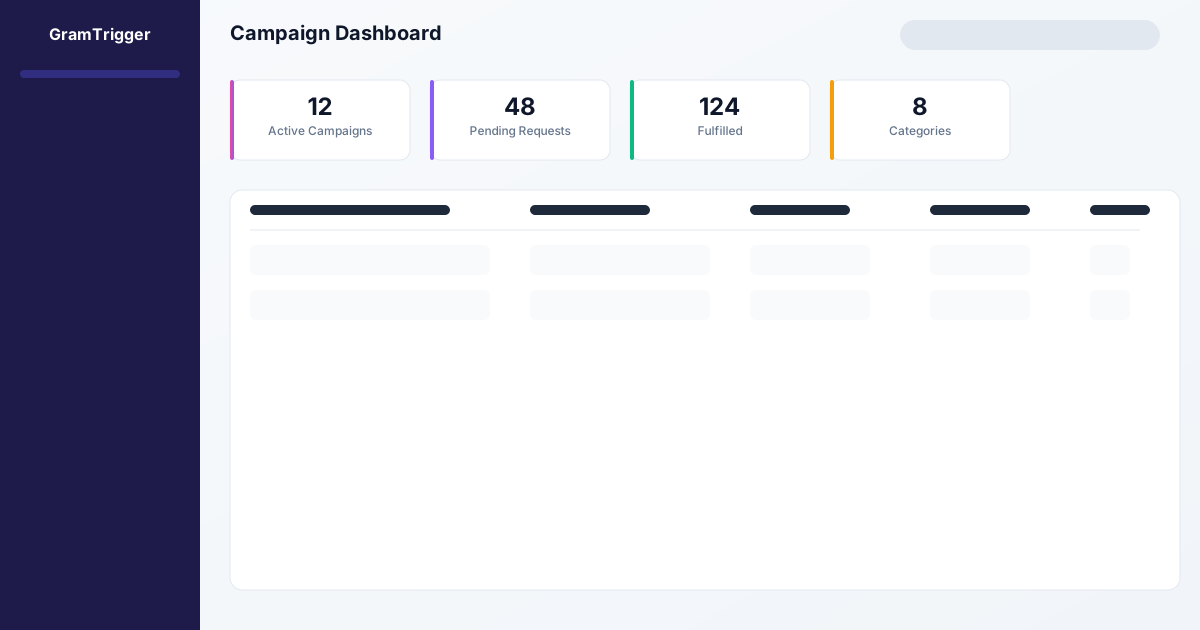
Seeing the status of all active campaigns simultaneously requires opening multiple spreadsheet tabs or scrolling through a large single spreadsheet. GramTrigger provides a dashboard view that shows all campaigns with their statuses and lead counts at once. This cross-campaign visibility is one of the most practical benefits of a dedicated campaign management tool over a spreadsheet. During a launch when three campaigns are active simultaneously, the dashboard shows at a glance which ones are live, which are paused, and which have the most pending leads. This information helps the team prioritize without any spreadsheet tab-switching or data assembly.
The verdict: when to use each
Use a spreadsheet when you need custom analysis, flexible data visualization, or complex formulas for campaign performance calculations — tasks where the spreadsheet's analytical capabilities are genuinely useful. Use GramTrigger when you need consistent campaign record structure, organized fulfillment status tracking, reliable link management, delegation-friendly campaign records, and consistently formatted exports for reporting. Most creators find that GramTrigger handles the operational management side well, and exports into a spreadsheet for any analytical work that requires the spreadsheet's flexibility. This combination gives the creator the organizational benefits of a purpose-built tool with the analytical flexibility of a general-purpose one.
Compliance Note
GramTrigger helps organize Campaign Blueprints, Reply Library drafts, Request Inbox stages, approvals, delivery status, Lead Exports, and reports. Delivery should be handled manually or through approved tools depending on your account and available platform support.