
GramTrigger guide
Instagram Comment Workflow for Newsletter Growth
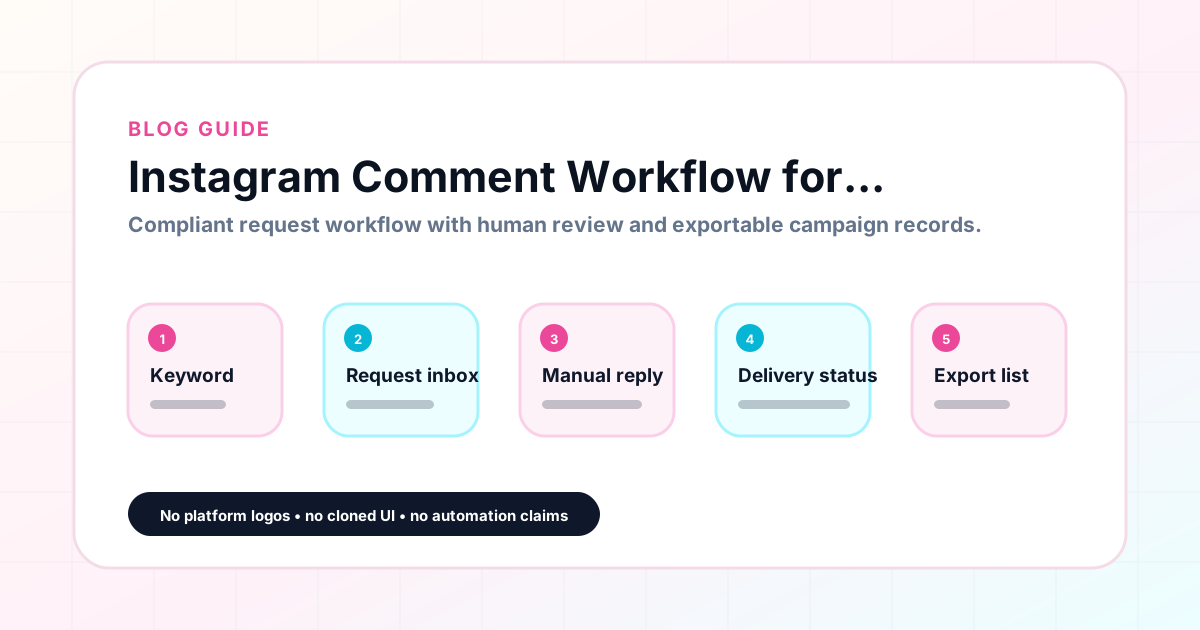
Newsletter operators use Instagram comment keyword campaigns to grow their subscriber lists by distributing free resources, sharing issue previews, and inviting opt-in sign-ups through comment keywords. When a newsletter creator posts a summary of their best edition and asks followers to comment NEWSLETTER to receive the full issue, every comment is an expressed interest in the newsletter. The workflow for managing these comments — capturing requests, fulfilling them with the opt-in link, and tracking how many new subscribers each campaign generates — requires a dedicated system. GramTrigger helps newsletter operators organize this workflow in campaign records for each post. GramTrigger is a workflow and request-management tool, not an official Instagram or Meta product.
GramTrigger methodology
Original operating system for Instagram Comment Workflow for Newsletter Growth
The GramTrigger method treats every comment campaign as an approval workflow, not an automation shortcut. The goal is to prepare the offer, lead magnet, keyword strategy, Reply Library draft, Request Inbox stages, handoff owner, and Lead Export fields before comments turn into operational work.
Campaign Blueprint SOP
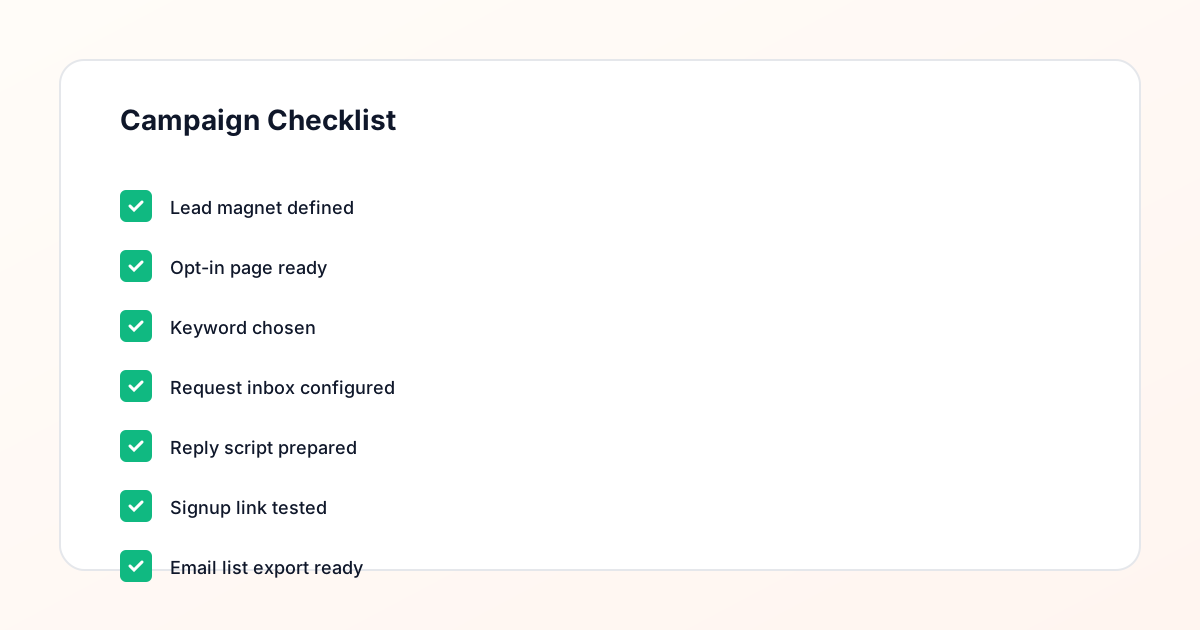
Confirm the offer, lead magnet, keyword strategy, comment CTA, reply draft, owner, approval status, and Lead Export fields before launch.
Comment Funnel Workflow
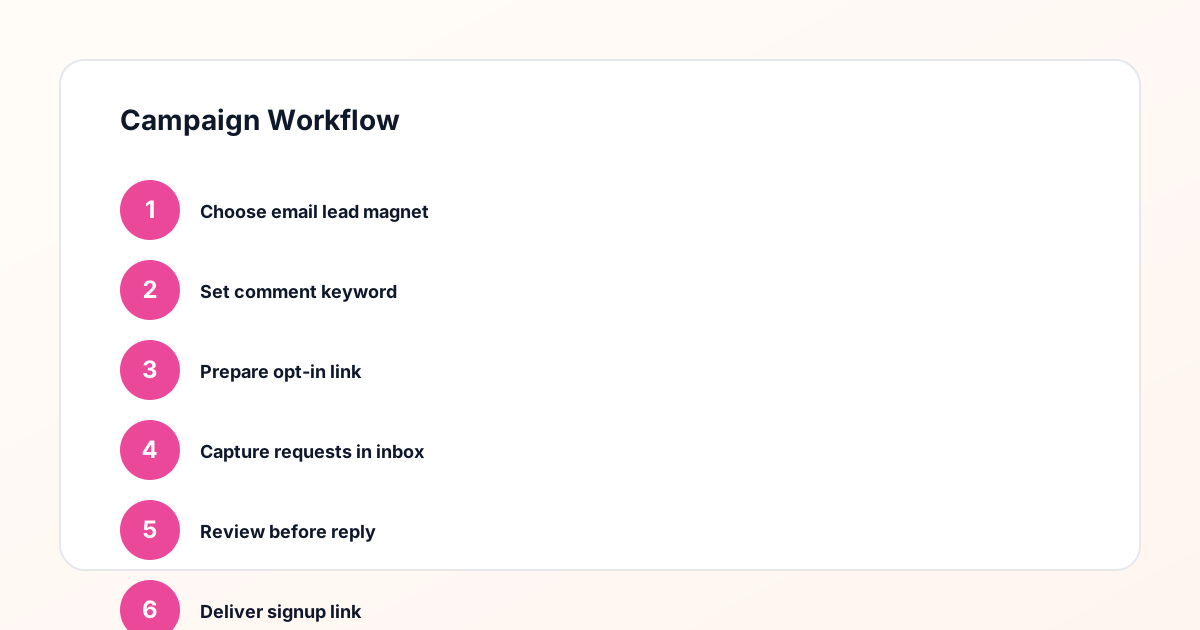
Use the same path everywhere: Offer → Lead Magnet → AI Funnel Builder → Keyword Strategy → Comment CTA → Reply Draft → Review & Approval → Campaign Launch → Request Inbox → Lead Tracking → Export.
Approval Queue Workflow
Review caption CTA, pinned comment, reply draft, lead magnet link, compliance notes, and client approval before a campaign goes live.
Export Readiness Checklist
Export only after records have clear status, no sensitive private data, an owner, follow-up stage, and a documented next action.
Campaign Recovery Workflow
If requests are missed, pause new promotion, review pending records, update Reply Library drafts, communicate manually where appropriate, and document the process fix.
Decision framework
Use this matrix before choosing the next step.
Manual review reminder
Draft response — review before sending. Use approved tools and follow platform rules. GramTrigger helps plan and manage lead magnet workflows; it does not scrape users or auto-send unauthorized DMs.
Workflow Overview
Campaign Checklist
How newsletter operators use comment keywords
Newsletter operators use comment keywords to invite Instagram followers into the subscriber journey without asking them to navigate away from the platform immediately. Common trigger words include NEWSLETTER, ISSUE, FREEBIE, GUIDE, and TEMPLATE. A newsletter creator might post a visual summary of their latest issue and ask followers to comment ISSUE for a link to read the full edition. A growth newsletter might share a headline stat and invite people to comment GUIDE for a free framework from a recent issue. Each of these creates an expressed interest signal that the newsletter operator can fulfill with the opt-in link and a clear, welcoming message.
Setting up the opt-in campaign record
For newsletter growth campaigns, the destination link is the opt-in page — the form or landing page where the interested follower can subscribe. This link must be confirmed and working before the post publishes. The response draft should be welcoming, include the opt-in link clearly, and briefly describe what the subscriber will receive. These two pieces — the confirmed opt-in link and the ready script — are the foundation of a functional newsletter growth campaign. GramTrigger saves both in the campaign record before launch so that fulfillment can begin immediately when the first NEWSLETTER or GUIDE comment arrives.
Managing opt-in requests at scale
When a popular post drives high comment volume, the newsletter operator may receive dozens or hundreds of keyword requests in a short period. Managing these individually without a system leads to inconsistent fulfillment, with some subscribers receiving a polished response and others a rushed version that omits the link. GramTrigger saves the response draft so every response is consistent regardless of volume or who on the team is handling replies. For newsletter operators who work with editorial assistants or social media managers, this consistency is what ensures the subscriber experience reflects the newsletter is quality standard.
Tracking newsletter growth from comment campaigns
Knowing how many subscribers each comment campaign generates helps newsletter operators evaluate which content types drive the most growth. A campaign tied to a data-driven post may outperform one tied to a personal story. A GUIDE campaign may generate more opt-ins than a general NEWSLETTER campaign. GramTrigger tracks lead counts for each campaign record so these comparisons are available for review after the campaign closes. Over time, this campaign-by-campaign data builds a picture of which content angles and keyword types drive the strongest subscriber growth from Instagram comment campaigns.
Cross-promoting newsletter campaigns with resources
Newsletter operators often maintain a resources page or a link hub where followers can find their latest freebies and opt-in opportunities. Linking the comment keyword campaign post to these resources increases the chance that interested followers can find the opt-in even if they missed the original post. GramTrigger campaign records can reference these resource destinations so the team is always directing requests to the current, live opt-in page. Internal links between newsletter content and campaign landing pages strengthen the conversion path from Instagram comment to email subscriber.
Compliance in newsletter comment campaigns
Newsletter comment campaigns should use captions that accurately describe the opt-in process. Inviting followers to comment for the newsletter link is appropriate. Claiming that every comment automatically receives an instant message is not. Fulfillment should be manual or through approved platform integrations. GramTrigger helps newsletter operators run organized, manual fulfillment workflows without automating messages. Operators are responsible for reviewing platform terms and using appropriate fulfillment methods for their account. Subscriber growth results depend on content relevance, audience engagement, offer quality, and follow-up execution.
Compliance Note
GramTrigger helps organize Campaign Blueprints, Reply Library drafts, Request Inbox stages, approvals, delivery status, Lead Exports, and reports. Delivery should be handled manually or through approved tools depending on your account and available platform support.