
Comment Campaigns
Comment Campaign Metrics: What to Track After You Post
12 min read
Users want to measure campaign performance. Comment Campaign Metrics: What to Track After You Post helps comment campaign metrics searchers understand how to organize comment-based campaigns without relying on messy spreadsheets, missed follow-ups, or risky automation claims. This guide covers the practical workflow, real examples, common mistakes, and how GramTrigger can help keep your comment campaigns organized from setup through follow-up. GramTrigger is a campaign management and request-organization tool, not an official Instagram or Meta product.
GramTrigger methodology
Original operating system for Comment Campaign Metrics: What to Track After You Post
The GramTrigger method treats every comment campaign as an approval workflow, not an automation shortcut. The goal is to prepare the offer, lead magnet, keyword strategy, Reply Library draft, Request Inbox stages, handoff owner, and Lead Export fields before comments turn into operational work.
Campaign Blueprint SOP
Confirm the offer, lead magnet, keyword strategy, comment CTA, reply draft, owner, approval status, and Lead Export fields before launch.
Comment Funnel Workflow
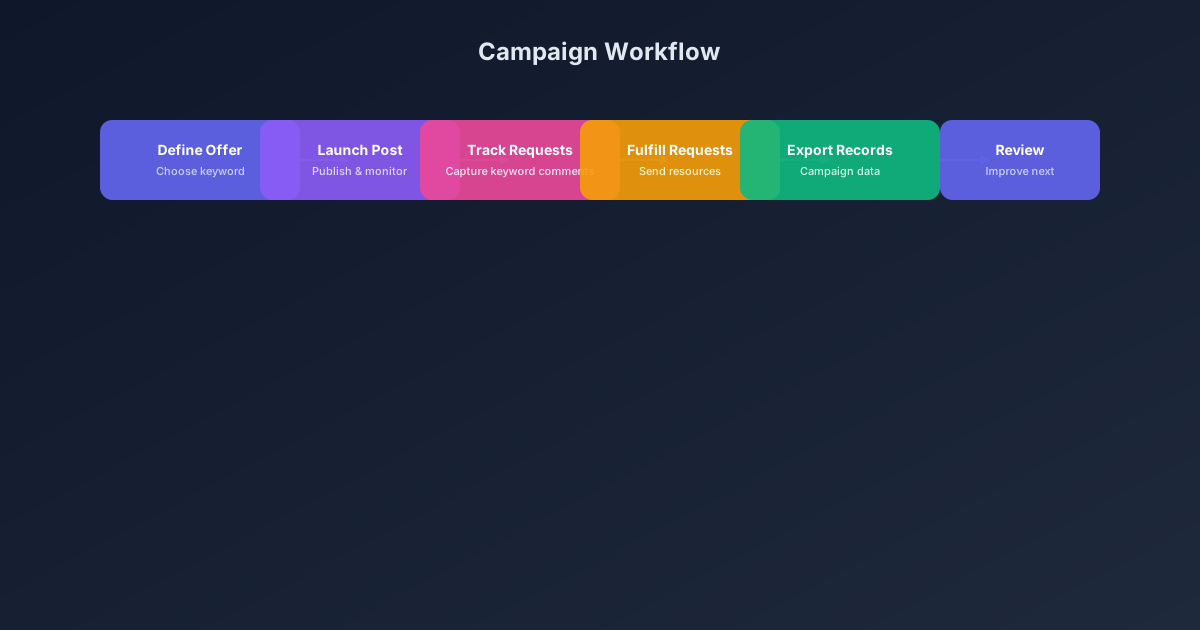
Use the same path everywhere: Offer → Lead Magnet → AI Funnel Builder → Keyword Strategy → Comment CTA → Reply Draft → Review & Approval → Campaign Launch → Request Inbox → Lead Tracking → Export.
Approval Queue Workflow
Review caption CTA, pinned comment, reply draft, lead magnet link, compliance notes, and client approval before a campaign goes live.
Export Readiness Checklist
Export only after records have clear status, no sensitive private data, an owner, follow-up stage, and a documented next action.
Campaign Recovery Workflow
If requests are missed, pause new promotion, review pending records, update Reply Library drafts, communicate manually where appropriate, and document the process fix.
Decision framework
Use this matrix before choosing the next step.
Manual review reminder
Draft response — review before sending. Use approved tools and follow platform rules. GramTrigger helps plan and manage lead magnet workflows; it does not scrape users or auto-send unauthorized DMs.
Workflow Overview
Campaign Checklist
Introduction
Comment Campaign Metrics: What to Track After You Post is a comprehensive guide for comment campaigns professionals who want to get more value from their Instagram comment campaigns. Whether you are a creator offering free resources, an agency managing client campaigns, or a brand tracking product interest, the ability to organize and act on comment requests directly impacts your workflow efficiency and audience satisfaction.
This guide covers the essential strategies, step-by-step workflows, practical examples, and common mistakes associated with comment campaign metrics. By the end, you will have a clear framework for running organized, compliant comment campaigns that respect platform guidelines while delivering real value to your audience.
GramTrigger is built to support exactly this kind of organized campaign workflow — helping teams centralize their keyword tracking, request management, and follow-up processes in one dedicated workspace.
Why This Matters for Your Campaigns
Every day, creators and businesses post content asking followers to comment a keyword to receive a guide, template, link, or offer. These comment keyword campaigns generate some of the highest-intent engagement available on social platforms — when someone types a specific word like GUIDE or TEMPLATE, they are actively requesting something, not passively scrolling.
However, the same strength that makes these campaigns valuable also creates a management challenge. A single post can generate dozens or hundreds of requests within hours. Without an organized system, creators find themselves juggling comment sections, DM threads, notes apps, and spreadsheets — and inevitably, some requests fall through the cracks.
The cost of disorganized campaigns goes beyond missed follow-ups. It creates inconsistent audience experiences, makes it difficult to measure which offers perform best, and adds stress to what should be an exciting engagement moment. An organized approach to comment campaign metrics transforms this chaos into a repeatable, measurable process.
Step-by-Step Workflow
An effective comment campaign metrics workflow follows a clear sequence that can be repeated across campaigns. The first step is defining your offer — what specific resource, link, or experience will followers receive when they comment your keyword? The offer needs to be concrete, tested, and ready before the post goes live.
Second, choose a clear, memorable keyword that directly maps to your offer. Words like GUIDE, TEMPLATE, CHECKLIST, WAITLIST, COUPON, and FREEBIE work well because they are short and descriptive. Avoid vague words that could apply to multiple offers.
Third, prepare your fulfillment process before launching. Write the message or response script, test the destination link, and confirm who will handle fulfillment and when. Fourth, launch your post and begin tracking incoming requests against your campaign record.
Fifth, fulfill requests systematically — working through the queue in order, updating status as you go. Sixth, when the campaign window closes, export your records for review and planning. Each step builds on the previous one, creating a complete campaign lifecycle.
Practical Examples
Consider a creator offering a free social media checklist. They publish a post saying "Comment CHECKLIST and I will send you my free social media starter checklist." When followers comment, the creator tracks each request, sends the checklist link using a prepared script, and marks the request as fulfilled. At the end of the campaign, they export the record to see how many people requested the resource.
An ecommerce brand running a product launch might ask followers to comment WAITLIST to get early access. Each comment is a high-intent signal from someone interested in purchasing. By tracking these requests in a campaign record, the brand can measure interest before the launch even happens.
An agency managing multiple client campaigns can create separate campaign records for each client, keeping keywords, scripts, and statuses isolated so nothing gets mixed up. This structured approach allows the agency to scale its comment campaign services without adding chaos.
Common Mistakes to Avoid
The first common mistake is using unclear or generic keywords. If your keyword does not directly describe the offer, followers may be confused about what they are requesting, and your campaign records will be harder to interpret later.
Second, launching without a tested destination link. A broken link during peak engagement creates a poor experience for your audience and extra work for your team as you scramble to fix it.
Third, not having a fulfillment plan before the post goes live. When the first comments arrive and nobody knows who is handling fulfillment or what script to use, delays and inconsistencies follow.
Fourth, failing to track request status. Without knowing which requests are pending versus fulfilled, the team may miss people or send duplicate responses.
Fifth, making unrealistic promises in captions. Avoid language that implies automatic or instant delivery, guaranteed results, or unauthorized automation.
Sixth, skipping post-campaign review. Every campaign generates data about what worked and what did not, but that data is useless if you do not take time to review it before planning the next campaign.
Compliance and Safety Notes
Keep your workflow respectful and platform-safe. Avoid spammy mass messaging, misleading claims about unauthorized automation, or promises that your tool cannot support. GramTrigger is designed to help teams organize campaign requests and follow-up workflows, not bypass platform rules. Review Instagram's terms of service and ensure your campaign language and fulfillment process align with platform expectations.
Beyond the basic compliance framework, consider how your campaign language shapes audience expectations. If your caption says "Comment GUIDE and I will send you the PDF," your audience expects a PDF guide — not a link to a sign-up page, not a generic resource list, not a delayed response days later. Setting and meeting clear expectations is both a compliance best practice and a relationship-building strategy.
Additionally, be transparent about the timing of fulfillment. If you fulfill requests manually within 24-48 hours, say so in the caption or in a follow-up message. This manages expectations and reduces the pressure on your team to respond instantly while maintaining a professional experience for every person who engaged with your post.
How GramTrigger Helps
GramTrigger helps comment campaigns teams keep their comment campaigns organized from the first keyword setup through the final follow-up. Instead of tracking requests across scattered spreadsheets, notes, and comment threads, you can manage everything in one campaign workspace.
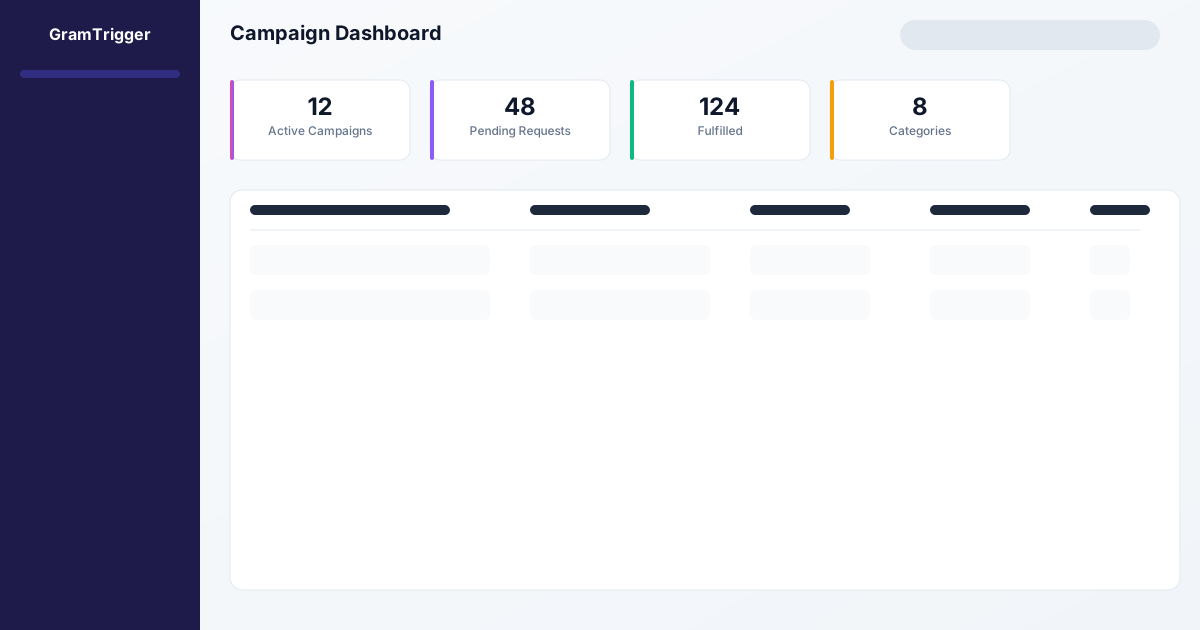
GramTrigger provides a dedicated campaign workspace where you can store the trigger keyword, destination link, response draft, campaign status, and lead count for every post you run. Instead of searching through comment threads to figure out who needs a reply, you can open your campaign dashboard and see exactly which requests are pending, which are fulfilled, and which campaigns are still active.
For agencies, GramTrigger makes it possible to standardize campaign operations across clients. For solo creators, it replaces the patchwork of notes and spreadsheets with a single organized system. For brands running product launches or promotions, it provides the tracking and reporting needed to measure campaign performance accurately.
GramTrigger does not send automatic Instagram DMs or claim any official partnership with Meta. It is a campaign organization tool designed to help you run better, cleaner comment campaigns.
Ready to Build Your Campaign?
Use GramTrigger to keep your next comment campaigns campaign organized from post to follow-up. Track keywords, requests, and follow-up status without messy spreadsheets.
The most successful comment campaigns share one thing in common: they are organized before the post goes live. By defining your offer, choosing a clear keyword, preparing your fulfillment process, and tracking every request through to completion, you create a professional experience that audiences appreciate and that produces clearer results for your business.
Start with one campaign. Use the framework in this guide to set it up properly, track it through fulfillment, and review the results afterward. Then apply the same structure to your next campaign, and the next. Over time, this organized approach becomes a competitive advantage — you will fulfill faster, track more accurately, and plan better than teams still relying on scattered notes and spreadsheets.
Compliance Note
GramTrigger helps organize Campaign Blueprints, Reply Library drafts, Request Inbox stages, approvals, delivery status, Lead Exports, and reports. Delivery should be handled manually or through approved tools depending on your account and available platform support.