Offer fit
Is the offer specific enough that the right audience understands why they should request the lead magnet?
AI Funnel Builder
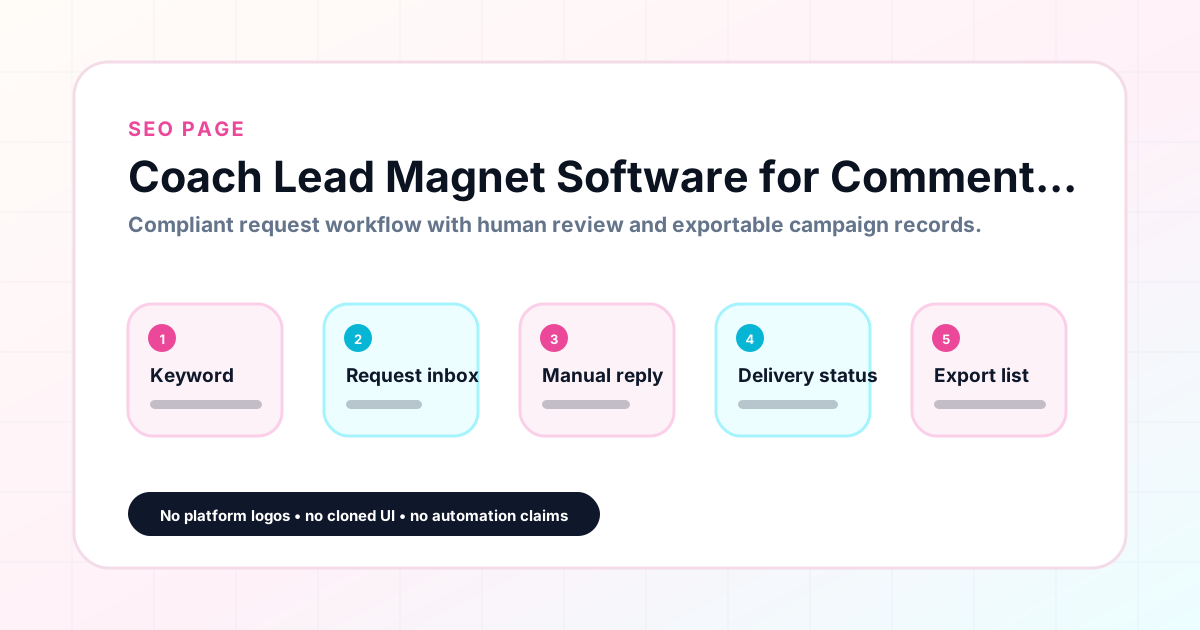
Coach Lead Magnet Software for Comment Campaigns helps coaches using comment campaigns for free guides, discovery calls, webinars, workshops, waitlists, and training resources organize comment keyword campaigns without relying on messy spreadsheets or risky automation claims. GramTrigger gives each campaign a structured record for the keyword, request inbox, lead magnet destination, reviewed response draft, campaign status, and export-ready lead list. It is built for compliant campaign operations: it helps track requests from comments, prepare lead magnet delivery, and manage manual or approved follow-up. It does not claim automatic Instagram DMs, unauthorized Instagram automation, Meta or Instagram partnership, guaranteed followers, sales, reach, engagement, revenue, or conversions. Results depend on content, audience, offer, follow-up, platform rules, and execution.
Campaign workflow
GramTrigger methodology
The GramTrigger method treats every comment campaign as an approval workflow, not an automation shortcut. The goal is to prepare the offer, lead magnet, keyword strategy, Reply Library draft, Request Inbox stages, handoff owner, and Lead Export fields before comments turn into operational work.
Confirm the offer, lead magnet, keyword strategy, comment CTA, reply draft, owner, approval status, and Lead Export fields before launch.
Use the same path everywhere: Offer → Lead Magnet → AI Funnel Builder → Keyword Strategy → Comment CTA → Reply Draft → Review & Approval → Campaign Launch → Request Inbox → Lead Tracking → Export.
Review caption CTA, pinned comment, reply draft, lead magnet link, compliance notes, and client approval before a campaign goes live.
Export only after records have clear status, no sensitive private data, an owner, follow-up stage, and a documented next action.
If requests are missed, pause new promotion, review pending records, update Reply Library drafts, communicate manually where appropriate, and document the process fix.
Use this matrix before choosing the next step.
Draft response — review before sending. Use approved tools and follow platform rules. GramTrigger helps plan and manage lead magnet workflows; it does not scrape users or auto-send unauthorized DMs.
Operational playbook
GramTrigger is strongest when creators and agencies use it as a repeatable workflow: plan the offer, build the funnel, review the campaign, manage requests, approve delivery, export records, and archive what happened.
This workflow assumes user-initiated comment interest, a real lead magnet, human review, and manual or approved delivery. It is not designed for scraping, automated DMs, follower growth tactics, or guaranteed performance claims.
Is the offer specific enough that the right audience understands why they should request the lead magnet?
Is the resource complete, accessible, tested, and aligned with the promise made in the post?
Is the campaign keyword short, memorable, and unlikely to create noisy or mismatched requests?
Has the Reply Library draft been reviewed for accuracy, tone, compliance, and opt-out respect?
Has the creator, client, or reviewer approved the CTA, link, draft, and follow-up expectations?
Will the Lead Export contain only useful, consent-aware fields needed for reporting and follow-up?
Use this table to avoid approval gaps and unclear ownership.
Educational examples only; no success metrics are implied.
Use a CHECKLIST keyword, confirm the workbook link, review a warm reply draft, then export qualified requests for consult follow-up.
Use a WAITLIST keyword, separate new requests from already-enrolled students, and review follow-up language before launch week.
Keep the PDF promise, link, reply draft, and lead status in one Campaign Workspace instead of notes and screenshots.
Use one Campaign Blueprint per client campaign, assign owners, review approvals weekly, and export client-ready records.
A qualitative review guide, not a prediction model.
Offer, lead magnet, keyword, CTA, reply draft, approvals, owner, and export fields are reviewed.
One or more fields are unclear, the link is untested, or the follow-up expectation is not documented.
The campaign relies on unsupported automation, unclear consent, missing approvals, or exaggerated promises.
Category: Creator Tools. Who this page is for: Coaches using comment campaigns for free guides, discovery calls, webinars, workshops, waitlists, and training resources.
Keep the campaign setup and follow-up record in one place.
Problem it solves: coaching lead magnet requests often arrive during launch windows when follow-up is easy to miss. Instead of losing request details across comments, DMs, screenshots, notes, and spreadsheets, the team can keep every campaign organized in one workflow.
Keep the campaign setup and follow-up record in one place.
Feature and use-case fit: best for coaches who want a cleaner handoff from comment interest to follow-up workflow. GramTrigger supports campaign setup, request status tracking, reviewed response notes, lead magnet link organization, and exportable request lists.
Keep the campaign setup and follow-up record in one place.
Spreadsheet comparison: spreadsheets can work for a tiny campaign, but they do not give creators a consistent request inbox, campaign status view, reply-needed workflow, or clean export process across multiple offers, posts, and clients.
Keep the campaign setup and follow-up record in one place.
Checklist: define the offer, choose one keyword, confirm the destination link, write the response draft, set campaign status, review platform rules, track requests, export the list, and review what should change next time.
Keep the campaign setup and follow-up record in one place.
Mistakes to avoid: promising automatic DMs, implying Instagram or Meta partnership, copying requests into multiple tabs, launching before the lead magnet link is tested, skipping manual review, and claiming guaranteed followers, sales, reach, revenue, engagement, or conversions.
Keep the campaign setup and follow-up record in one place.
How GramTrigger helps: it helps organize comment keyword campaigns, track requests from comments, manage manual follow-up, prepare lead magnet delivery, and export request lists for reporting or follow-up planning.
Keep the campaign setup and follow-up record in one place.
Internal links: /features, /pricing, /resources, /campaigns, /dashboard, /contact, /blog/instagram-comment-keyword-campaigns, /blog/comment-keyword-lead-generation, /blog/instagram-comment-lead-magnet-workflow, /blog/comment-to-lead-workflow, /blog/comment-keyword-request-inbox, /blog/comment-keyword-campaign-checklist, /blog/instagram-comment-campaign-compliance, /blog/best-comment-keyword-tools, /blog/gramtrigger-alternatives, /blog/comment-keyword-campaign-template, /blog/comment-campaign-sop
Keep the campaign setup and follow-up record in one place.
Safe compliance disclaimer: GramTrigger is a workflow and request-management tool. Users are responsible for platform rules, privacy requirements, consent, content quality, offer clarity, and follow-up execution.
Keep the campaign setup and follow-up record in one place.
Create the campaign record
Set the comment keyword
Add the lead magnet destination
Prepare the manual reply workflow
Track request status
Export the request list
Coaches using comment campaigns for free guides, discovery calls, webinars, workshops, waitlists, and training resources
Organize the coach campaign, save the resource link, prepare the manual reply note, track requests, and export the list.
No. GramTrigger helps organize comment keyword campaigns, request tracking, manual follow-up, lead magnet delivery planning, and exports. Fulfillment should happen manually or through approved workflows when available.
A spreadsheet is flexible but easy to break. GramTrigger gives each campaign a consistent structure for keyword, destination, script, status, requests, and exportable records.
No. GramTrigger helps organize the workflow. Results depend on content, audience, offer, follow-up, platform rules, and execution.
GramTrigger helps organize Campaign Blueprints, Reply Library drafts, Request Inbox stages, approvals, delivery status, Lead Exports, and reports. Delivery should be handled manually or through approved tools depending on your account and available platform support.