
Digital Products
Instagram Lead Capture for Digital Products
12 min read
Instagram lead capture for digital products searches usually come from teams that want a cleaner way to turn Instagram comment interest into a lead magnet or request workflow. The useful version is not spammy automation, follower scraping, or a promise that every request will be delivered. It is a clear campaign process: publish useful content, ask for one keyword, capture requests in an inbox, review them, reply safely, deliver the promised resource, and export the list for follow-up. This guide explains how digital product sellers, template sellers, course creators, and ecommerce educators can use digital product lead capture workflows while staying focused on manual review, compliant workflows, lead magnet delivery tracking, and clean campaign records. GramTrigger helps organize the request workflow without claiming official Instagram, Meta, or Facebook affiliation.
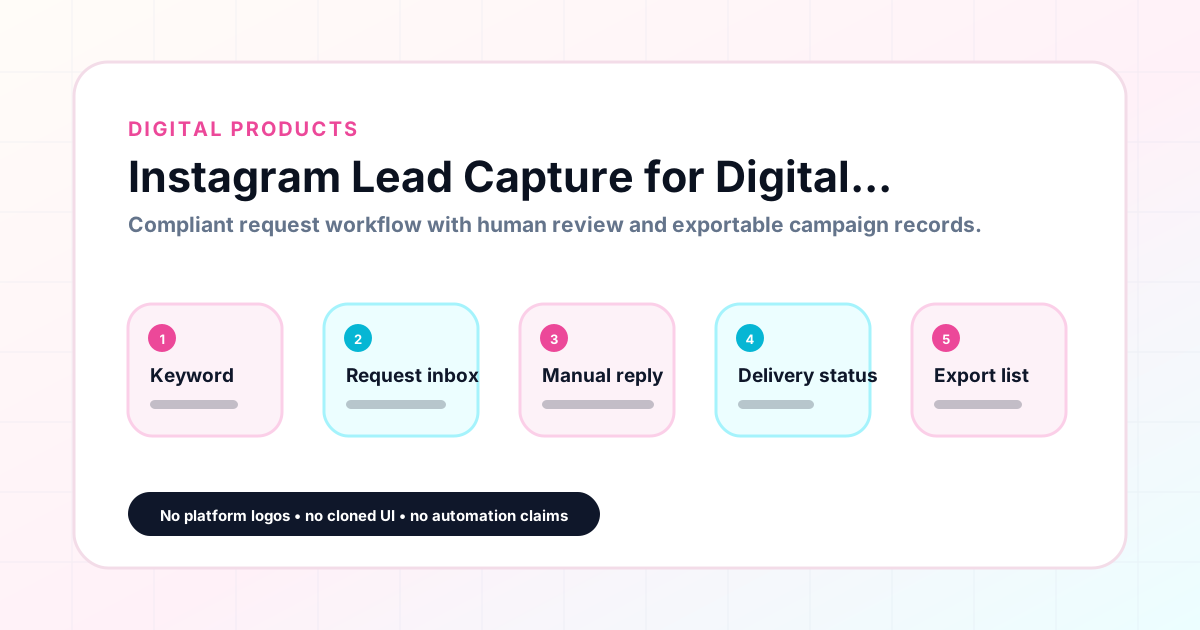
GramTrigger methodology
Original operating system for Instagram Lead Capture for Digital Products
The GramTrigger method treats every comment campaign as an approval workflow, not an automation shortcut. The goal is to prepare the offer, lead magnet, keyword strategy, Reply Library draft, Request Inbox stages, handoff owner, and Lead Export fields before comments turn into operational work.
Campaign Blueprint SOP
Confirm the offer, lead magnet, keyword strategy, comment CTA, reply draft, owner, approval status, and Lead Export fields before launch.
Comment Funnel Workflow
Use the same path everywhere: Offer → Lead Magnet → AI Funnel Builder → Keyword Strategy → Comment CTA → Reply Draft → Review & Approval → Campaign Launch → Request Inbox → Lead Tracking → Export.
Approval Queue Workflow
Review caption CTA, pinned comment, reply draft, lead magnet link, compliance notes, and client approval before a campaign goes live.
Export Readiness Checklist
Export only after records have clear status, no sensitive private data, an owner, follow-up stage, and a documented next action.
Campaign Recovery Workflow
If requests are missed, pause new promotion, review pending records, update Reply Library drafts, communicate manually where appropriate, and document the process fix.
Decision framework
Use this matrix before choosing the next step.
Manual review reminder
Draft response — review before sending. Use approved tools and follow platform rules. GramTrigger helps plan and manage lead magnet workflows; it does not scrape users or auto-send unauthorized DMs.
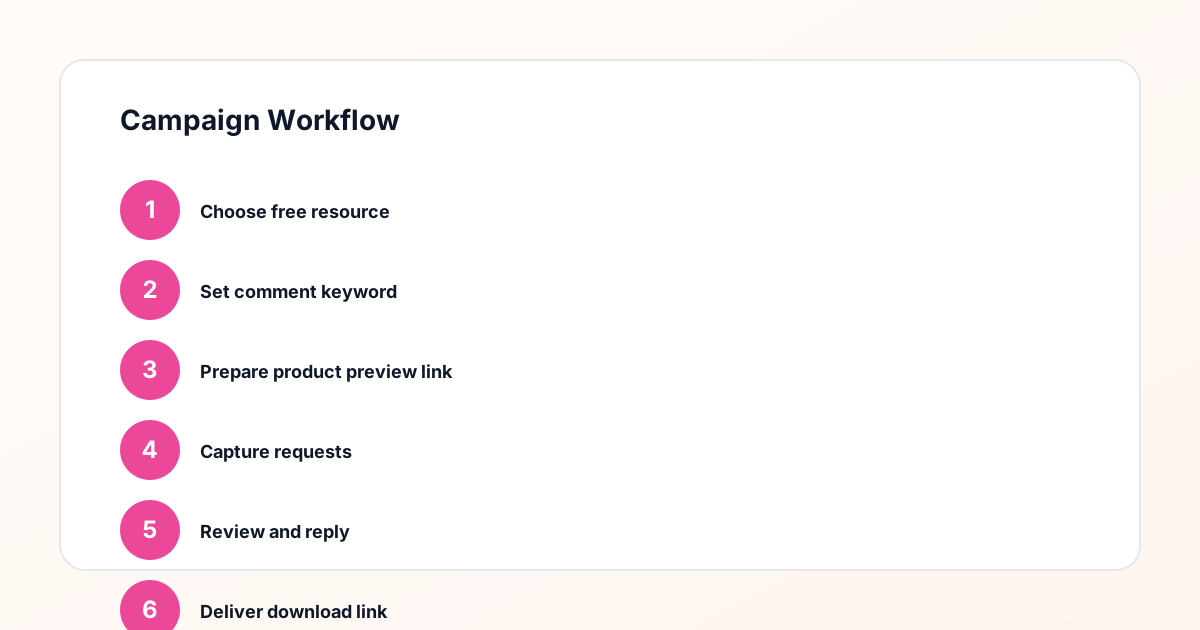
Workflow Overview
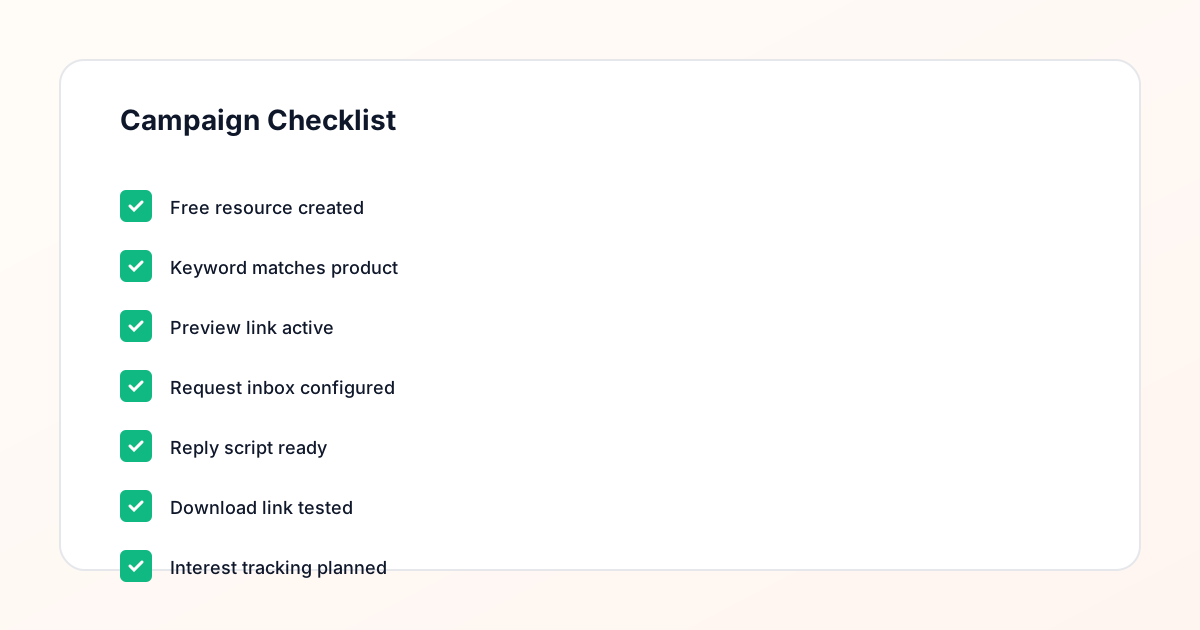
Campaign Checklist
What the searcher is trying to solve
Digital product sellers, template sellers, course creators, and ecommerce educators need a way to keep comment requests from disappearing into notifications, screenshots, spreadsheets, and half-finished DM threads. The goal is to know which post created the request, which keyword was used, what resource was promised, who still needs review, and what should be exported after the campaign.
Why manual comment campaigns break down
Manual tracking can work for a tiny post, but it breaks when a creator runs multiple lead magnets, an agency manages client campaigns, or a coach launches a waitlist. Without a request inbox, teams lose context, send inconsistent replies, forget follow-up status, and struggle to report which campaign produced each lead.
Step-by-step workflow
Publish content with one clear offer. Ask followers to comment one keyword. Capture requests in a campaign inbox. Review each request before follow-up. Reply safely using a prepared manual script or approved workflow. Deliver the lead magnet through the correct destination. Export or follow up with leads after the campaign closes.
Examples by team type
Creators can deliver guides, templates, and freebies without losing track of requests. Coaches can manage worksheet, webinar, and waitlist interest. Agencies can standardize client campaigns and exports. Digital product sellers can connect comments to product previews or opt-in pages. Small businesses can track coupon, event, or consultation requests from local followers.
Common mistakes
Avoid promising automatic DMs, guaranteed leads, guaranteed delivery, or platform approval. Do not use vague keywords that map to multiple offers. Do not launch before the lead magnet link and reply script are ready. Do not skip manual review. Do not keep the only source of truth in screenshots or scattered spreadsheets.
Checklist before launch
Confirm the offer, keyword, post URL, destination link, reply script, review process, campaign owner, export fields, and compliance notes. Make sure the caption explains the next step clearly and that every request can move through review, reply, delivery, and export without confusion.
How GramTrigger helps
GramTrigger helps organize comment keyword campaigns, request inboxes, manual review, reply-needed status, lead magnet delivery tracking, campaign records, and exportable lead lists. It is a compliance-aware workflow tool, not an Instagram bot, follower scraper, or official platform partner.
Compliance Note
GramTrigger helps organize Campaign Blueprints, Reply Library drafts, Request Inbox stages, approvals, delivery status, Lead Exports, and reports. Delivery should be handled manually or through approved tools depending on your account and available platform support.