
GramTrigger guide
Instagram Comment Management Tool for Lead Magnet Campaigns
An Instagram comment management tool for lead magnet campaigns does more than moderate a comment section. It helps creators organize the campaign record for each post — the trigger keyword, the destination link, the response draft, and the lead count — so that every request that comes through a comment keyword can be tracked and fulfilled systematically. Without this structure, lead magnet campaigns run through a patchwork of notes, screenshots, and DMs that makes scaling across multiple posts or clients nearly impossible. GramTrigger is built for this focused use case: organizing comment keyword campaign records, not social moderation or scheduling. GramTrigger is a workflow and request-management tool, not an official Instagram or Meta product.
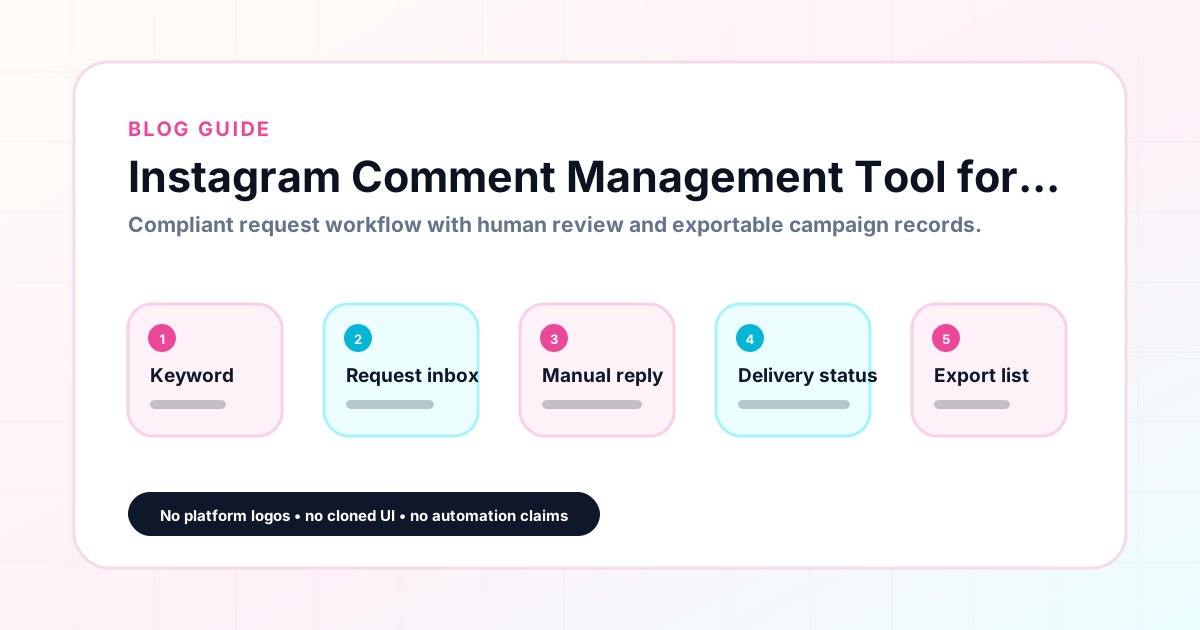
GramTrigger methodology
Original operating system for Instagram Comment Management Tool for Lead Magnet Campaigns
The GramTrigger method treats every comment campaign as an approval workflow, not an automation shortcut. The goal is to prepare the offer, lead magnet, keyword strategy, Reply Library draft, Request Inbox stages, handoff owner, and Lead Export fields before comments turn into operational work.
Campaign Blueprint SOP
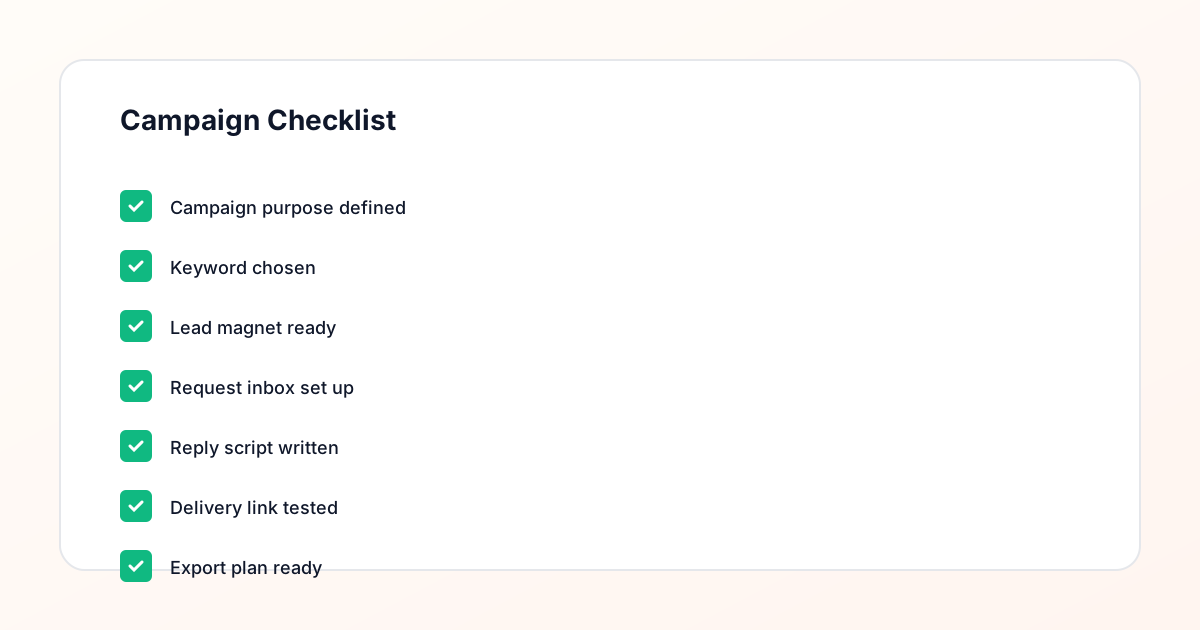
Confirm the offer, lead magnet, keyword strategy, comment CTA, reply draft, owner, approval status, and Lead Export fields before launch.
Comment Funnel Workflow
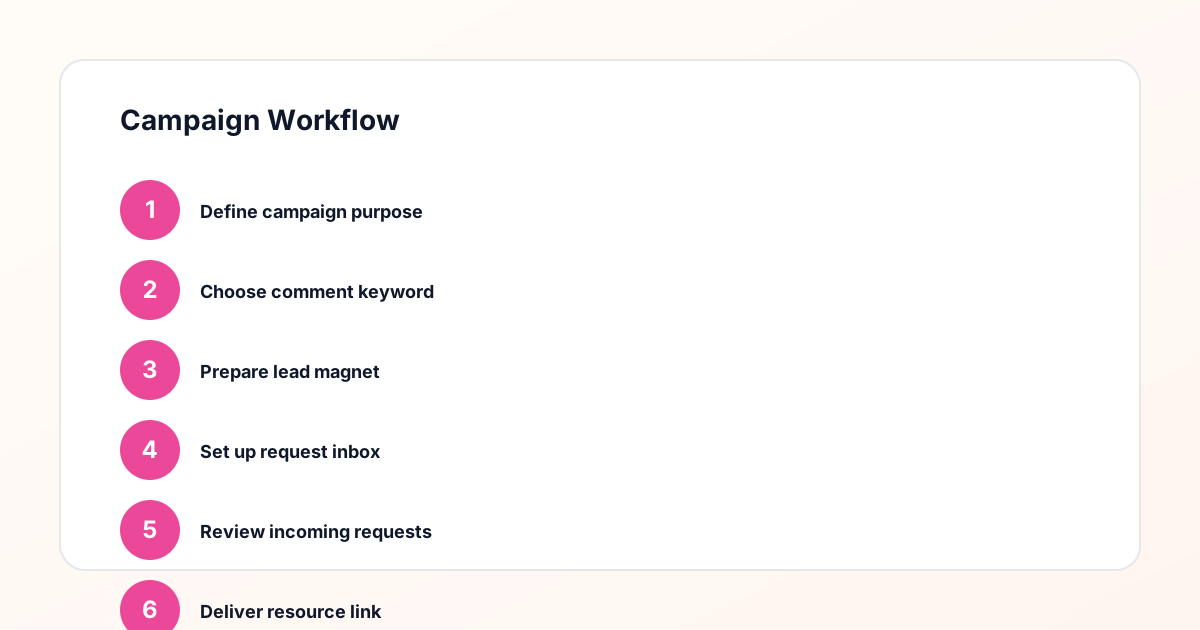
Use the same path everywhere: Offer → Lead Magnet → AI Funnel Builder → Keyword Strategy → Comment CTA → Reply Draft → Review & Approval → Campaign Launch → Request Inbox → Lead Tracking → Export.
Approval Queue Workflow
Review caption CTA, pinned comment, reply draft, lead magnet link, compliance notes, and client approval before a campaign goes live.
Export Readiness Checklist
Export only after records have clear status, no sensitive private data, an owner, follow-up stage, and a documented next action.
Campaign Recovery Workflow
If requests are missed, pause new promotion, review pending records, update Reply Library drafts, communicate manually where appropriate, and document the process fix.
Decision framework
Use this matrix before choosing the next step.
Manual review reminder
Draft response — review before sending. Use approved tools and follow platform rules. GramTrigger helps plan and manage lead magnet workflows; it does not scrape users or auto-send unauthorized DMs.
Workflow Overview
Campaign Checklist
What a comment management tool does for lead magnets
For lead magnet campaigns, comment management means keeping every incoming request connected to the right campaign record. When a follower comments GUIDE on a post, the creator needs to know which guide, which destination link, and which script to use. A general social inbox does not make these connections automatically. A dedicated comment management tool built for keyword campaigns keeps the keyword, link, and script together in a campaign record so fulfillment is always accurate. GramTrigger organizes this by campaign, not by inbox volume, which is the right structure for creators who run multiple offers simultaneously and need clean records for each.
Campaign record components
A well-structured campaign record for a lead magnet post includes the post reference or content description, the trigger keyword, the destination link, the response draft, the campaign status, and a lead count. Each of these fields has a role in making the comment management workflow reliable. The keyword tells the team what to look for in comments. The destination confirms where to send fulfilled requests. The script ensures every response is consistent. The status shows whether the campaign is still active. The lead count provides reporting data. GramTrigger stores all six fields per campaign so nothing is left in a notes app or a group chat where it can be missed or overwritten.
Managing lead magnet comments at scale
High-performing posts can generate dozens or hundreds of keyword comments within the first hours of publication. Without a comment management system, the team scrambles to identify keyword comments among general reactions and reply threads. Fulfillment becomes inconsistent and some requests are inevitably missed. A dedicated workflow tool lets the team focus on the keyword responses and work through them systematically using the saved script and confirmed destination link. GramTrigger supports this by organizing campaign records clearly so the team knows exactly what each campaign needs and can fulfill accurately at any request volume.
Tracking request status through fulfillment
One of the most practical functions of a comment management tool is tracking which requests have been fulfilled and which are still pending. Without status tracking, team members either overfulfill — sending the resource to the same person twice — or underfulfill by missing requests that arrived in later comment batches. GramTrigger provides campaign status tracking and lead counts so the team always knows where fulfillment stands. During multi-day campaigns where engagement arrives in waves over several days, this tracking is essential to maintaining a consistent and complete response to every keyword comment.
Exporting after the campaign
A comment management tool should produce a clean export at the end of each campaign. The export captures the campaign record including the keyword, link, script, status, and lead count. This export is what agencies use for client reporting and what solo creators use to review campaign performance and plan future posts. GramTrigger exports are available at any campaign stage so records are never lost when a post drops off the feed. Consistent exports build a campaign archive that makes it easier to identify patterns, compare offer types, and repeat the campaigns that generated the most requests.
Compliance in comment management
A comment management tool for lead magnets should support responsible fulfillment, not encourage risky automation claims. GramTrigger helps teams organize manual or approved fulfillment workflows and does not position itself as an unauthorized automation system. Users should avoid caption language that promises instant automatic delivery and should use fulfillment methods that are appropriate for their account type and platform permissions. Reviewing platform terms regularly is part of running a sustainable comment keyword campaign operation. GramTrigger handles the organizational side; fulfillment responsibility stays with the creator or agency.
Compliance Note
GramTrigger helps organize Campaign Blueprints, Reply Library drafts, Request Inbox stages, approvals, delivery status, Lead Exports, and reports. Delivery should be handled manually or through approved tools depending on your account and available platform support.