
Manual Workflows
Manual DM Workflow for Instagram Leads Without Losing Track
11 min read
When your Instagram content drives comment keyword campaigns, the DM inbox can quickly become overwhelming. Dozens of requests come in at once, each one a potential lead. Without a system, messages get buried, follow-ups get missed, and opportunities slip away. A manual DM workflow gives you full control over every interaction — from the moment a comment is posted to the final follow-up. This guide walks through how to organize incoming requests, track status, prepare scripts, review before sending, and follow up consistently, all without relying on fully automated systems that risk compliance and quality.

GramTrigger methodology
Original operating system for Manual DM Workflow for Instagram Leads Without Losing Track
The GramTrigger method treats every comment campaign as an approval workflow, not an automation shortcut. The goal is to prepare the offer, lead magnet, keyword strategy, Reply Library draft, Request Inbox stages, handoff owner, and Lead Export fields before comments turn into operational work.
Campaign Blueprint SOP
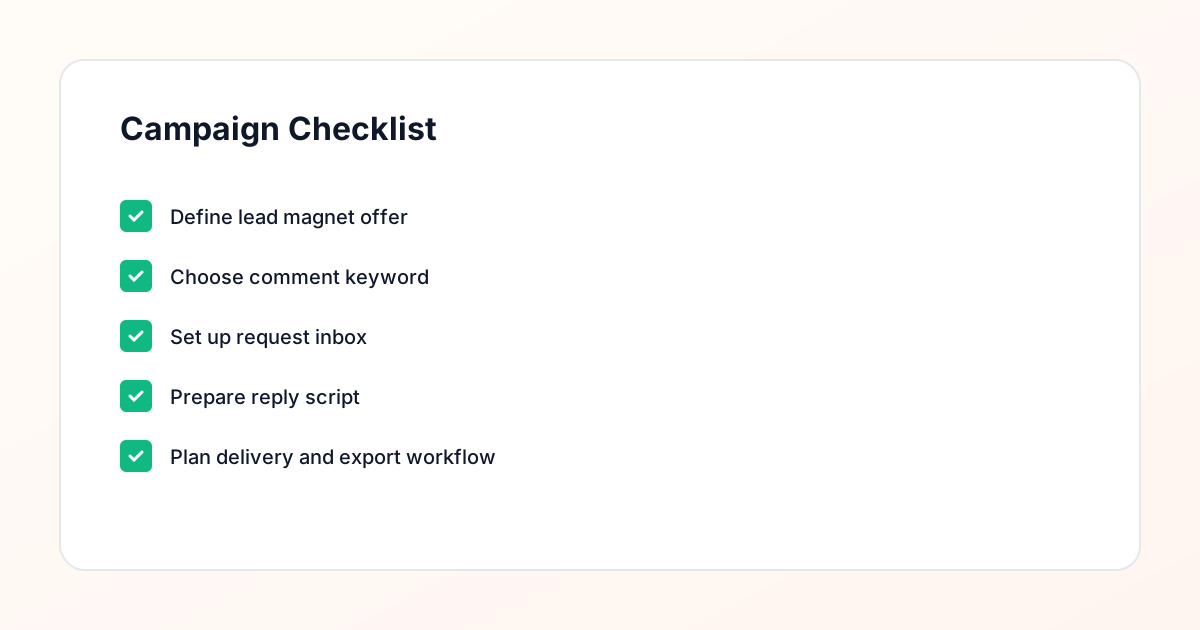
Confirm the offer, lead magnet, keyword strategy, comment CTA, reply draft, owner, approval status, and Lead Export fields before launch.
Comment Funnel Workflow
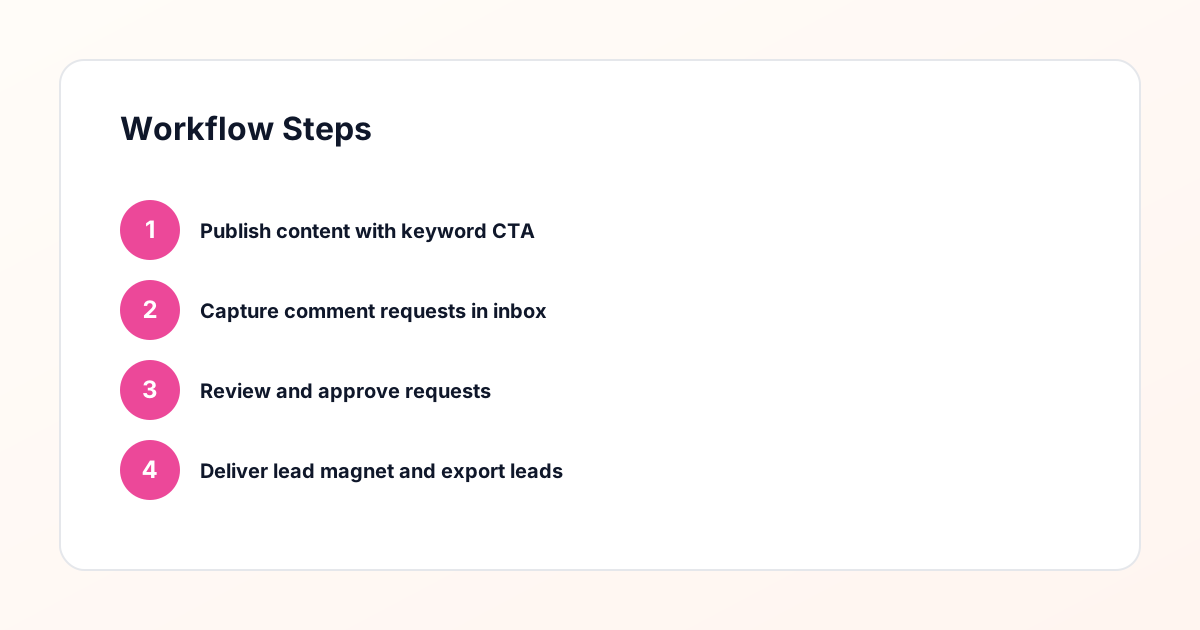
Use the same path everywhere: Offer → Lead Magnet → AI Funnel Builder → Keyword Strategy → Comment CTA → Reply Draft → Review & Approval → Campaign Launch → Request Inbox → Lead Tracking → Export.
Approval Queue Workflow
Review caption CTA, pinned comment, reply draft, lead magnet link, compliance notes, and client approval before a campaign goes live.
Export Readiness Checklist
Export only after records have clear status, no sensitive private data, an owner, follow-up stage, and a documented next action.
Campaign Recovery Workflow
If requests are missed, pause new promotion, review pending records, update Reply Library drafts, communicate manually where appropriate, and document the process fix.
Decision framework
Use this matrix before choosing the next step.
Manual review reminder
Draft response — review before sending. Use approved tools and follow platform rules. GramTrigger helps plan and manage lead magnet workflows; it does not scrape users or auto-send unauthorized DMs.
Workflow Overview
Campaign Checklist
Why a Manual Workflow Matters
Automation can feel efficient, but it comes with risks. Automated DMs can trigger spam filters, reach the wrong people, and damage your reputation. A manual workflow ensures every message is reviewed by a human before it is sent. This review step is what makes the process compliance-aware and respectful of the recipient. It also lets you personalize each message, which increases the chance of a response. The goal is not to eliminate efficiency — it is to balance speed with quality. A well-designed manual workflow can handle high volume without sacrificing the personal touch that builds trust.
Centralizing All Incoming Requests
The first step is moving all requests out of scattered DM threads and into a single request inbox. When someone comments your keyword, their request should appear in a centralized dashboard — not buried under unrelated messages. This dashboard shows the commenter's handle, the post they commented on, the keyword they used, and the timestamp. From here, you can sort by date, filter by campaign, and prioritize requests that need immediate attention. Centralization eliminates the need to toggle between posts and DM threads, which is where most lost requests happen.
Defining the Status of Each Request
Every request should have a clear status: New, Reviewed, Sent, Replied, or Archived. When a request first arrives, it is marked as New. Once you have reviewed the contact and confirmed they are a good fit, the status changes to Reviewed. After the message is sent, it moves to Sent. If the contact responds, it is marked as Replied. If the request is invalid — a bot, a duplicate, or someone outside your target audience — it is Archived. These statuses give you a real-time picture of your pipeline and ensure nothing falls through the cracks. You can quickly see which requests need attention and which are waiting for a response.
Building a Review Checklist
Before sending any message, run through a short review checklist. First, confirm the account is real — check the profile photo, bio, and recent posts. Second, verify the keyword matches the campaign — sometimes people comment the wrong word. Third, check whether this person has already received the resource from a previous campaign. Fourth, confirm the message template is up to date and the link works. This checklist takes 30 seconds per request and prevents embarrassing mistakes. It also creates a consistent standard if multiple team members are managing the inbox.
Preparing Message Templates
Templates save time without sacrificing personalization. Create a base template for each lead magnet: a greeting, a confirmation of the resource, the delivery link, and a brief call to action. Then add placeholders for the contact's name and any post-specific context. For example: "Hey [NAME], thanks for commenting [KEYWORD] on my post about [TOPIC]. Here's the [RESOURCE] you requested: [LINK]. Let me know if you have any questions!" The template handles the structure, but you fill in the details manually. This approach is faster than writing from scratch and more personal than a fully automated blast.
Batching Your Review Sessions
Instead of checking the inbox constantly, batch your review sessions into focused blocks. For example, review requests three times a day: morning, midday, and evening. During each session, process all New requests, send the approved messages, and follow up on any Replied threads. Batching prevents context-switching and keeps your workflow efficient. It also ensures you are sending messages at times when recipients are likely to see them. If a campaign is generating unusually high volume, you can increase the frequency of review sessions temporarily until the backlog clears.
Tracking Delivery and Responses
Once a message is sent, the workflow does not end. You need to know whether the contact opened the link, responded to the message, or took the next step. Your request inbox should log the delivery timestamp and update the status when a reply comes in. If the contact clicks the link but does not respond, you can schedule a gentle follow-up after 48 hours. If they reply with questions, you can answer directly from the dashboard. Tracking turns a one-time delivery into an ongoing conversation and ensures every lead is nurtured until they either convert or clearly disengage.
Handling Edge Cases
Not every request fits the standard flow. Some people comment the keyword but then ask a question instead of waiting for the resource. Others receive the resource but want something different. Some accounts are clearly bots despite looking real at first glance. Your workflow should have a path for these edge cases. For questions, answer them directly and then deliver the resource. For mismatched requests, clarify what they commented on and offer the correct resource if available. For suspected bots, archive the request and flag the account. Documenting how you handle edge cases ensures consistency across your team.
Following Up Without Being Pushy
Follow-up is where most manual workflows break down. After sending the resource, it is easy to move on to the next batch of requests and forget about the previous ones. Build a follow-up schedule into your workflow: a check-in at 48 hours, a value-add message at 5 days, and a soft offer at 10 days. Each follow-up should be reviewed before sending, just like the initial message. The request inbox should remind you which contacts are due for follow-up based on their delivery date. This system ensures no lead is forgotten, while the manual review step keeps every message relevant and respectful.
Scaling the Workflow With a Team
As your campaigns grow, one person cannot manage the entire workflow alone. The key to scaling is documentation. Write down every step of the review checklist, every message template, and every edge case protocol. Then train team members to follow the same process. Assign ownership by campaign or by status — for example, one person handles all New requests, another handles follow-ups. The request inbox should show who is responsible for each request and when it was last updated. This structure lets you scale without losing the manual oversight that keeps the workflow compliant and effective.
Avoiding Common Workflow Mistakes
The most common mistake is skipping the review step under time pressure. When volume spikes, it is tempting to send messages without checking the contact first. This leads to messages being sent to bots, duplicates, or people who already received the resource — all of which damage your reputation. Another mistake is failing to update statuses. If a request is marked as Sent but the message was never actually delivered, the contact is lost to follow-up. Take the time to do each step correctly, even when volume is high. A disciplined workflow is what separates a sustainable campaign from a chaotic one.
Measuring Workflow Performance
Track three metrics to evaluate your manual DM workflow: time-to-first-response, delivery completion rate, and reply rate. Time-to-first-response measures how quickly a New request is reviewed and sent. Delivery completion rate measures what percentage of reviewed requests result in a successfully sent message. Reply rate measures how many contacts respond to your message. If time-to-first-response is slow, you may need more reviewers or better batching. If delivery completion rate is low, your review checklist may be too strict or your templates may have broken links. If reply rate is low, your message copy or follow-up timing may need adjustment.
Compliance Note
GramTrigger helps organize Campaign Blueprints, Reply Library drafts, Request Inbox stages, approvals, delivery status, Lead Exports, and reports. Delivery should be handled manually or through approved tools depending on your account and available platform support.