
Workflows
Lead Magnet Delivery Workflow: From Comment to Follow-Up
10 min read
The difference between a lead magnet campaign that works and one that stalls usually comes down to the delivery workflow. Many creators and agencies are good at creating content and choosing keywords, but the operational side — organizing incoming requests, reviewing them before replying, delivering the resource consistently, and following up — gets messy fast. This guide focuses specifically on the delivery workflow: the system you build to move someone from a keyword comment to a received lead magnet to an email list subscription. We cover how to organize your request inbox, set up a review process, prepare reply scripts, track delivery status, handle edge cases, and export records for analysis. If you want your comment keyword campaigns to run smoothly at scale, this is the operational foundation you need.

GramTrigger methodology
Original operating system for Lead Magnet Delivery Workflow: From Comment to Follow-Up
The GramTrigger method treats every comment campaign as an approval workflow, not an automation shortcut. The goal is to prepare the offer, lead magnet, keyword strategy, Reply Library draft, Request Inbox stages, handoff owner, and Lead Export fields before comments turn into operational work.
Campaign Blueprint SOP
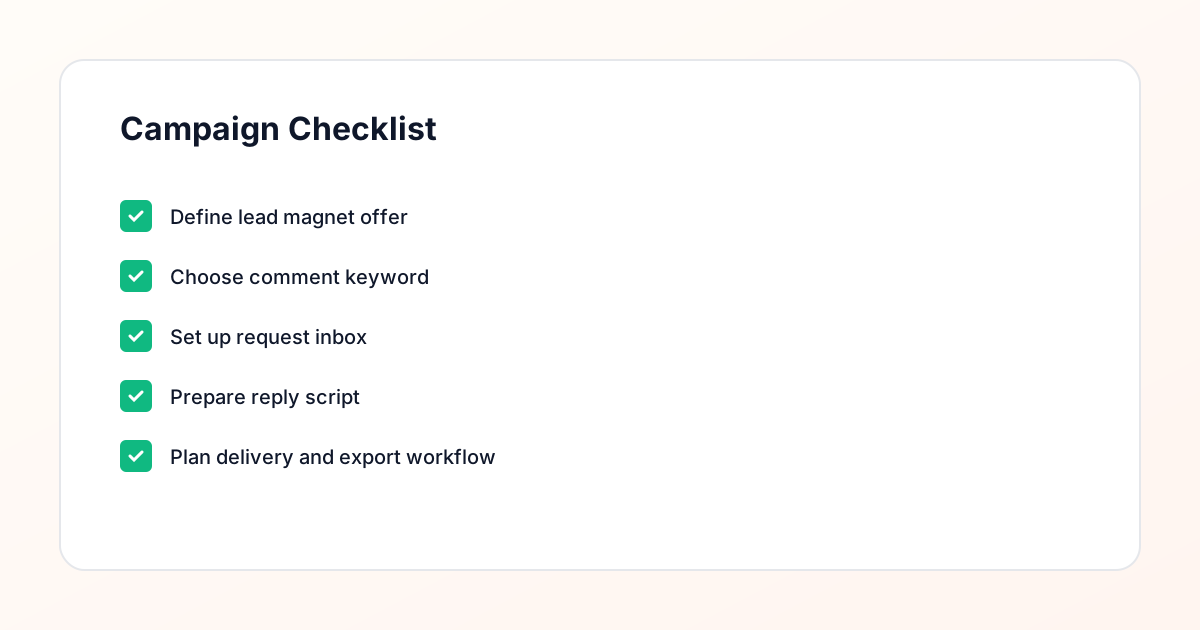
Confirm the offer, lead magnet, keyword strategy, comment CTA, reply draft, owner, approval status, and Lead Export fields before launch.
Comment Funnel Workflow
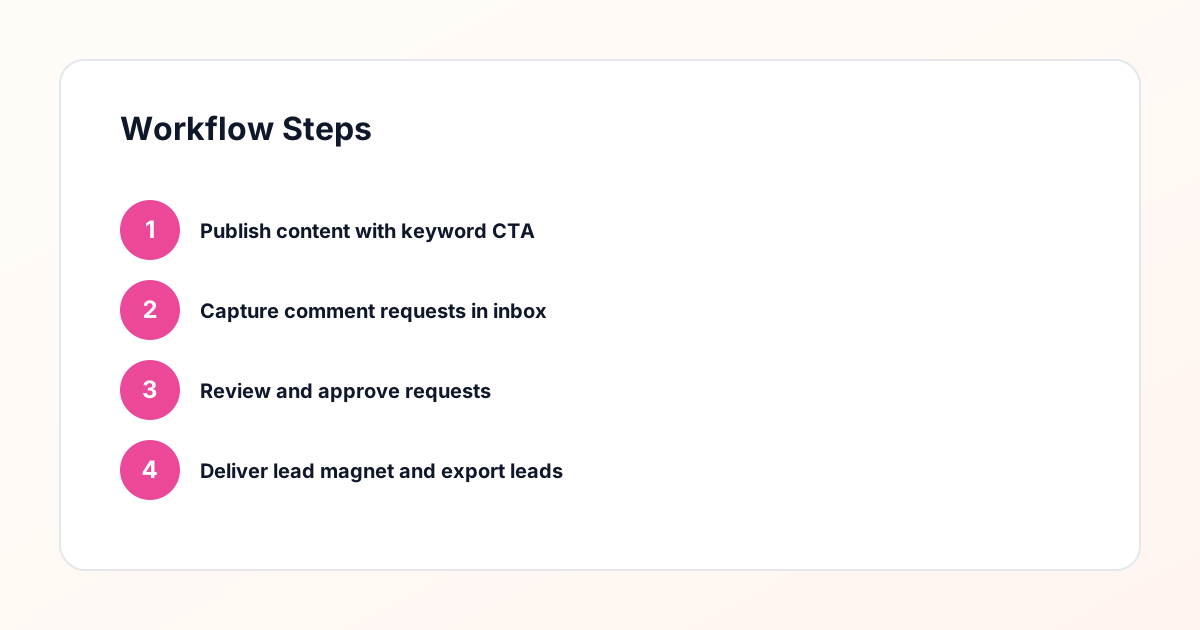
Use the same path everywhere: Offer → Lead Magnet → AI Funnel Builder → Keyword Strategy → Comment CTA → Reply Draft → Review & Approval → Campaign Launch → Request Inbox → Lead Tracking → Export.
Approval Queue Workflow
Review caption CTA, pinned comment, reply draft, lead magnet link, compliance notes, and client approval before a campaign goes live.
Export Readiness Checklist
Export only after records have clear status, no sensitive private data, an owner, follow-up stage, and a documented next action.
Campaign Recovery Workflow
If requests are missed, pause new promotion, review pending records, update Reply Library drafts, communicate manually where appropriate, and document the process fix.
Decision framework
Use this matrix before choosing the next step.
Manual review reminder
Draft response — review before sending. Use approved tools and follow platform rules. GramTrigger helps plan and manage lead magnet workflows; it does not scrape users or auto-send unauthorized DMs.
Workflow Overview
Campaign Checklist
Why the Delivery Workflow Is the Bottleneck
Most people who run comment keyword campaigns on Instagram do not have a problem with the content side. They create good posts, choose reasonable keywords, and get a steady flow of comments. The bottleneck is what happens next. Requests pile up in the DMs. Some people get the lead magnet within an hour, others wait three days. Follow-ups get forgotten. The same person gets messaged twice while someone else gets missed entirely. These operational failures undermine the entire campaign because the experience of the person who commented is what determines whether they actually receive the resource, engage with it, and eventually join your email list. A structured delivery workflow solves this by creating a repeatable process for every request: it arrives, it gets reviewed, it gets a response, it gets tracked, and it gets followed up on. No exceptions, no guesswork, no dropped balls.
Organizing Your Request Inbox
The request inbox is the starting point of your delivery workflow. Every keyword comment becomes a request, and each request needs to be organized in a way that lets you process them efficiently. At minimum, each request should display the commenter username, the post they commented on, the keyword used, and the timestamp. You should be able to filter requests by campaign, by status (pending, reviewed, delivered, followed up), and by date. This organizational structure lets you sit down with your inbox and process requests in batches rather than reacting to them one at a time throughout the day. GramTrigger provides a dedicated request inbox with these organizational features built in. You can see all pending requests across your active campaigns, filter to focus on a specific campaign, and track your progress as you move requests through the workflow stages. This structure is what makes it possible to handle hundreds of requests without losing track of any of them.
Setting Up a Review Process
The review process is the quality control gate in your delivery workflow. Before any reply goes out, each request should pass through a review step where you confirm the request is legitimate and decide how to respond. During review, you check whether the commenter is a real account, whether the keyword was used in a relevant context, and whether the profile aligns with your target audience. This step is what separates a thoughtful, compliance-aware campaign from a brute-force approach that messages everyone who commented regardless of context. A good review process also lets you customize the delivery message. Even small personalization — referencing the specific post they commented on or acknowledging something in their profile — makes the message feel intentional rather than automated. GramTrigger builds the review step directly into the workflow. Every request sits in a pending state until you explicitly review and approve it, ensuring that nothing goes out without your oversight.
Preparing Reply Scripts for Delivery
Reply scripts are pre-written message templates that you customize for each request during the review step. Having scripts ready saves time and ensures consistency across your delivery workflow. A basic delivery script includes a greeting, a reference to the content they engaged with, the lead magnet link, and a brief note about what the resource contains. You might have different scripts for different campaigns — one for a template delivery, another for a guide delivery, another for a checklist delivery. The script is not meant to be sent as-is. During review, you personalize it with the commenter name, the specific post reference, and any other relevant details. This combination of template efficiency and personal customization is what lets you maintain quality at scale. GramTrigger supports script preparation as part of the campaign setup, so when you sit down to process requests, your delivery messages are ready to be customized and sent with minimal effort per request.
Tracking Delivery Status
Once a request is reviewed and a reply is sent, the request moves to a delivered status. Tracking delivery status across all your requests gives you visibility into the overall health of your campaign. You can see how many requests are pending review, how many have been delivered, how many are awaiting follow-up, and how many have completed the full workflow. This tracking is essential for identifying bottlenecks. If you see hundreds of pending requests but only a handful of deliveries, you know the review step is the bottleneck and you need to dedicate more time there. If deliveries are high but follow-ups are low, the follow-up step is where attention is needed. GramTrigger tracks request status through each stage of the workflow, giving you a real-time dashboard of campaign progress. This visibility is what allows you to manage campaigns proactively rather than discovering problems after they have already affected your results.
Handling Edge Cases and Exceptions
Not every request follows the happy path. Some commenters will reply to your delivery message with questions, and you need a plan for handling those conversations. Some people will comment the keyword but then unsubscribe or block you before you can deliver. Some will request the resource but never open the link. Each of these edge cases needs a handling protocol so they do not disrupt your workflow. For questions, decide whether to answer in the DM or redirect to an FAQ resource. For undeliverable requests, mark them as such and move on. For people who received the resource but did not engage with it, your follow-up message can serve as a second touchpoint. Documenting how you handle each edge case creates a reference that keeps your workflow consistent, especially if multiple people on your team are processing requests. GramTrigger status tracking accommodates these variations so your workflow data stays accurate even when individual requests do not follow the standard path.
The Follow-Up Step in the Delivery Workflow
Follow-up is the final stage of the delivery workflow and arguably the most important for achieving your actual goal, which is building an email list or nurturing a business relationship. One to three days after delivering the lead magnet, send a follow-up message that checks in, offers additional help, and extends an invitation to your email list or next step. The follow-up message should reference the specific resource they received and frame the email list as a natural continuation. Tracking which requests have been followed up on is just as important as tracking deliveries. Without this tracking, you either follow up with the same people twice or miss others entirely. GramTrigger includes follow-up status tracking so you can see exactly where each request stands and ensure every delivered request gets its follow-up touchpoint at the right time.
Exporting Records and Analyzing the Workflow
Exporting your workflow data gives you a record of every request, its status, and its outcome. A comprehensive export includes the commenter details, the post and campaign information, timestamps for each workflow stage (requested, reviewed, delivered, followed up), and the final outcome. This data is valuable for several reasons. It lets you calculate conversion rates at each stage of the workflow, identify which campaigns are most effective, and build a historical record of your lead generation activity. For agencies, exports provide client reporting with concrete metrics. For creators, they reveal patterns in what content and keywords drive the best results. GramTrigger export functionality lets you pull this data into spreadsheet format for analysis. Reviewing your exports monthly helps you spot trends, refine your approach, and continuously improve the efficiency and effectiveness of your delivery workflow.
Building a Repeatable System for Scale
The ultimate goal of the delivery workflow is to build a system that scales without breaking. When your first campaign generates fifty requests, you can manage them manually with reasonable effort. When your fifth campaign generates five hundred requests across three different lead magnets, you need a system. That system is the combination of an organized request inbox, a consistent review process, prepared reply scripts, status tracking, and structured follow-up. Each component handles a specific part of the workflow, and together they create a repeatable process that produces the same quality of output regardless of volume. GramTrigger is designed to support this kind of scale. The workflow does not change as your campaigns grow — you process more requests through the same steps, with the same level of review and personalization, because the infrastructure handles the organization and tracking that would otherwise become overwhelming.
Compliance Note
GramTrigger helps organize Campaign Blueprints, Reply Library drafts, Request Inbox stages, approvals, delivery status, Lead Exports, and reports. Delivery should be handled manually or through approved tools depending on your account and available platform support.