
Tools
Instagram Request Inbox Tool for Comment Campaigns
10 min read
Running a comment keyword campaign on Instagram means managing a steady stream of incoming requests. Each comment is a signal of interest, and each request deserves a thoughtful response. But without the right tool, managing these requests manually across multiple posts and DM threads is chaotic. An Instagram request inbox tool centralizes every incoming request, tracks delivery status, and keeps your lead magnet workflow organized. This guide explains what request inbox tools do, how they differ from flow builders, who benefits most from using one, and how to evaluate your options.

GramTrigger methodology
Original operating system for Instagram Request Inbox Tool for Comment Campaigns
The GramTrigger method treats every comment campaign as an approval workflow, not an automation shortcut. The goal is to prepare the offer, lead magnet, keyword strategy, Reply Library draft, Request Inbox stages, handoff owner, and Lead Export fields before comments turn into operational work.
Campaign Blueprint SOP
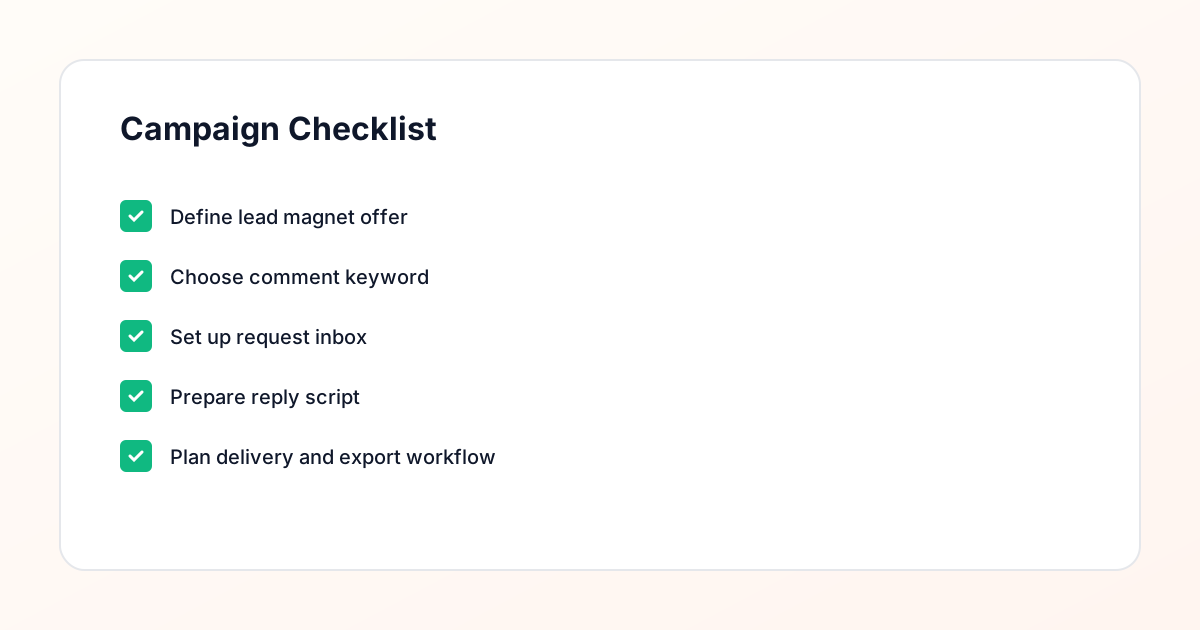
Confirm the offer, lead magnet, keyword strategy, comment CTA, reply draft, owner, approval status, and Lead Export fields before launch.
Comment Funnel Workflow
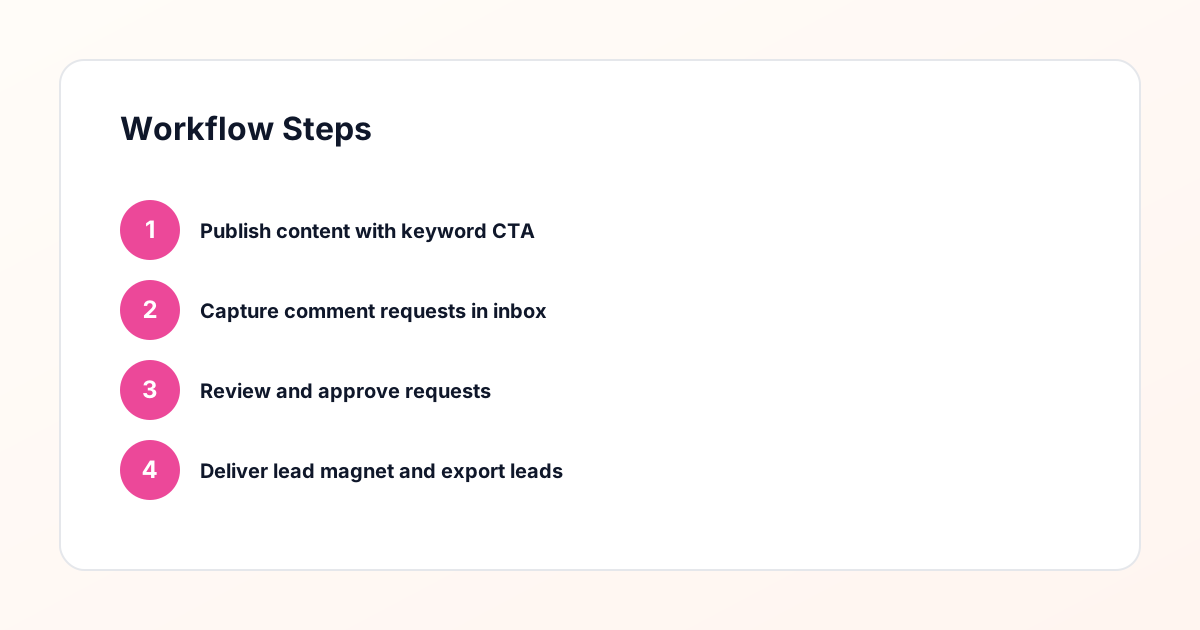
Use the same path everywhere: Offer → Lead Magnet → AI Funnel Builder → Keyword Strategy → Comment CTA → Reply Draft → Review & Approval → Campaign Launch → Request Inbox → Lead Tracking → Export.
Approval Queue Workflow
Review caption CTA, pinned comment, reply draft, lead magnet link, compliance notes, and client approval before a campaign goes live.
Export Readiness Checklist
Export only after records have clear status, no sensitive private data, an owner, follow-up stage, and a documented next action.
Campaign Recovery Workflow
If requests are missed, pause new promotion, review pending records, update Reply Library drafts, communicate manually where appropriate, and document the process fix.
Decision framework
Use this matrix before choosing the next step.
Manual review reminder
Draft response — review before sending. Use approved tools and follow platform rules. GramTrigger helps plan and manage lead magnet workflows; it does not scrape users or auto-send unauthorized DMs.
Workflow Overview
Campaign Checklist
What Is a Request Inbox Tool?
A request inbox tool is a centralized dashboard that captures every comment keyword request from your Instagram posts and displays it in a single, organized view. Instead of switching between posts, scrolling through comment sections, and hunting for the right DM thread, you see every request in one place. Each entry shows the commenter's handle, the post they commented on, the keyword they used, and the timestamp. From the inbox, you can review the request, prepare a response, send the message, and track whether the contact replied. It is the command center for your entire comment keyword campaign.
How It Differs From a Flow Builder
Flow builders are designed for automation — they let you create visual workflows that trigger actions based on conditions. They are powerful, but they are built for scale, not for oversight. A request inbox tool, by contrast, is built for review. It does not send messages automatically. Instead, it collects requests, organizes them, and presents them for human approval. The difference matters: flow builders optimize for speed, while request inboxes optimize for quality and compliance. If your priority is ensuring every message is reviewed before it is sent, a request inbox is the right tool. If you need both, some platforms offer a request inbox with optional automation layers.
Who Benefits From a Request Inbox?
Request inboxes are most valuable for creators, coaches, consultants, and agencies who run comment keyword campaigns as part of their lead generation. If you are a fitness coach offering a free meal plan, a business strategist sharing a pricing guide, or an agency delivering a case study, a request inbox keeps every delivery organized. It is also valuable for teams — if multiple people are managing the inbox, the tool ensures no request is missed and no message is sent twice. Solo operators benefit too, because the inbox eliminates the mental load of tracking requests across multiple posts and threads.
Core Features to Look For
A good request inbox tool should offer four core features. First, centralized intake — every comment keyword request from every post should appear in one dashboard. Second, status tracking — each request should have a clear status (New, Reviewed, Sent, Replied, Archived) so you can see your pipeline at a glance. Third, message templates — pre-approved drafts that you can personalize and send with a click. Fourth, delivery logging — a record of when each message was sent and whether the contact replied. These features form the foundation of a compliant, manageable workflow. Anything less and you are back to manual tracking in spreadsheets.
Why Manual Review Is Built In
The defining characteristic of a request inbox tool is the manual review step. Every request is presented to you before any message is sent. You check the contact, confirm the keyword, personalize the template, and approve the delivery. This step is what makes the tool compliance-aware. It prevents messages from being sent to bots, duplicates, or people who have already received the resource. It also lets you adjust the message based on what you see in the contact's profile. Manual review is not a limitation — it is the feature that separates a professional campaign management tool from a spam bot.
How It Integrates With Your Lead Magnet Delivery
The request inbox sits at the center of your lead magnet delivery workflow. When a comment comes in, the tool logs it as a request. You review the request, select the appropriate message template, and send the resource link. The tool then tracks whether the contact opened the link or replied to the message. From there, you can trigger a follow-up sequence — either manually or through an integration with your email platform. The inbox does not replace your email tool or your CRM; it connects to them. It handles the Instagram-specific part of the workflow: capturing the request, reviewing it, and delivering the first message.
Managing Multiple Campaigns Simultaneously
If you run multiple comment keyword campaigns — say, one for a PDF guide and another for a webinar registration — the request inbox should let you filter and sort by campaign. Each campaign has its own keyword, its own message template, and its own delivery workflow. The inbox keeps them separate so you do not accidentally send the guide link to someone who requested the webinar. You can also see aggregate metrics across campaigns: how many requests each one generated, how many were delivered, and how many resulted in a reply. This multi-campaign view is essential for agencies and creators who juggle several offers at once.
Handling Team Access and Permissions
For teams, the request inbox tool should support multiple users with defined roles. An admin can manage campaigns, edit templates, and view all metrics. A reviewer can process New requests and send approved messages. A viewer can see the dashboard but not take action. These permissions ensure that only trained team members are sending messages, while others can monitor performance. The inbox should also log who reviewed and sent each message, so you can audit the workflow and identify training needs. Team access turns the request inbox from a personal tool into a shared operational system.
Evaluating Your Options
When choosing a request inbox tool, start by listing your non-negotiables: centralized intake, status tracking, message templates, delivery logging, and manual review. Then evaluate each option against those criteria. Ask whether the tool supports your campaign volume, whether it integrates with your email platform, and whether it provides the reporting you need. Request a demo or start a free trial to test the workflow with real data. Pay attention to how intuitive the interface is — if it takes more than a few clicks to review and send a message, the tool will slow you down rather than speed you up. The right tool should feel like a natural extension of your process.
Common Mistakes When Using a Request Inbox
The most common mistake is treating the inbox as a passive tool — letting requests pile up without processing them in batches. A request inbox only works if you use it consistently. Set a schedule for reviewing requests and stick to it. Another mistake is skipping the personalization step. Templates are useful, but if every message looks identical, contacts will notice. Take the extra 10 seconds to add the contact's name and reference the specific post they commented on. Finally, do not ignore the data. Your inbox tracks delivery and reply rates for a reason — use that information to refine your templates, your keywords, and your follow-up timing.
The Future of Request Inbox Tools
Request inbox tools are evolving. Early versions were simple spreadsheets that tracked comments manually. Modern tools capture requests automatically, integrate with email platforms, and provide real-time reporting. The next generation will likely add smarter filtering (flagging suspected bots more accurately), better team collaboration (real-time co-review of requests), and deeper analytics (connecting inbox activity to downstream revenue). But the core principle will remain the same: a centralized, review-first approach to managing comment keyword campaigns. As Instagram's platform rules tighten, tools that prioritize compliance and manual oversight will become more valuable, not less.
Compliance Note
GramTrigger helps organize Campaign Blueprints, Reply Library drafts, Request Inbox stages, approvals, delivery status, Lead Exports, and reports. Delivery should be handled manually or through approved tools depending on your account and available platform support.