
Agencies
Instagram Lead Magnet Strategy for Agencies
10 min read
Agencies managing Instagram lead magnet campaigns for multiple clients face a unique set of challenges that solo creators simply do not encounter. You need to standardize workflows across accounts, manage separate request inboxes for each client, track delivery at scale, and produce reports that demonstrate campaign performance. This guide covers the full agency workflow — from setting up client campaigns and organizing request management to delivering resources efficiently and building scalable systems that grow with your client roster.

GramTrigger methodology
Original operating system for Instagram Lead Magnet Strategy for Agencies
The GramTrigger method treats every comment campaign as an approval workflow, not an automation shortcut. The goal is to prepare the offer, lead magnet, keyword strategy, Reply Library draft, Request Inbox stages, handoff owner, and Lead Export fields before comments turn into operational work.
Campaign Blueprint SOP
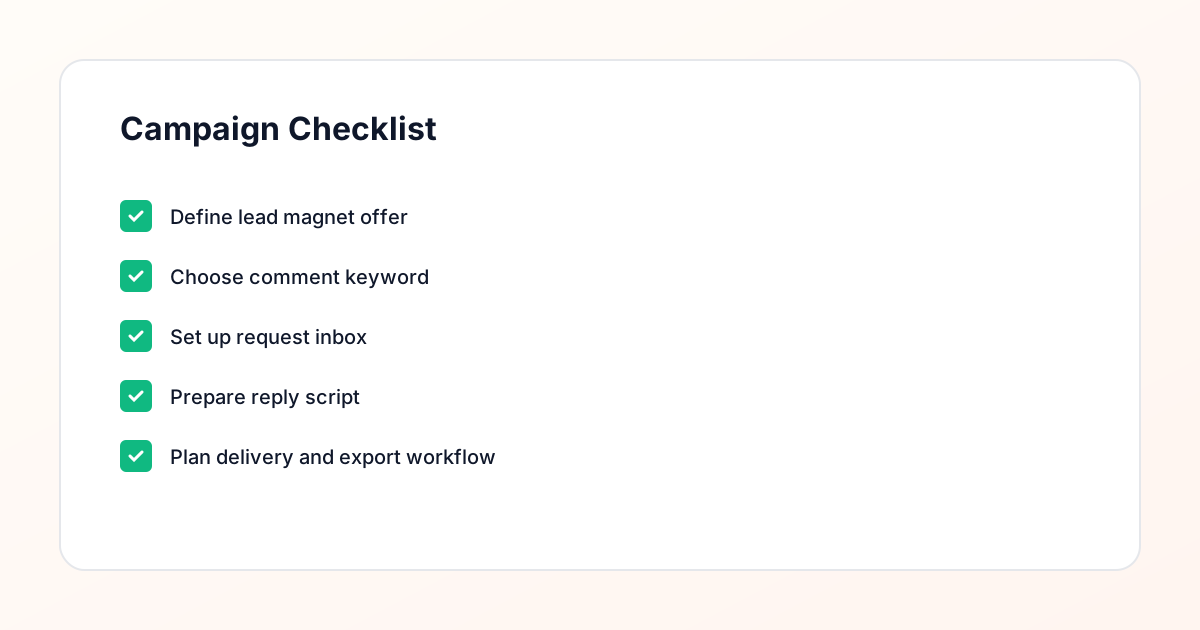
Confirm the offer, lead magnet, keyword strategy, comment CTA, reply draft, owner, approval status, and Lead Export fields before launch.
Comment Funnel Workflow
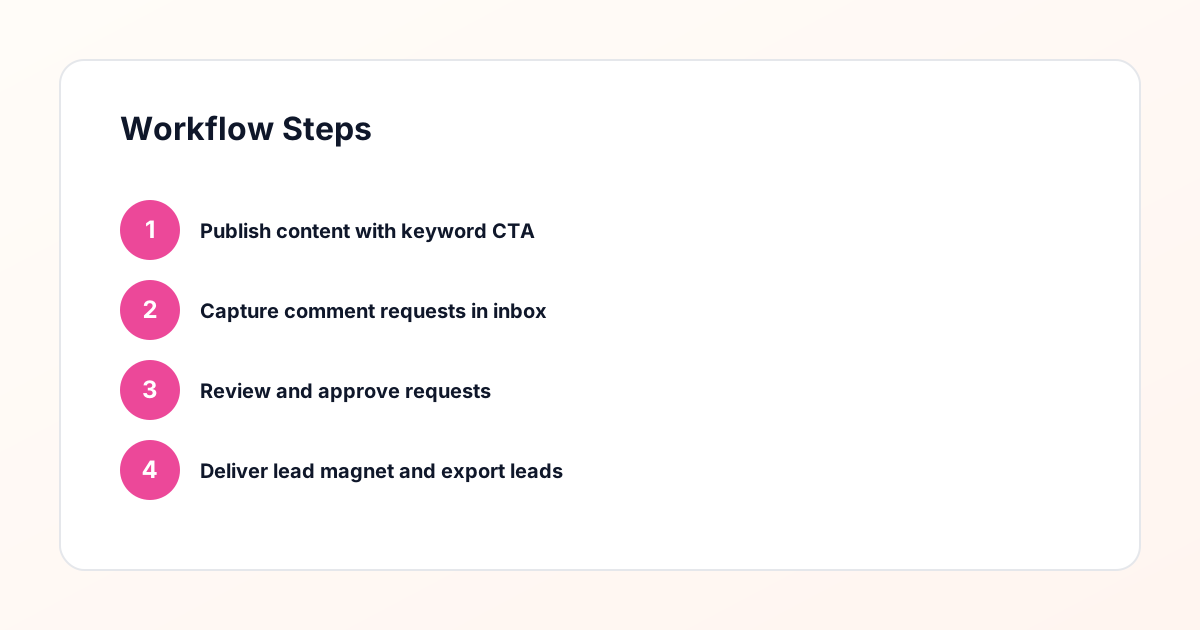
Use the same path everywhere: Offer → Lead Magnet → AI Funnel Builder → Keyword Strategy → Comment CTA → Reply Draft → Review & Approval → Campaign Launch → Request Inbox → Lead Tracking → Export.
Approval Queue Workflow
Review caption CTA, pinned comment, reply draft, lead magnet link, compliance notes, and client approval before a campaign goes live.
Export Readiness Checklist
Export only after records have clear status, no sensitive private data, an owner, follow-up stage, and a documented next action.
Campaign Recovery Workflow
If requests are missed, pause new promotion, review pending records, update Reply Library drafts, communicate manually where appropriate, and document the process fix.
Decision framework
Use this matrix before choosing the next step.
Manual review reminder
Draft response — review before sending. Use approved tools and follow platform rules. GramTrigger helps plan and manage lead magnet workflows; it does not scrape users or auto-send unauthorized DMs.
Workflow Overview
Campaign Checklist
Why Agencies Need a Standardized Lead Magnet Workflow
When you manage Instagram campaigns for five, ten, or twenty clients, ad hoc processes break down quickly. Each client has different lead magnets, different keywords, different audiences, and different reporting requirements. Without a standardized workflow, your team ends up managing campaigns through spreadsheets, sticky notes, and scattered DM threads — and mistakes become inevitable. A standardized comment keyword campaign workflow gives every client campaign the same operational structure. Each campaign has a defined keyword, a request inbox, a reply process, a delivery method, and tracking metrics. The specifics change per client, but the system stays consistent. This consistency means new team members can manage any client campaign after learning one workflow. It also means you can audit any client account and immediately see the status of their campaigns. Standardization is the foundation that lets agencies scale their Instagram lead magnet services without proportionally increasing overhead. GramTrigger provides this structured framework so your team can focus on strategy and client communication rather than operational chaos.
Setting Up Client Campaigns From Scratch
Each new client campaign begins with a discovery phase where you determine the lead magnet, the target keyword, the promotional content plan, and the delivery workflow. Start by reviewing what the client already offers — many have existing PDFs, guides, or resources that can be repurposed as lead magnets. If they do not have one yet, help them create a resource that aligns with their paid offerings and addresses a specific audience pain point. Once the resource is ready, choose a keyword that fits the client brand voice and is simple enough for their audience to type accurately. Set up the campaign in your campaign management tool with the keyword, the automated acknowledgment reply, and the routing rules that send requests to the correct client inbox. Create a landing page or email sequence for delivery, test the full workflow end-to-end, and document the setup so any team member can manage it going forward. This onboarding process typically takes one to two hours per client and pays dividends in operational efficiency for the life of the campaign.
Managing Multiple Request Inboxes Across Clients
The request inbox is where the daily operational work happens, and managing multiple inboxes across clients requires clear organization. Each client should have a dedicated inbox view that shows only their requests — filtered by their specific keywords and campaigns. Your team members need to see at a glance which requests are new, which have been replied to, and which are waiting on follow-up. Color coding, status labels, and date sorting make this manageable even when you are handling hundreds of requests per day across all clients. Assign team members to specific client accounts rather than rotating assignments. Familiarity with a client brand voice, audience, and campaign details produces better-quality replies and faster processing times. Set daily targets for request processing — for example, all new requests should receive a reply within four hours during business hours. This consistency matters because delayed responses reduce the perceived value of the lead magnet and can make your client look unprofessional to their audience.
Creating Reply Templates That Match Each Client Brand
Reply templates are essential for agency-scale operations, but they need to reflect each client unique brand voice rather than sounding like they came from a generic marketing tool. Create a template library for each client that includes variations for different scenarios: first-time requesters, repeat engagers, and requests that come in outside business hours. Each template should include the resource link, a brand-appropriate greeting, and a sentence that sets expectations about what the subscriber will receive. The manual review step remains critical here. Even with templates, every reply should be reviewed before sending to ensure it matches the context and does not contain errors. A reply review checkpoint catches issues like broken links, incorrect resource references, or tone mismatches before they reach the audience. This compliance-aware approach protects your clients brand reputation and ensures every interaction feels personal rather than automated. Store templates in your campaign management system so the entire team accesses the same approved versions, and update them quarterly or whenever the client brand messaging evolves.
Tracking Delivery Status and Campaign Metrics
Agencies need to track delivery status at both the individual request level and the aggregate campaign level. At the request level, you need to know who has been sent the resource, who has not yet received a reply, and who needs a follow-up message. At the campaign level, you need metrics like total keyword comments, total requests processed, reply rate, delivery completion rate, and landing page conversion rate. These metrics serve two purposes. Internally, they help you identify operational bottlenecks — if one client consistently has a backlog of unreplied requests, you may need to allocate more team time to that account. Externally, they form the basis of client reports that demonstrate the value of your services. Export campaign data regularly and compile it into reports that show trends over time. Clients want to see growth in their request volume, improvements in processing speed, and the downstream impact on their email list size. Having clean, organized data makes reporting straightforward rather than a monthly scramble.
Exporting Data for Client Reports and Reviews
Client reporting is where your campaign data translates into retained business. Monthly or quarterly reports should clearly show what happened during the reporting period: how many posts promoted the lead magnet, how many keyword comments were generated, how many requests were processed, how many resources were delivered, and how many new email subscribers were added. Include period-over-period comparisons so clients can see trends. If request volume increased twenty percent after you adjusted the caption strategy, that is a concrete result worth highlighting. Export data from your campaign management system in a format that feeds directly into your reporting templates. CSV exports work well for spreadsheet-based reports, while API integrations can automate data flow into dashboard tools. The less manual work required to compile reports, the more consistently you will produce them — and consistent reporting builds client confidence in your process. During client review calls, walk through the data together and use it to inform strategy decisions for the next period.
Scaling Your Agency Lead Magnet Services
Scaling an agency service means adding clients without adding proportional operational complexity. The standardized workflow you built for your first five clients should work identically for your next five — the only thing that changes is volume. To handle increased volume, invest in three areas. First, document every process in detail so training new team members is fast and consistent. Second, build template libraries that cover the most common scenarios across your client base, reducing the time spent crafting individual replies. Third, set clear service level agreements for request processing times so clients know what to expect and your team has defined targets. As you scale, you may also want to offer tiered services. Basic tier includes campaign setup and request management. Premium tier adds strategy consulting, A/B testing on keywords and captions, and advanced segmentation. This tiered approach lets you serve more clients at different price points while keeping your core workflow consistent. The campaign management infrastructure supports this growth because each new client simply becomes another organized inbox within the same system.
Onboarding New Team Members to the Workflow
As your agency grows, you will hire team members who need to manage client campaigns from day one. The standardized workflow makes this onboarding significantly easier because every client account follows the same structure. Create a training document that walks through the full process: logging in, navigating to a client request inbox, reviewing pending requests, crafting replies using the template library, sending responses, and marking requests as complete. Include screenshots and examples from actual client campaigns (with permission) so new hires see what real requests look like. Pair new team members with experienced ones for their first week so they can observe the reply review process and ask questions in real time. Most people become productive within three to five days when the workflow is well-documented and the tools are intuitive. GramTrigger is designed with this kind of team onboarding in mind — the interface is consistent across accounts, the request inbox is self-explanatory, and the campaign management features require minimal training to use effectively.
Maintaining Compliance Across Client Accounts
Managing multiple client accounts increases your compliance exposure, which makes a compliance-aware approach non-negotiable. Each client campaign must follow platform guidelines for messaging — only contact people who have explicitly opted in through the keyword comment, never send unsolicited messages, and include clear identification of who is sending the message. Your agency should have a compliance checklist that every new campaign passes through before going live. This checklist should cover consent mechanisms, message content guidelines, data handling procedures, and unsubscribe options. Document each client compliance settings in your campaign management system so there is a clear record of the safeguards in place. If platform guidelines change, update your checklist and audit existing campaigns to ensure they still meet the new requirements. This proactive approach protects your agency and your clients from account issues while building trust with the audiences you are engaging on their behalf. It is a safer alternative to spammy automation approaches that ignore consent and compliance entirely.
Building Long-Term Client Relationships Through Results
Client retention in agency work comes down to demonstrating consistent value, and Instagram lead magnet campaigns produce tangible, measurable results that support retention. When a client sees their email list growing by hundreds of engaged subscribers each month through a well-managed comment keyword workflow, the value of your services becomes self-evident. Strengthen this relationship by sharing insights beyond basic metrics. Tell clients which content formats drive the most keyword comments. Suggest new lead magnet ideas based on request patterns you observe. Identify audience segments that show particularly high engagement and recommend targeted follow-up campaigns. Position yourself as a strategic partner who understands their business goals, not just a service provider who processes comments. The data from your campaign management system gives you the evidence base for these strategic conversations. Clients who see you as a partner rather than a vendor are the ones who stay long-term, expand their service scope, and refer other businesses to your agency.
Compliance Note
GramTrigger helps organize Campaign Blueprints, Reply Library drafts, Request Inbox stages, approvals, delivery status, Lead Exports, and reports. Delivery should be handled manually or through approved tools depending on your account and available platform support.