
Compliance
Instagram Lead Capture Without Spam: A Safer Campaign Workflow
10 min read
Capturing leads from Instagram does not have to mean resorting to spammy automation that puts your account at risk. A compliance-aware approach uses comment keyword campaigns, manual review, and organized follow-up to build genuine connections while staying within platform guidelines. This guide shows you how to capture leads safely and professionally.
Start here

GramTrigger methodology
Original operating system for Instagram Lead Capture Without Spam: A Safer Campaign Workflow
The GramTrigger method treats every comment campaign as an approval workflow, not an automation shortcut. The goal is to prepare the offer, lead magnet, keyword strategy, Reply Library draft, Request Inbox stages, handoff owner, and Lead Export fields before comments turn into operational work.
Campaign Blueprint SOP
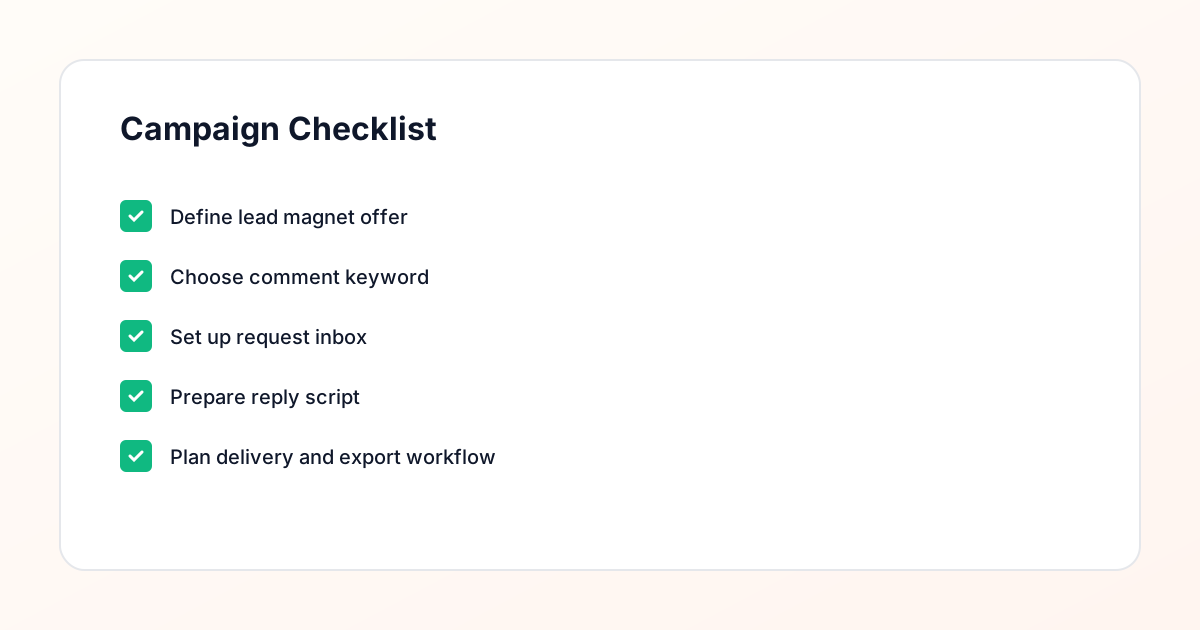
Confirm the offer, lead magnet, keyword strategy, comment CTA, reply draft, owner, approval status, and Lead Export fields before launch.
Comment Funnel Workflow
Use the same path everywhere: Offer → Lead Magnet → AI Funnel Builder → Keyword Strategy → Comment CTA → Reply Draft → Review & Approval → Campaign Launch → Request Inbox → Lead Tracking → Export.
Approval Queue Workflow
Review caption CTA, pinned comment, reply draft, lead magnet link, compliance notes, and client approval before a campaign goes live.
Export Readiness Checklist
Export only after records have clear status, no sensitive private data, an owner, follow-up stage, and a documented next action.
Campaign Recovery Workflow
If requests are missed, pause new promotion, review pending records, update Reply Library drafts, communicate manually where appropriate, and document the process fix.
Decision framework
Use this matrix before choosing the next step.
Manual review reminder
Draft response — review before sending. Use approved tools and follow platform rules. GramTrigger helps plan and manage lead magnet workflows; it does not scrape users or auto-send unauthorized DMs.
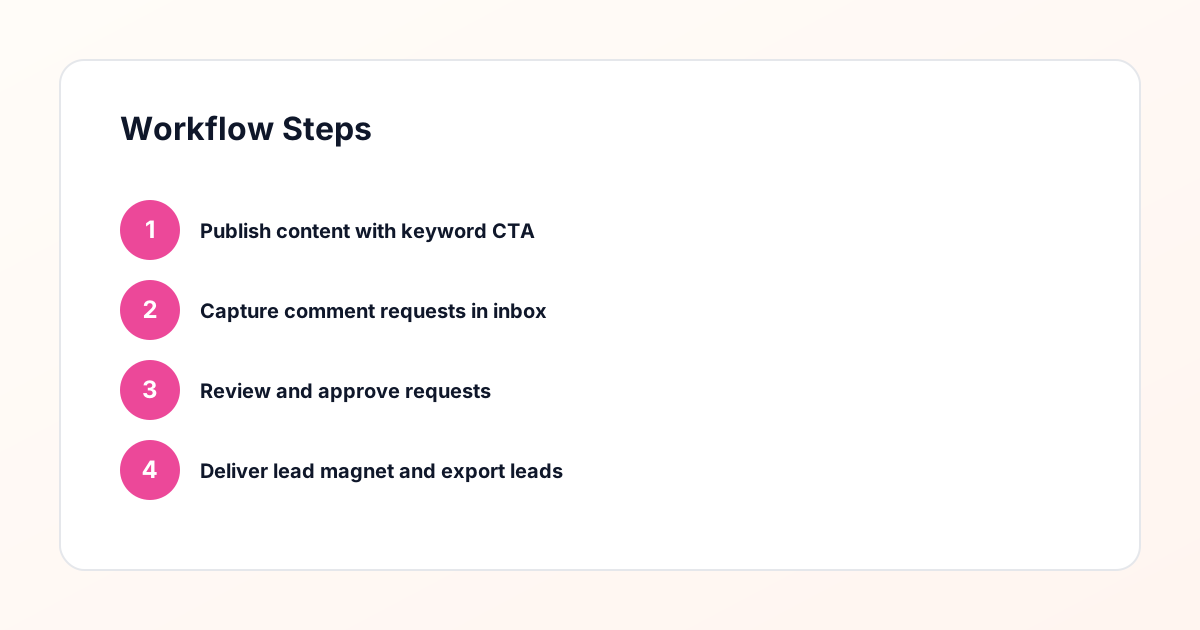
Workflow Overview
Campaign Checklist
Why Spammy Automation Is Risky
Automation tools that promise to "auto-DM everyone" or "bypass Instagram limits" are not just against platform guidelines, they are ineffective for building real business relationships. When you send unsolicited messages to hundreds of people, most will ignore you, some will report you, and your account could be restricted or banned. Spammy automation also damages your reputation. People can tell when they are receiving a mass message, and it creates a negative impression of your brand. Instead of building trust, you are burning bridges. A safer alternative to spammy automation is a compliance-aware workflow that captures interest through comments, reviews each request manually, and delivers resources only to qualified leads. This approach takes more time, but it builds genuine connections and protects your account. The goal is not to reach the most people, but to reach the right people in a way that respects their inbox and your reputation.
What Makes a Workflow Compliance-Aware
A compliance-aware workflow has three key characteristics: it requires opt-in behavior, it includes manual review, and it respects messaging limits. First, the workflow requires people to take action by commenting a keyword. This is an explicit opt-in that shows intent. You are not messaging people who did not ask to be contacted. Second, the workflow includes a manual review step where you evaluate each request before sending a message. This ensures you are not blasting links to everyone. Third, the workflow respects platform messaging limits by sending messages gradually rather than all at once. These three elements work together to create a workflow that is both effective and sustainable. You capture leads who are genuinely interested, you personalize your approach, and you avoid the patterns that trigger spam filters. This is what separates professional campaign management from spammy automation.
The Comment Keyword Workflow Explained
The comment keyword workflow starts with you creating content that offers value and includes a clear call to action. You tell people to comment a specific keyword if they want to receive a resource or learn more about an offer. When someone comments the keyword, they are raising their hand and expressing interest. This comment is captured in your request inbox, which organizes all requests by post, keyword, and timestamp. You then review each request to assess fit and intent. If the request looks good, you send a direct message with your resource or booking link. If it does not look like a good fit, you skip it. This workflow ensures that every message you send is to someone who explicitly requested it. There is no cold outreach, no unsolicited messages, and no spam. Just a clean, professional process that respects both the platform and your audience.
The Role of Manual Review
Manual review is what makes your workflow compliance-aware and effective. During review, you check the commenter's profile to see if they are a good fit for your offer. Are they in your target audience? Do they have a genuine profile? Have they engaged with your content before? This step filters out bots, competitors, and people who are not qualified. It also allows you to personalize your message based on what you learn. Manual review takes time, but it is time well spent. Sending 10 personalized messages to qualified leads is more effective than sending 100 generic messages to everyone. The review step also protects your account. You are less likely to be flagged as spam when you are sending messages to people who explicitly requested them and who are a good fit for your offer. This is a safer alternative to spammy automation that blasts messages to everyone.
Building a Lead Magnet Delivery Workflow
Your lead magnet delivery workflow is the process you follow after reviewing and approving a request. This workflow should be consistent and professional. Start with a personalized message that references something specific from the commenter's profile. Include your lead magnet link and a brief explanation of what they will find inside. For example: "Hey [name], thanks for requesting the email marketing guide! Here is the link: [link]. Page 7 has a checklist that I think you will find helpful." The personalization shows you actually reviewed their profile and are not just blasting links. After sending the message, track whether they downloaded the lead magnet or booked a call. This data helps you understand the effectiveness of your workflow. You can also set up a follow-up sequence to check in a few days later. The key is to make the delivery process smooth, professional, and personalized.
Avoiding Spam Triggers
Certain behaviors trigger spam filters and increase the risk of account restrictions. Sending the same message to multiple people in a short time is one trigger. Including links in every message is another. Using generic, copy-pasted messages is a third. To avoid these triggers, personalize each message, vary your wording, and send messages gradually rather than all at once. Your request inbox helps you manage this by organizing requests and allowing you to batch responses. Instead of sending 50 messages in one minute, send 10 messages every hour. This gradual approach is more natural and less likely to trigger filters. Also, avoid including links in every message. Sometimes just start a conversation and provide the link in a follow-up message. This mimics natural human behavior and reduces spam risk.
Respecting Inbox Boundaries
When someone comments your keyword, they are giving you permission to message them about that specific offer. They are not giving you permission to add them to your email list, invite them to a webinar, or pitch them on a different product. Respect the boundary of what they opted into. If they requested a lead magnet about email marketing, send them the email marketing lead magnet. Do not use that as an opportunity to pitch your coaching program. If you want to make additional offers, do it in a follow-up message after they have engaged with the initial resource. This respect for boundaries builds trust and reduces the likelihood of being reported as spam. People appreciate when you deliver exactly what you promised without trying to sneak in additional pitches.
Tracking and Analyzing Requests
Your request inbox is a valuable source of data about your audience and your campaigns. Track metrics like requests per post, request rate (requests divided by reach), and conversion rate (requests that become customers). Export this data regularly to analyze trends and optimize your approach. Look for patterns in which posts generate the most requests, which keywords perform best, and what time of day requests come in. Use this information to refine your content strategy and campaign management. For example, if carousel posts about email marketing generate the most requests, create more content in that format and on that topic. Data-driven optimization is what separates successful campaigns from unsuccessful ones. The data is there in your request inbox. You just need to extract and analyze it.
Scaling Without Compromising Compliance
As your Instagram following grows, you will receive more comment keyword requests. This is where workflow structure becomes essential. However, automation does not mean removing the human elements that make your workflow compliance-aware. A good campaign management system standardizes the capture and organization of requests while keeping the review and delivery steps manual. This gives you efficiency without sacrificing personalization or compliance. You can also scale by creating multiple campaigns for different offers and audience segments. Use different keywords for each campaign and track performance separately. As you gather data, you can identify which campaigns are most effective and allocate your content creation efforts accordingly. The key is to build systems that scale with your business while maintaining the manual review and personalized delivery that make your approach professional and sustainable.
When to Use Manual vs Automated Steps
Not every step in your workflow needs to be manual, but the steps that involve human judgment should be. Capturing comments and organizing requests can be standardized because it is a repeatable process. Reviewing profiles and assessing fit requires human judgment and should be manual. Sending messages can be semi-automated with templates, but each message should be personalized before sending. Follow-up sequences can be automated, but they should be triggered by specific actions and include personalization. The key is to identify which steps benefit from human judgment and which can be automated for efficiency. This balanced approach gives you the best of both worlds: the efficiency of a structured workflow and the personalization of manual review. It is also what makes your workflow a safer alternative to spammy workflows that remove all human judgment.
Compliance Note
GramTrigger helps organize Campaign Blueprints, Reply Library drafts, Request Inbox stages, approvals, delivery status, Lead Exports, and reports. Delivery should be handled manually or through approved tools depending on your account and available platform support.