
Consultation Workflows
Instagram Comment to Consultation Request Workflow
9 min read
Turning Instagram comments into consultation requests requires more than just posting content and hoping for the best. It requires a structured workflow that captures interest, tracks requests, and delivers booking information in a compliant way. This guide walks you through building a consultation request system that keeps your follow-up organized and your approach professional.
Start here

GramTrigger methodology
Original operating system for Instagram Comment to Consultation Request Workflow
The GramTrigger method treats every comment campaign as an approval workflow, not an automation shortcut. The goal is to prepare the offer, lead magnet, keyword strategy, Reply Library draft, Request Inbox stages, handoff owner, and Lead Export fields before comments turn into operational work.
Campaign Blueprint SOP
Confirm the offer, lead magnet, keyword strategy, comment CTA, reply draft, owner, approval status, and Lead Export fields before launch.
Comment Funnel Workflow
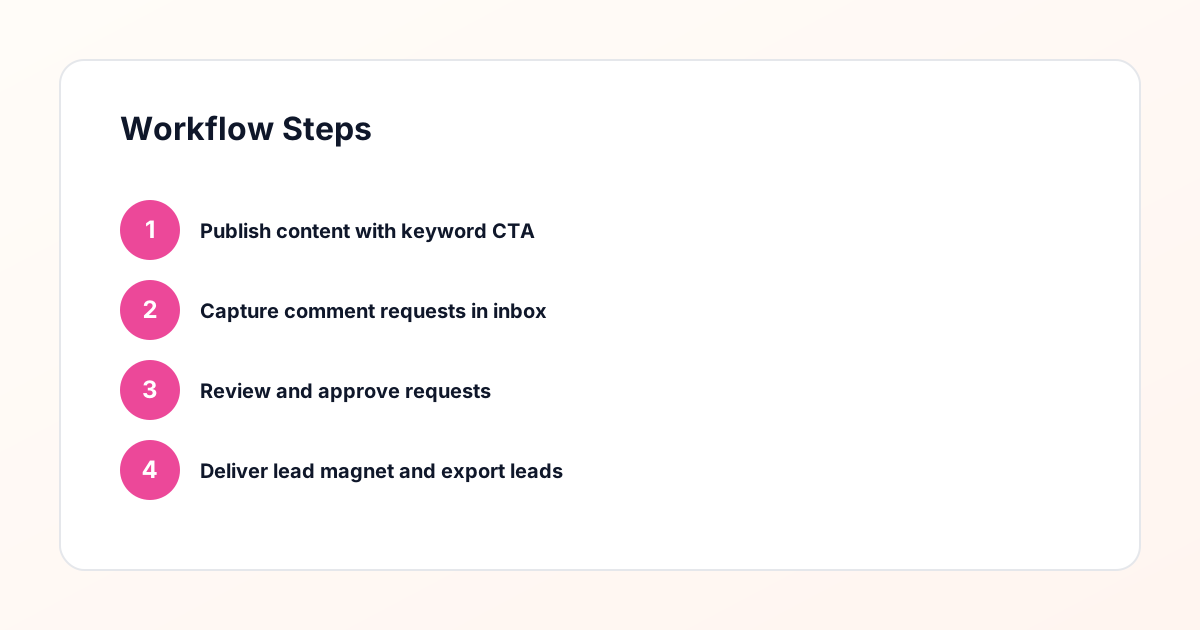
Use the same path everywhere: Offer → Lead Magnet → AI Funnel Builder → Keyword Strategy → Comment CTA → Reply Draft → Review & Approval → Campaign Launch → Request Inbox → Lead Tracking → Export.
Approval Queue Workflow
Review caption CTA, pinned comment, reply draft, lead magnet link, compliance notes, and client approval before a campaign goes live.
Export Readiness Checklist
Export only after records have clear status, no sensitive private data, an owner, follow-up stage, and a documented next action.
Campaign Recovery Workflow
If requests are missed, pause new promotion, review pending records, update Reply Library drafts, communicate manually where appropriate, and document the process fix.
Decision framework
Use this matrix before choosing the next step.
Manual review reminder
Draft response — review before sending. Use approved tools and follow platform rules. GramTrigger helps plan and manage lead magnet workflows; it does not scrape users or auto-send unauthorized DMs.
Workflow Overview
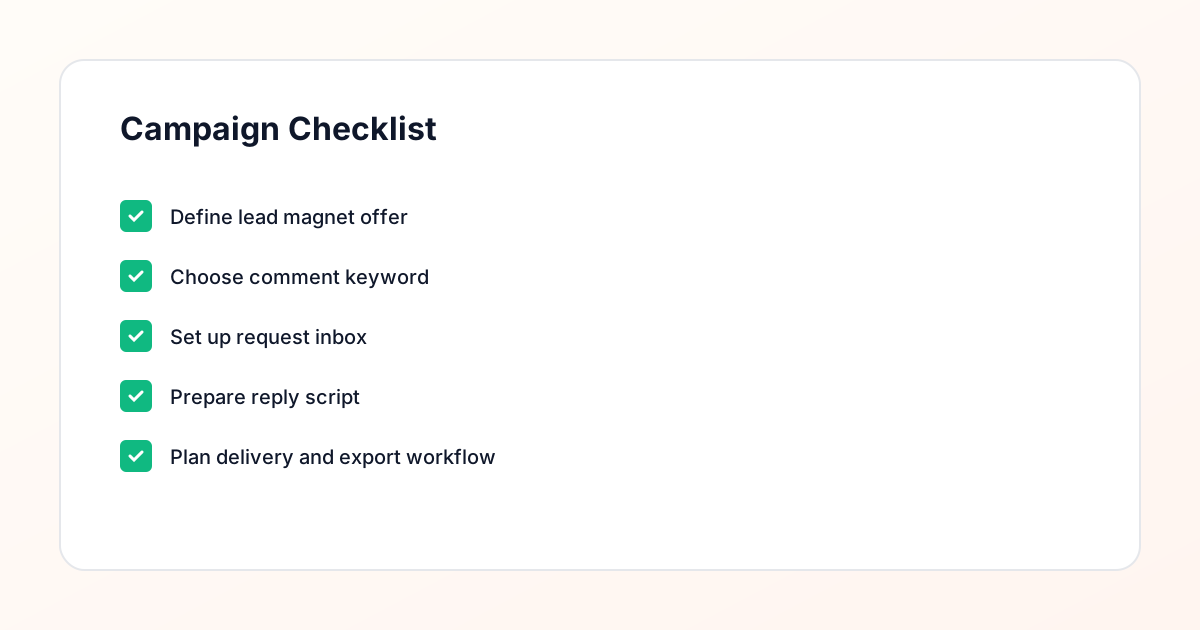
Campaign Checklist
Why Consultation Requests Need a System
Consultation-based businesses face a unique challenge on Instagram. When someone comments "interested" on your post about coaching services, they are raising their hand for a conversation. But without a system, that interest gets lost in the noise of your notifications. You might respond hours later, forget to follow up, or struggle to track who requested what. A consultation request workflow solves this by capturing every request in one place, timestamping it, and organizing it for review. This means you can respond thoughtfully rather than reactively. The goal is not to automate the consultation itself, but to automate the capture and organization of requests so you can focus on the actual conversation. When someone takes the time to comment, they deserve a timely, professional response that moves them toward booking.
Planning Your Consultation Offer
Before you choose keywords or set up campaigns, you need clarity on what consultation you are offering and what the next step looks like. Are you offering a free 15-minute discovery call? A paid strategy session? A group coaching consultation? The offer determines your keyword, your messaging, and your delivery workflow. Write down the specifics: what the consultation includes, how long it lasts, what the outcome will be, and how someone books it. This clarity helps you craft a post that clearly communicates the value. When someone comments, they should know exactly what they are requesting. Ambiguity leads to confusion and lower conversion. Your post caption should explain the consultation offer, the keyword to comment, and what happens next. For example, "Comment CONSULT to request your free 15-minute discovery call. I will send you my booking link."
Choosing the Right Keyword
Your keyword should be short, memorable, and directly related to the consultation. Single words work best because they are easy to type and remember. "CONSULT", "CALL", "BOOK", or "SESSION" are common choices for consultation offers. Avoid generic words like "INFO" or "MORE" because they do not signal intent clearly. When someone comments "CONSULT", they are explicitly requesting a consultation. This makes your review process easier because the intent is clear. You can also use multiple keywords for different consultation types. For example, "COACH" for one-on-one coaching and "GROUP" for group sessions. This allows you to segment requests and deliver the appropriate booking link. Test your keyword by saying it out loud and imagining your audience typing it. If it feels natural and specific, you have chosen well.
Creating the Post That Drives Requests
Your post needs to do three things: explain the consultation offer, tell people what to comment, and set expectations for what happens next. Start with a hook that addresses a pain point your audience faces. Then explain how the consultation helps solve that problem. Include specifics about what they will learn or gain. End with a clear call to action that includes your keyword. For example: "Struggling to get clients from Instagram? Comment CONSULT and I will send you my booking link for a free 15-minute discovery call. We will cover your biggest challenge and map out next steps." The caption should be detailed enough that someone can make an informed decision to comment. Avoid vague promises. Be specific about the value they will receive. Use line breaks and emojis sparingly to improve readability.
Capturing Requests in Your Inbox
When someone comments your keyword, that comment becomes a request that needs to be tracked. A request inbox collects all of these in one place, organized by post, keyword, and timestamp. This is where your consultation request workflow begins. Instead of scrolling through comments trying to remember who requested what, you have a centralized list. Each request shows the commenter's username, the post they commented on, the keyword they used, and when they commented. This information is essential for personalized follow-up. You can see at a glance which posts are generating the most consultation requests. You can identify repeat commenters who might be hot leads. And you can prioritize requests based on timing or other criteria. The request inbox transforms a chaotic comment section into an organized list of opportunities.
Reviewing Requests Before Follow-Up
Not every comment is a qualified consultation request. Some people comment out of curiosity. Others might be competitors or bots. A review step lets you evaluate each request before you send your booking link. During review, you can check the commenter's profile to see if they are a good fit for your consultation. Are they in your target audience? Do they have a genuine profile? Have they engaged with your content before? This manual approval step ensures you are sending booking links to people who are likely to book. It also protects you from wasting time on unqualified leads. During review, you can also personalize your approach. If you see someone has been following you for a while, you might reference that in your message. This review process is what makes your workflow compliance-aware and professional rather than spammy.
Delivering the Booking Link
Once you have reviewed and approved a request, it is time to deliver your booking link. This is where your lead magnet delivery workflow comes into play. You can send a direct message that includes your booking link along with a personalized note. For example: "Hey [name], thanks for requesting a consultation! Here is my booking link: [link]. Looking forward to chatting about [specific topic]." The personalization shows you actually reviewed their profile and are not just blasting links to everyone. Your booking link should go to a scheduling page that explains what the consultation includes, how to prepare, and what to expect. This reduces no-shows and ensures people come prepared. Some consultants also include a brief questionnaire to collect information before the call. This makes the consultation more productive and increases the likelihood of conversion.
Tracking Consultation Requests
Tracking goes beyond just collecting requests. You need to know which posts generate the most consultation requests, which keywords perform best, and what your conversion rate looks like from request to booked call. This data helps you optimize your content strategy and refine your offer. If one post generates 20 consultation requests and another generates 2, you want to understand why. Was it the topic, the format, the caption, or the keyword? Tracking also helps you identify patterns in your audience. Are consultation requests coming in at certain times of day? From certain types of posts? Use this information to post more of what works. You can export your request data to analyze it in a spreadsheet or send it to your CRM for further tracking. The key is to treat consultation requests as data points that inform your strategy.
Following Up on Unbooked Requests
Not everyone who receives your booking link will book a consultation immediately. Some people need more time. Others might have questions. A follow-up workflow ensures these requests do not fall through the cracks. Wait 3-5 days after sending your booking link, then send a gentle follow-up message. For example: "Hey [name], just checking in to see if you had a chance to book your consultation. Happy to answer any questions if you have them." This follow-up should be manual and personalized. Reference something specific from their profile or previous engagement. If they still do not book after one or two follow-ups, respect their decision and move on. The goal is to be helpful, not pushy. You can also use follow-up as an opportunity to provide additional value. Share a relevant post or resource that addresses their specific situation.
Scaling Your Consultation Workflow
As your Instagram following grows, so will the volume of consultation requests. This is where workflow structure becomes essential. You cannot manually check every comment and send every booking link without spending hours each day. A comment keyword campaign manager standardizes the capture and organization of requests while keeping the review and delivery steps manual. This gives you the best of both worlds: efficiency and personalization. You can also scale by creating multiple consultation offers for different audience segments. Use different keywords for each offer and track which ones perform best. As you gather data, you can refine your offers, keywords, and content to maximize consultation requests. The key is to build a system that scales with your business without sacrificing the personal touch that makes consultations valuable.
Compliance Note
GramTrigger helps organize Campaign Blueprints, Reply Library drafts, Request Inbox stages, approvals, delivery status, Lead Exports, and reports. Delivery should be handled manually or through approved tools depending on your account and available platform support.