
Lead Magnets
Comment Keyword Lead Magnet Guide for Creators and Agencies
10 min read
Running a comment keyword lead magnet campaign on Instagram is one of the most effective ways to move engaged followers off the platform and into your own ecosystem. This guide walks you through every step — from choosing the right keyword and structuring your content, to managing the request inbox, reviewing replies, delivering your lead magnet, and exporting your leads for follow-up. Whether you are a solo creator, a coach, or an agency managing multiple accounts, this is the operational playbook for running comment keyword campaigns that are organized, compliance-aware, and built for sustainable growth.

GramTrigger methodology
Original operating system for Comment Keyword Lead Magnet Guide for Creators and Agencies
The GramTrigger method treats every comment campaign as an approval workflow, not an automation shortcut. The goal is to prepare the offer, lead magnet, keyword strategy, Reply Library draft, Request Inbox stages, handoff owner, and Lead Export fields before comments turn into operational work.
Campaign Blueprint SOP
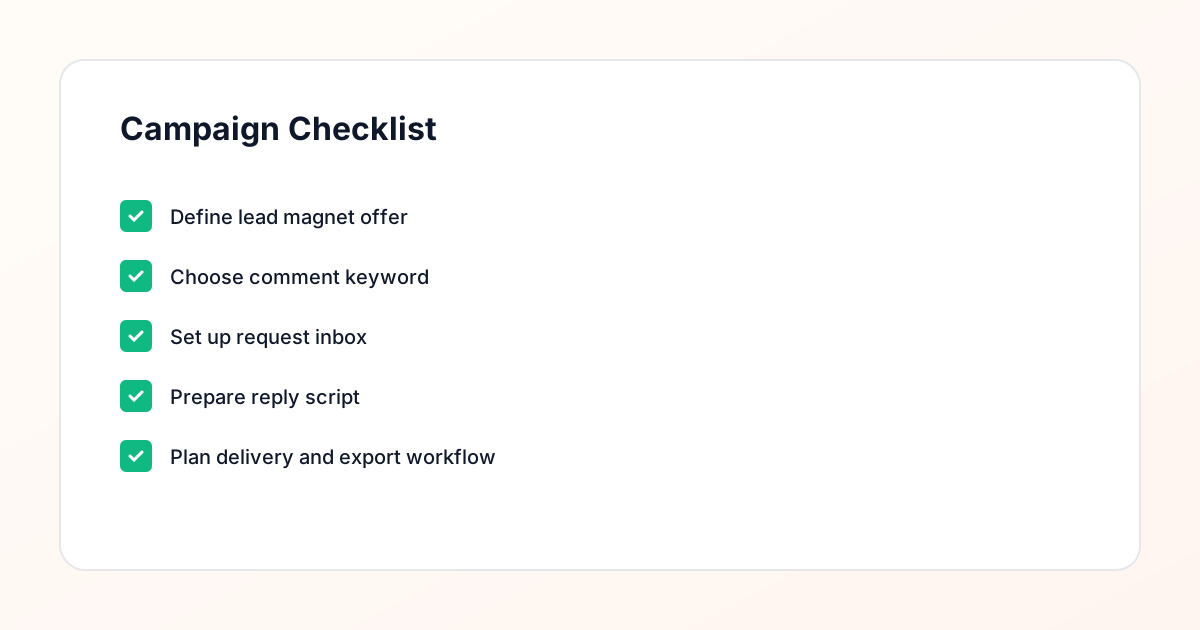
Confirm the offer, lead magnet, keyword strategy, comment CTA, reply draft, owner, approval status, and Lead Export fields before launch.
Comment Funnel Workflow
Use the same path everywhere: Offer → Lead Magnet → AI Funnel Builder → Keyword Strategy → Comment CTA → Reply Draft → Review & Approval → Campaign Launch → Request Inbox → Lead Tracking → Export.
Approval Queue Workflow
Review caption CTA, pinned comment, reply draft, lead magnet link, compliance notes, and client approval before a campaign goes live.
Export Readiness Checklist
Export only after records have clear status, no sensitive private data, an owner, follow-up stage, and a documented next action.
Campaign Recovery Workflow
If requests are missed, pause new promotion, review pending records, update Reply Library drafts, communicate manually where appropriate, and document the process fix.
Decision framework
Use this matrix before choosing the next step.
Manual review reminder
Draft response — review before sending. Use approved tools and follow platform rules. GramTrigger helps plan and manage lead magnet workflows; it does not scrape users or auto-send unauthorized DMs.
Workflow Overview
Campaign Checklist
What Is a Comment Keyword Lead Magnet Campaign?
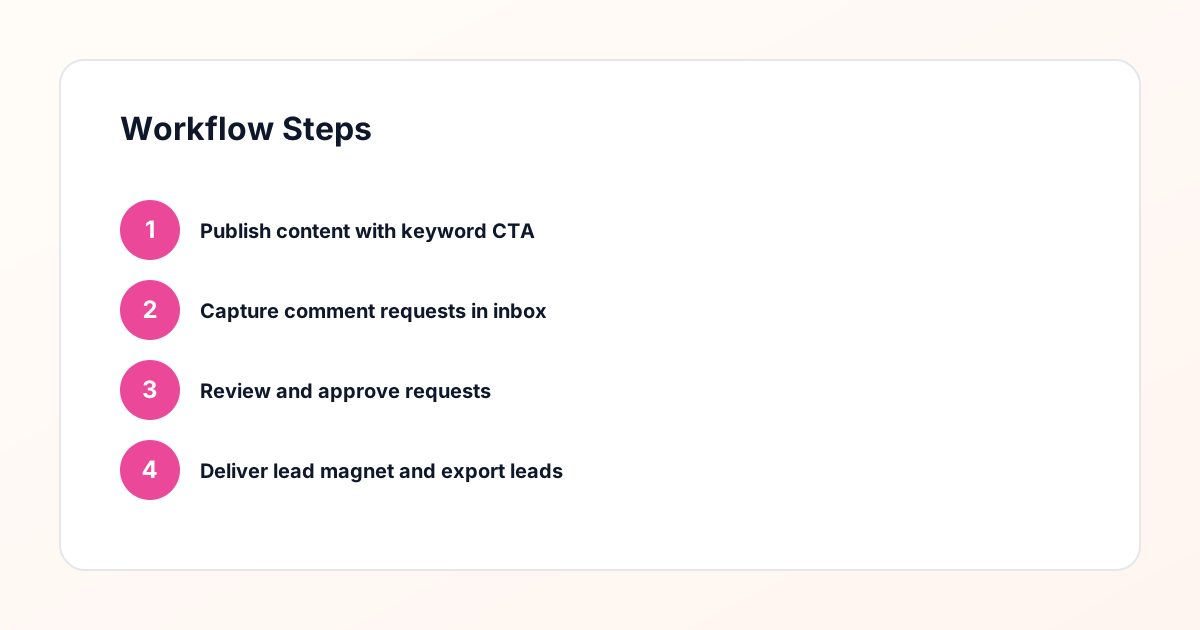
A comment keyword lead magnet campaign is a structured workflow where you publish Instagram content that asks followers to comment a specific keyword in order to receive a free resource. That keyword might be a single word like "GUIDE" or a short phrase like "SEND ME" — the comment acts as a signal of genuine interest. When someone comments that keyword, it lands in your request inbox where you can review it, decide whether to engage, and then deliver your lead magnet through a direct message. The entire process is a comment keyword workflow that turns passive scrollers into active participants. Unlike broad calls to action that ask people to "check the link in bio," keyword campaigns create a clear, trackable moment of intent. You know exactly who asked, what they asked for, and when they asked for it.
Choosing the Right Keyword for Your Campaign
The keyword you choose should be short, memorable, and directly tied to the resource you are offering. Single words tend to work best because they are easy to type on a phone and unlikely to be misspelled. Words like "TEMPLATE," "CHECKLIST," "PLAYBOOK," or "START" give followers a clear action while keeping the comment section clean. Avoid generic words like "YES" or "ME" — these tend to attract low-intent comments that clutter your request inbox. When you manage multiple campaigns across different posts, using a unique keyword per campaign helps you track which content piece generated each request. GramTrigger supports per-campaign keyword configuration, so you can run a "GUIDE" campaign on one post and a "START" campaign on another without requests getting mixed together.
Structuring Your Content for Maximum Keyword Comments
The content piece itself needs to do two things at once: deliver genuine value in the feed and create a compelling reason to comment the keyword. Carousel posts tend to perform well for lead magnet campaigns because you can walk through a problem, present a partial solution, and then position your free resource as the next logical step. Reels work too — show a quick tip, mention that you have a deeper resource available, and tell viewers to comment the keyword to get it. The key is to make the keyword instruction unmissable. Put it in the caption, in the final slide of a carousel, and even as a text overlay on video content. Some creators repeat the instruction two or three times in the caption, which is not excessive when you consider how many people only read the first line. The clearer the instruction, the more keyword comments you will receive, and the more requests will flow into your inbox for review and delivery.
Setting Up Your Request Inbox
Once your content goes live and keyword comments start arriving, you need a system to capture and organize them. This is where the request inbox becomes the operational center of your campaign. Every keyword comment becomes a request — a record that includes the commenter, the post they commented on, the keyword they used, and the timestamp. A well-organized request inbox lets you see all pending requests at a glance, filter by campaign or post, and track which ones you have already reviewed and responded to. GramTrigger provides a dedicated request inbox that aggregates keyword comments across all your active campaigns. Each request can be reviewed individually before you send a reply, which gives you a manual approval step that keeps your outreach compliant and personalized. You are never blindly sending messages to everyone who commented — you are reviewing each request and making a deliberate decision to engage.
The Review Step: Why Manual Approval Matters
One of the most important principles in running a comment keyword workflow responsibly is the review step. Before any message is sent to a commenter, there should be a human review point where you confirm the request is legitimate and your reply is appropriate. This manual approval process exists because not every keyword comment represents a genuine request. Some accounts may be bots, some commenters may have used the keyword in a different context, and some profiles may not align with your audience. By reviewing requests before replying, you maintain quality control over your outreach and avoid the pitfalls of fully automated systems that message everyone indiscriminately. GramTrigger is designed around this review-first philosophy. Every request sits in your inbox until you explicitly approve it. This approach is a safer alternative to spammy automation and keeps your account activity looking natural and intentional.
Delivering the Lead Magnet
Once a request has been reviewed and approved, the next step is delivering your lead magnet. This typically takes the form of a direct message containing a link to your resource — a Google Drive folder, a landing page, or an email opt-in form. The message itself should feel personal and conversational, not like a mass blast. Reference the specific post they commented on, thank them for their interest, and provide the link clearly. The lead magnet delivery workflow should be repeatable and consistent. You want the same quality of message going out whether you are fulfilling ten requests or a hundred. GramTrigger helps you prepare reply scripts that you can customize per request during the review step, so delivery is efficient without feeling robotic.
Following Up and Moving Leads to Your Email List
Delivering the lead magnet is not the end of the workflow — it is the beginning of the relationship. The people who commented a keyword and received your resource have demonstrated clear interest in your topic, which makes them ideal candidates for your email list. After delivery, consider sending a follow-up message a day or two later to check whether they had a chance to look at the resource and to invite them to join your email list for more content like it. This follow-up is another point where the request inbox is valuable — you can track who received the lead magnet, who has not been followed up with yet, and who has already been contacted again. The goal is to move the conversation from Instagram to your email list, where you have a direct, platform-independent channel for communication. This transition is the entire point of the comment keyword strategy: use Instagram content to generate interest, use the keyword workflow to capture that interest, and use email to nurture it over time.
Exporting Leads and Tracking Campaign Performance
Every completed request in your workflow represents a lead — someone who engaged with your content, raised their hand with a keyword comment, received your resource, and potentially joined your email list. Exporting these leads gives you a record you can use outside of Instagram. A typical export includes the commenter username, the post URL, the keyword used, the timestamp, and the status of the request. This data is useful for tracking campaign performance over time and building a CRM-style database of engaged followers. For agencies, exports provide a way to report results back to clients with concrete numbers. GramTrigger includes export functionality that lets you pull request data into a spreadsheet format for further analysis.
Examples for Creators, Coaches, and Agencies
The comment keyword lead magnet workflow adapts well to different business models. A solo creator might post a carousel about content planning, ask followers to comment "PLAN" to receive a free editorial calendar template, review the incoming requests, and deliver the template via DM with a link to a Google Sheet. A fitness coach could post a Reel demonstrating three common form mistakes, ask viewers to comment "FIX" to get a detailed form checklist PDF, and follow up with an invitation to join their coaching newsletter. An agency managing social media for a real estate client might run a campaign where the keyword is "BUY" and the lead magnet is a first-time homebuyer guide. Each of these examples follows the same underlying structure: content with value, a clear keyword instruction, a request inbox for organization, a review step for quality control, delivery of the resource, and follow-up to move leads into an email list. The specifics change, but the workflow remains consistent and repeatable.
Common Mistakes to Avoid
The most common mistake in comment keyword campaigns is skipping the review step and messaging every commenter automatically. This approach creates compliance risk, generates complaints, and often results in messages going to the hidden request folder rather than the primary inbox. Another frequent error is using a vague or overly long keyword that people misspell or ignore entirely. Keep it short, clear, and relevant. Some creators also fail to deliver the lead magnet promptly — if someone comments and waits three days for a response, the moment of interest has passed. Finally, many campaigns lack a clear follow-up path. Delivering the resource is not enough; you need a plan for what happens next. Avoiding these mistakes comes down to treating the comment keyword workflow as a real operational process, and GramTrigger is built to support that level of discipline.
Compliance Note
GramTrigger helps organize Campaign Blueprints, Reply Library drafts, Request Inbox stages, approvals, delivery status, Lead Exports, and reports. Delivery should be handled manually or through approved tools depending on your account and available platform support.